SUMMER SAVINGS 
90% OFF 

QuickBooks for 3 months*
Ends 8/27
QuickBooks Blog
Two workers looking at a timesheet on a board in a warehouse.
product update

Time is now fully integrated into QuickBooks Online: a seamless, time-tracking experience built inside

Key takeaways

  • We've rebuilt the functionality and capabilities of our classic QuickBooks Time experience within the QuickBooks Online (QBO) platform.
  • You will get one seamless, integrated time-tracking experience built right in. No manual syncs, no exports—just up-to-date, real-time time, payroll, and accounting data fully connected on one platform.
  • Rolling out in phases over the coming months, this transition will move all classic Time customers to manage their timekeeping, time management, and scheduling tasks in QuickBooks Online. Each customer group will receive an email notification in advance of this change.
  • Starting in September, the first wave of customers will have the link to classic Time removed from the Time app in QuickBooks Online. The Time app already has everything you use today, running faster and more reliably, with your time-tracking workflows built right in. You'll still be able to reach classic Time at tsheets.intuit.com before we retire the site in a few months.

We’ve improved our time-tracking experience. The functionality and capabilities of classic QuickBooks Time are now available within QuickBooks Online. 

  • This means you no longer need to switch back and forth between QuickBooks Online and the legacy classic Time app.
  • There's no need to run manual imports, exports, and syncs to complete timekeeping setup, or manage time tracking workflows.
  • You get one seamless, integrated time-tracking experience built right into QuickBooks Online. No manual syncs, no exports—just up-to-date, real-time time, payroll, and accounting data on one platform.

What this means:

  • Rolling out in phases over the coming months, this transition will move all classic Time customers to manage their timekeeping, time management, and scheduling tasks in QuickBooks Online. Each customer group will receive an email notification in advance of this change.
  • Starting in September, the first wave of customers will have the link to classic Time removed from the Time app in QuickBooks Online. The Time app already has everything you use today, running faster and more reliably, with your time-tracking workflows built right in. You'll still be able to reach classic Time at tsheets.intuit.com before we retire the site in a few months.
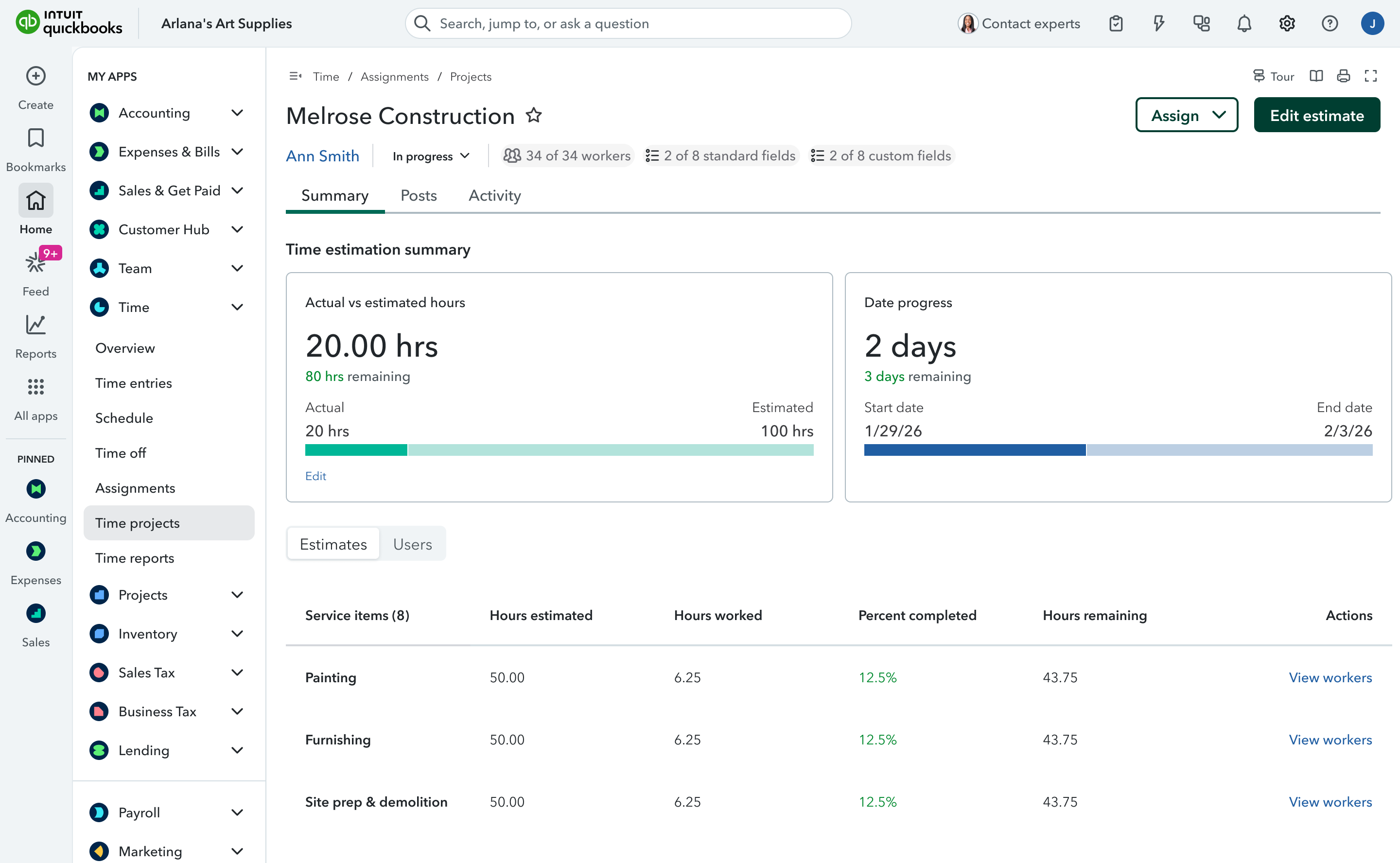
Construction project time tracking dashboard interface

How QuickBooks Time helps you run your business:

  • Make every hour make sense: With QuickBooks Time included in QuickBooks Workforce Premium and Elite plans, payroll costs and time tracking are in sync with your QuickBooks Online account so you can see how every hour is spent, and what it means for your bottom line.
  • Make informed decisions: Get a clear view of your team with real-time reports at your fingertips. From labor costs to time-off balances, get the insights you need to make the right decisions.
  • Keep your team on track: With location-based, geofenced clock-in prompts for your team and approval reminders for you, you'll spot anomalies, reduce missed hours, and keep everything running smoothly.**
  • Save more time: Hours populate automatically in Run Payroll and are connected to Customer hub and Projects, so billable hours are readily available for invoicing.**
  • Experts and Intuit AI by your side: Get expert assistance when you need it, while Payroll AI collects time data, flags issues, and sends updates so you can feel confident running payroll.

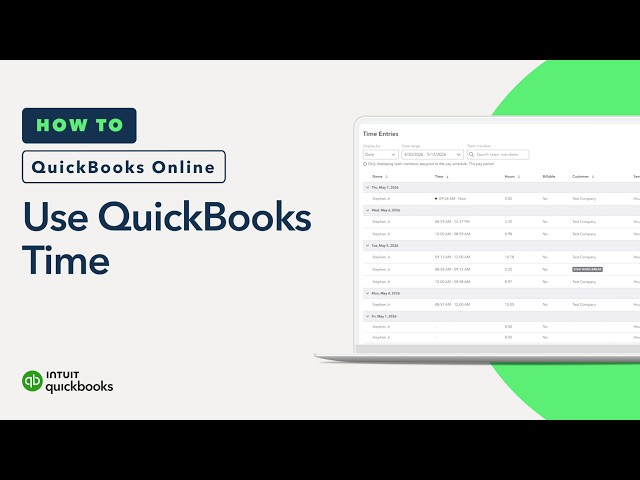
Time tracking features, now in QuickBooks

FAQ for customers and accountants

**Features

QuickBooks Time features and functionality vary by plan, which are subject to change. Certain features are available only with Time Elite, or may require additional fees. For details, see https://quickbooks.intuit.com/time-tracking/.

Unlimited live customer support: Phone and chat support is included with your paid subscription to QuickBooks Time or QuickBooks Workforce Premium or Elite. Your subscription must be current. Time and days vary based on subscription.

Geofencing: Available in QuickBooks Workforce Elite or QuickBooks Time Elite only. Geofencing is enforced through the QuickBooks Workforce mobile app.

Timesheet signatures: Available in QuickBooks Workforce Elite or QuickBooks Time Elite only.

Time tracking by project: Available in QuickBooks Workforce Elite or QuickBooks Time Elite only.

Payroll cost allocation (job costing): Allocation of payroll costs by class or project only available to QuickBooks Workforce Premium and Elite users who have a QuickBooks Online Plus, QuickBooks Online Advanced, or Intuit Enterprise Suite plan. Real-time time tracking by class or project available in QuickBooks Workforce Elite or Time Elite only.

Project activity feed: Available in QuickBooks Workforce Elite or Time Elite only.

Project labor estimates vs actuals reporting: Available in QuickBooks Workforce Elite or QuickBooks Time Elite only.

Mileage tracking: Available in QuickBooks Workforce Elite or QuickBooks Time Elite only.


Recommended for you

Mail icon
Get the latest to your inbox
No Thanks

Looking for something else?

QuickBooks

From big jobs to small tasks, we've got your business covered.

Firm of the Future

Topical articles and news from top pros and Intuit product experts.

QuickBooks Support

Get help with QuickBooks. Find articles, video tutorials, and more.