










October is National Learning and Development Month to celebrate the vital role of education and skill enhancement in our lives. This can even come in the form of a professional development benefit your organization can offer team members to help retain top talent. See more about this in the 2026 guide to human capital management (HCM) for growing businesses. You’ll find an even more in-depth exploration in 5 employee retention secrets from growing businesses with a proven track record, and be sure to read more about this month’s updates below.
Table of contents
Table of contents
Applying vendor credits in Bill Pay
In a nutshell: You can now apply vendor credits while scheduling a QuickBooks Bill Pay payment, rather than using separate steps or workarounds.
Rather than relying on paper checks, outside tools, or partial payments, you can apply a credit and pay a bill in a single, time-saving step. You’ll also get full control over which credits go to which bills, rather than only seeing the total credit amount. When the payment is complete, the remittance advice your vendor receives will show which credits were applied, adding clarity and transparency to your work with them.
Here’s how it works:
- Pay bills now lists each available vendor credit with date, reference number, and available balance.
- You select which vendor credits to apply and how much of each credit.
- The applied credits will appear when you go to Schedule payment.
- The email and remittance advice to your vendor will show the applied credit(s).

Find out how to enter vendor credits and refunds in QuickBooks Online.
Important product and disclaimer information
Money movement services are provided by Intuit Payments Inc., licensed as a Money Transmitter by the New York State Department of Financial Services. For more information about Intuit Payments' money transmission licenses, please visit https://www.intuit.com/legal/licenses/payment-licenses/.
Draft payroll by uploading spreadsheets
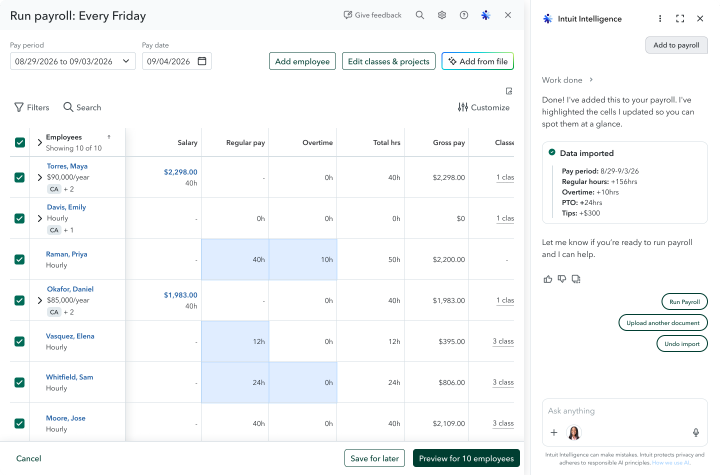
In a nutshell: QuickBooks Workforce Premium and Elite users can now skip the manual entry and prepare payroll by uploading spreadsheets directly into Intuit Intelligence.
Chances are good that your business gathers payroll data from a multitude of disconnected sources. However, manually aggregating disparate payroll data elevates the stress of running payroll correctly and on time. Mid-market customers surveyed about payroll preparation say that the time and effort of entering data manually is a top pain point.
Preparing payroll is now easier than ever with the help of Intuit Intelligence. When you upload a CSV or Excel file of payroll data directly in the chat window, Intuit Intelligence extracts the data and requests clarification as needed. After this process is complete, you’ll see the imported data in the review table. Upon review and confirmation, this data is added to your payroll.
QuickBooks Workforce is an all-in-one HR platform.
Important product and disclaimer information
Money movement services are provided by Intuit Payments Inc., licensed as a Money Transmitter by the New York State Department of Financial Services. For more information about Intuit Payments' money transmission licenses, please visit https://www.intuit.com/legal/licenses/payment-licenses/.
Classify employee hours across service items and dimensions
In a nutshell: You can now track service items by paycheck, so you know which labor costs land against the work that each team member performed.
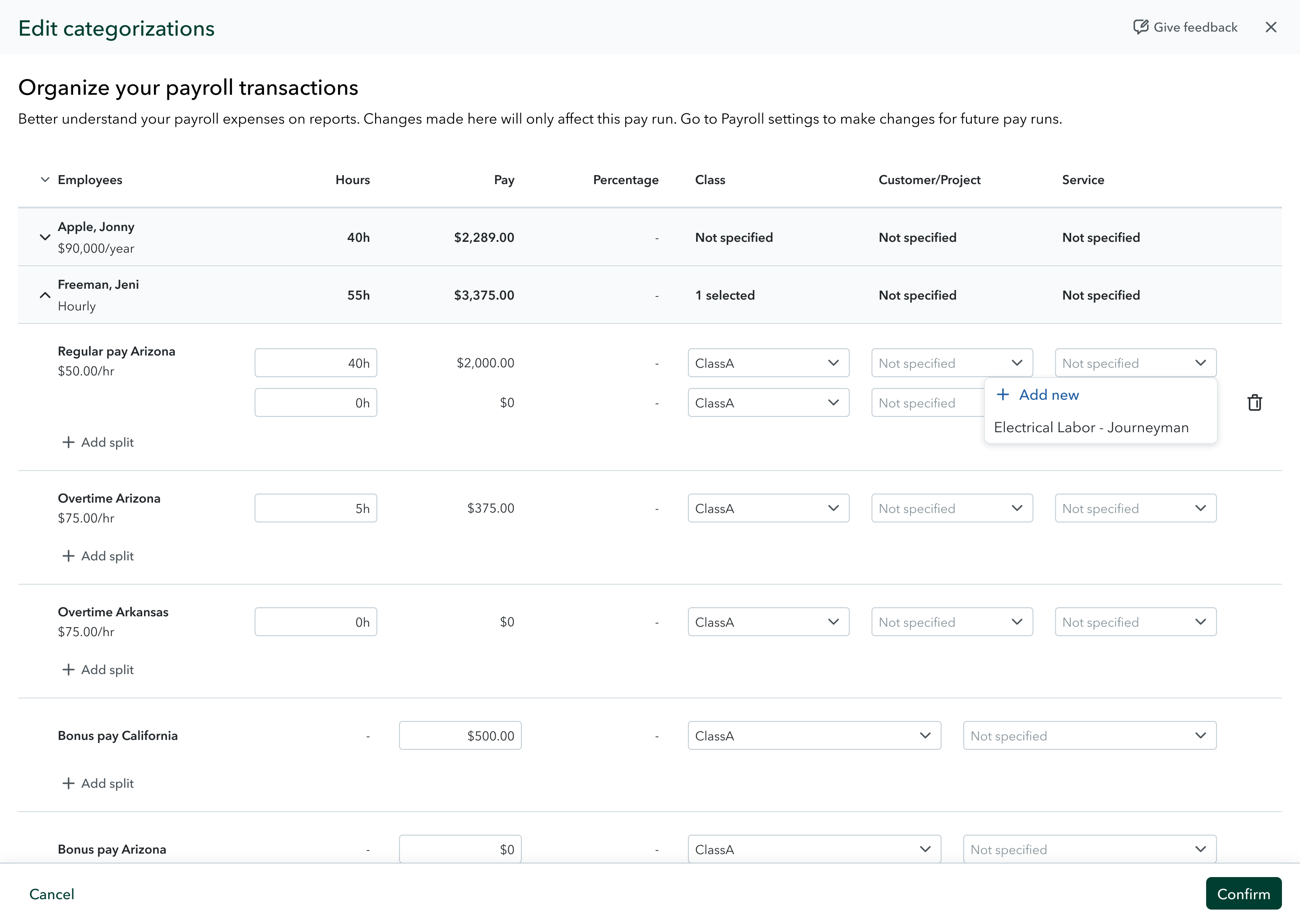
Classify your employees’ hours across service items and a range of customizable dimensions with this new tracking capability in QuickBooks Workforce Premium and Elite, and QuickBooks Online. When you track service items by paycheck, you can allocate and track payroll costs granularly across each job, customer, or project.
This capability builds on custom dimensions tagging, introduced earlier this year. With it, you can add the dimension of service items in order to gain all-new insights. Analyze income and spend across various categories, and get the answers that fit your needs, such as union wage reporting, workers’ compensation codes, grant-based costing, and more.
With this update:
- Service items on timesheets will flow straight into your payroll.
- You can split a single paycheck across multiple service items.
- You can edit or reassign service items while running payroll or correcting a paycheck.
- Service item details carry through to your job costing reports.
Explore best practices for using classes in QuickBooks Online.
Important product and disclaimer information
Money movement services are provided by Intuit Payments Inc., licensed as a Money Transmitter by the New York State Department of Financial Services. For more information about Intuit Payments' money transmission licenses, please visit https://www.intuit.com/legal/licenses/payment-licenses/.
Checkr background checks in QuickBooks Workforce
In a nutshell: Background checks through Checkr help growing businesses maintain a streamlined, unified hiring process with seamless workflows.**
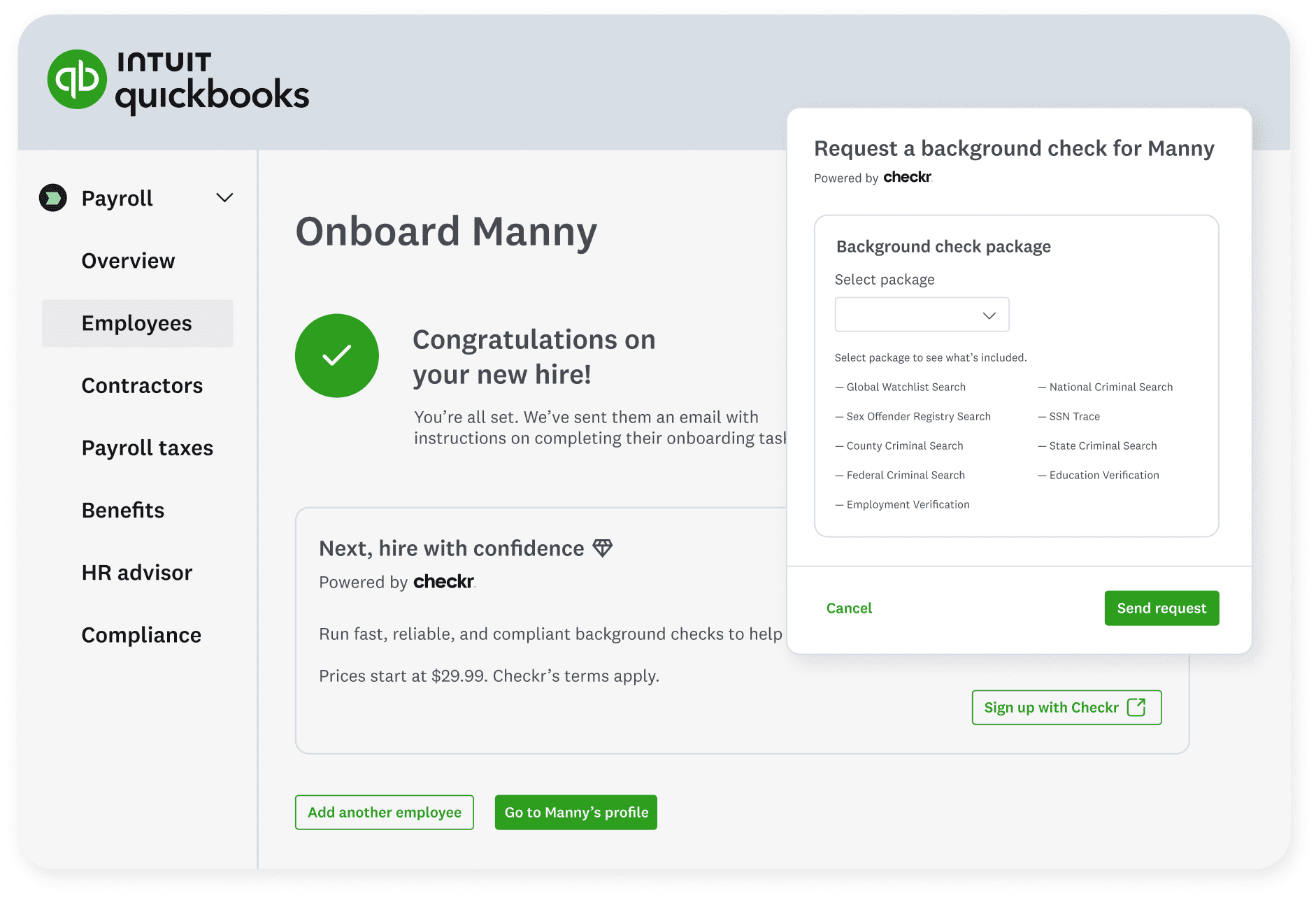
Running background checks no longer means leaving the QuickBooks platform and searching for a reputable provider. The team lifecycle management tools inside QuickBooks Workforce include fast, smooth, and safe background checks through our partner, Checkr. These background checks start at $29.99 per report and are integrated into employee onboarding.**
Initiate background checks in seconds from your hiring workflow in QuickBooks for an efficient and consistent process. You can also start background checks of existing employees from employees’ profiles or through the Background checks overview page in QuickBooks Workforce.
Get more details on background checks through Checkr.
Important product and disclaimer information
**Features
Background checks: Background check services provided by Checkr. Checkr's terms and additional fees apply. Subscription to QuickBooks Workforce required.
Pricing starts at $29.99 per report: Checkr works with state and county courts, DMVs, databases, and other third parties to complete your background checks. Some of these parties impose surcharges (“passthrough fees”) to the public to retrieve records. These passthrough fees are included in your invoice.
Intuit Business Credit Card available to business owners
In a nutshell: Business owners can access more capital with no impact to their personal credit score, and save time through QuickBooks-integrated workflows with the Intuit Business Credit Card.
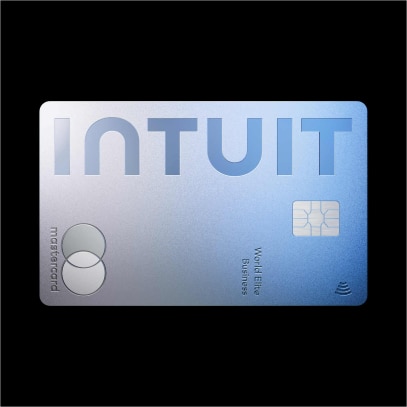
To help owners reinvest in their businesses, the Intuit Business Credit Card features no annual fee** and unlimited 2% cash back on everyday purchases.**
In addition, this card offers:
- 5% unlimited cash back on Intuit products and services**.
- QuickBooks auto-sync saves you time with no bank feed setup or connection issues.
- Receipt capture that automatically match to transactions
- A $300 cash bonus**.
- Unlimited virtual and physical credit cards for your team, with limits and controls.
- Exclusive offers from Intuit and additional partners.
While business owners often face challenges qualifying for traditional business credit, the Intuit Business Credit Card can widen your access to capital, with no impact to personal credit score. If approved, this access provides the flexibility to float expenses month to month, while earning cash back rewards for your business. Approved businesses can go from application to spending in as little as 3 minutes, with immediate access to a virtual card.
Avoid month-end manual work—transactions from the Intuit Business Credit Card automatically sync and reconcile with QuickBooks data. The Intuit Business Credit Card automatically connects to the QuickBooks bank feed, giving you a real-time view of cash flow and business performance.
Cardholders also receive automatic notifications to upload receipts, helping everyone skip paper expense records and stress less at tax time.
Explore the new Intuit Business Credit Card with no impact to your personal score.
Important product and disclaimer information
**No annual fee: See Intuit Business Credit Card Cardholder Agreement.
Cash back: 5% cash back on purchased Intuit products and services does not include transactional fees (ex: merchant services). All other completed purchases will receive 2% cash back. All cash back for bonuses and rewards will be applied in the form of a statement credit to your Intuit Business Credit Card account. Closed accounts with cash back balances may be forfeited. See Rewards Program Terms for details. The Intuit Business Credit Card cannot be used to pay other debts. (ex: a loan or credit card balance).
$300 bonus: Earn the $300 bonus after you spend $3,000 in purchases within the first 3 months of account opening. Closed accounts with cash back balances may be forfeited. See Rewards Program Terms for details. The Intuit Business Credit Card cannot be used to pay other debts. (ex: a loan or credit card balance).
Intuit Business Credit Cards are issued by WebBank.
Mastercard and the circles design are registered trademarks of Mastercard International Incorporated.
Switching to QuickBooks Workforce from ADP or Gusto
In a nutshell: When you switch to QuickBooks Workforce from ADP or Gusto, you can import complete employee records and year-to-date payroll history without manually starting from scratch.
Entering historical employee and payroll data by hand keeps many businesses from switching payroll providers. Many business owners who start the process may end up abandoning it before their next payroll run.
You can avoid manually entering hundreds of fields by importing the employee and payroll data reports from ADP or Gusto into QuickBooks Workforce.
To help make the process more seamless, AI completes the data extraction step after import, structuring employee records and a full year-to-date pay history. Then, an Intuit expert will review and resolve exceptions, verifying data-migration accuracy by catching what automation alone cannot, such as duplicate deductions and tax edge cases.
You can then review only what’s flagged, rather than hundreds of fields, saving time you can dedicate to your business.
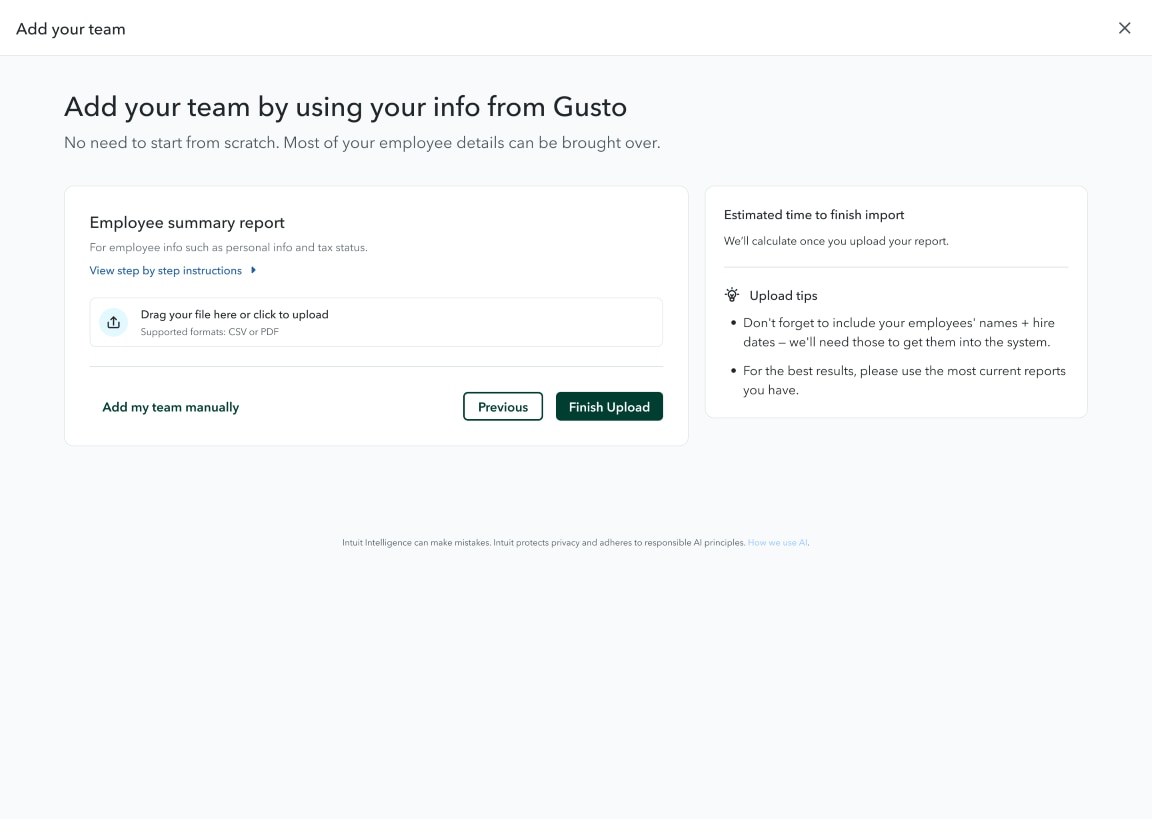
Find out how to switch to QuickBooks Workforce from ADP or Gusto.
Grow your business with the QuickBooks ecosystem
Free Calculators

Advisory
Forecast your firm’s CAS revenue—instantly

Artificial Intelligence
Reveal the ROI of AI in your firm
eBooks

Advisory
Grow Your Firm with Client Advisory Services: eBook

Advisory
Grow Your Firm with Value-Based Pricing for Client Advisory Services: eBook

Advisory
Value-Based Pricing Questions to Ask Your Clients: eBook

Artificial Intelligence
AI in accounting: How AI is rewriting the accounting playbook
More on CAS

QuickBooks ProAdvisor
ProAdvisor In the Know: Client Accounting Services Learning Pathway

QuickBooks ProAdvisor
Client Advisory Services Foundations: The next evolution of accounting education
Podcast
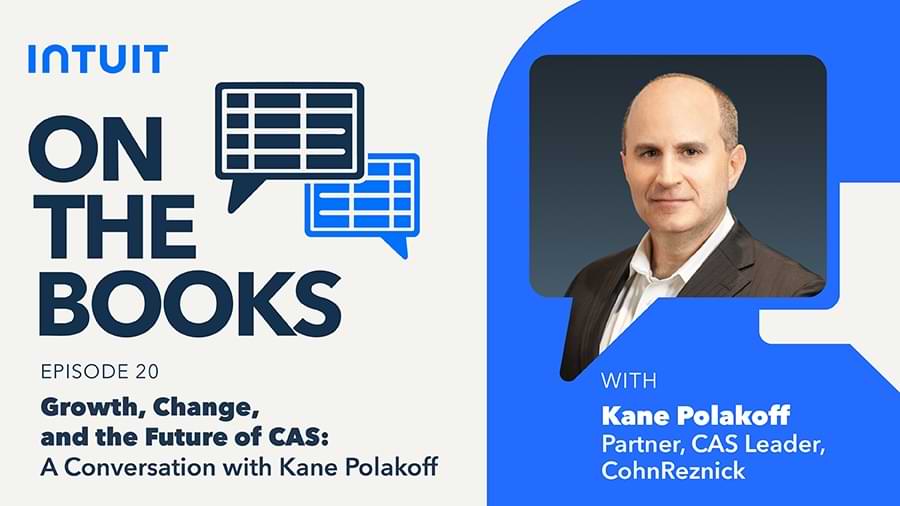
On the Books: Growth, change, and the future of CAS—A conversation with Kane Polakoff

Artificial Intelligence
AI fraud detection for client advisory firms

Advisory




