QuickBooks Blog
Three people discussing end-of-year planning in the office.
taxes

End-of-year planning starts now: 5 QuickBooks reports to run in Q4

If you wait until January to get your books in order, you’re already behind. Start your year-end tax planning strategies now with these 5 QuickBooks reports.

Want a visual walkthrough of running reports? Check out the video on how to run and customize reports in QuickBooks Desktop.

Bring together all your financial, payroll, HR, marketing, and cash flow tools in one place with Intuit Enterprise Suite.

5 QuickBooks reports you should run in Q4 2025

Fall is here, and the year-end tax scramble will be here before you know it. Waiting until the last few weeks of December to pull reports, chase receipts, or crunch numbers puts you at a disadvantage. Early Q4 is the ideal time to get ahead.

By running some key QuickBooks reports now, you can spot trends or issues while there’s still time to adjust, prepare for taxes, and finish the year with confidence. This guide walks through five must-run QuickBooks reports you should run in Q4 2025, plus how to turn those insights into a real action plan.

1. Profit and loss statement: To understand overall revenue and expenses

The profit and loss (P&L) statement—sometimes called an income statement—is one of the most important reports you’ll run. It shows your revenue, costs, and expenses over a specific period. 

  • Why it’s important: You can see whether your business is profitable and how your revenue compares to expenses.
  • How to run it in QuickBooks: From the Reports menu, select Profit and Loss and set the time frame (Q4, year-to-date, or custom). Click “Run report.”
  • Q4 tip: Compare your year-to-date performance against the prior year. If you’re behind on revenue, you still have a few months to strategize sales or marketing pushes.

2. Balance sheet report: To prepare for taxes and loan readiness

The balance sheet report gives you a snapshot of assets, liabilities, and equity at a single point in time. Lenders and tax professionals rely on it heavily.

  • Why it’s important: It helps you understand your net worth and spot obligations that could impact cash flow.
  • How to run it in QuickBooks: Select Balance Sheet from the Reports menu and filter for the current date. Click “Run report.”
  • Q4 tip: Look for liabilities you can pay down before year-end. Reducing debt now could improve your tax position and strengthen your case if you need a loan or line of credit.

Image Alt Text

3. Accounts receivable aging report: To improve cash flow before year-end

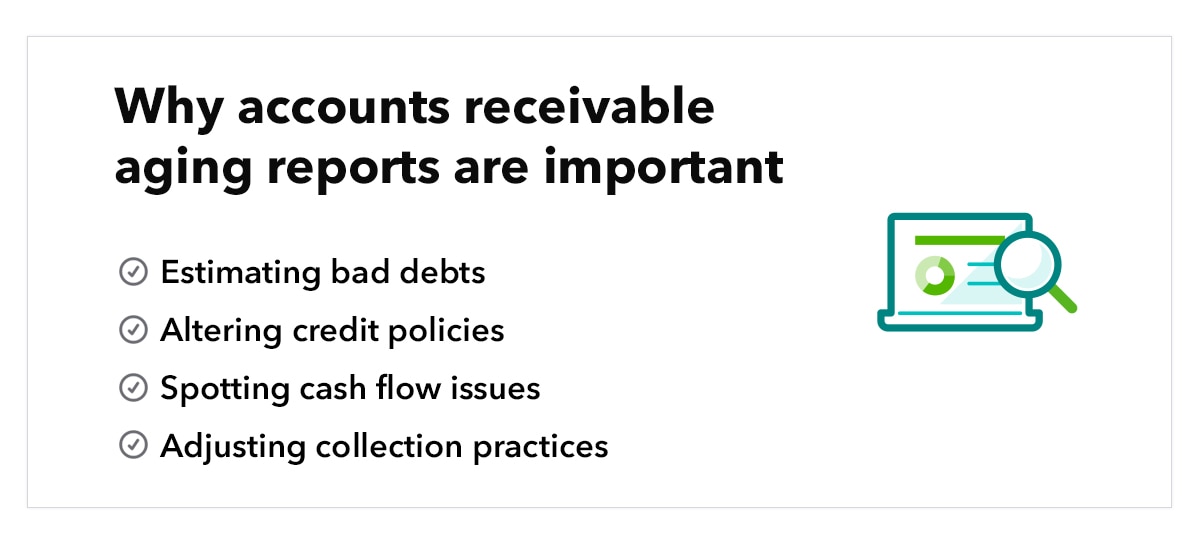
Outstanding invoices can stall your cash flow—especially during the holidays when clients slow down payments. The accounts receivable aging report highlights which customers are falling behind, how much they still owe, and how long those balances have been overdue.  

  • Why it’s important: It helps you act before unpaid invoices turn into bad debt, prioritize collections, and keep cash flow steady heading into Q1.
  • How to run it in QuickBooks: Go to the Reports menu and find Accounts Receivable Aging Summary. Then choose the report from the Who Owes You section. From there, you can customize options like number format, aging periods, and headers/footers before saving.
  • Q4 tip: Use this report to prioritize outreach. Send reminders now to get invoices cleared before the end of Q4, when payments are historically harder to collect.

4. Budget vs. actuals report: To identify spending trends and adjust budgets

Overspending can quietly eat into profits, while underspending can leave opportunities on the table. The budget vs. actuals report shows how your actual revenue and expenses line up with what you planned, giving you a clear picture of where adjustments are needed.

  • Why it’s important: It highlights areas of overspending or underspending so you can make smarter choices for the rest of the year.
  •  How to run it in QuickBooks: Go to the Reports menu and select Budget vs. Actuals. From there, customize by time period. Click “Run report.” 
  • Q4 tip: Use this report to tweak your Q4 budget. Small shifts now can improve cash management and create potential tax efficiencies by timing certain expenses before year-end.

5. Cash flow statement: To plan for expenses and bonuses

Even businesses with strong profits can run into cash crunches. The cash flow statement reports your company’s cash receipts and outflows for a specific time period, usually a month or year. It shows your operating, investing, and financing activities.

  • Why it’s important: It provides a real view of your liquidity, beyond just what’s on your income statement.
  • How to run it in QuickBooks: From the Reports menu, select Statement of Cash Flows. You can customize by date range and activity type to see seasonal cash patterns. Select “Run report.” 
  • Q4 tip: Review this report now to anticipate whether you’ll have enough cash for taxes, inventory purchases, or employee bonuses so you’re not caught off guard in December.

Turning reports into an action plan

Running reports is only half the job—the real value comes when you translate those numbers into decisions and solid business planning strategies. By using what you learn in Q3 & Q4, you can shape a proactive plan for Q1 instead of scrambling at the end of the year. Here are a few ways to put your insights to work:

  • Meet with your accountant or bookkeeper before December. Bring your profit & loss, balance sheet, and cash flow reports to discuss tax-saving strategies and end-of-year business adjustments while there’s still time to act.
  • Set KPIs for Q4. Use your data to establish measurable goals, such as reducing overdue receivables by a set percentage, improving gross margin, or trimming discretionary expenses.
  • Automate report scheduling. QuickBooks lets you schedule reports to run automatically and deliver straight to your inbox. This keeps you up to date monthly (or even weekly) without the hassle of pulling them manually.
  • Plan year-end spending. If your budget vs. actuals report shows underspending in deductible business expense categories, you may be able to invest in equipment, supplies, or marketing before year-end to optimize your tax position.
  • Forecast cash needs. Use your cash flow statement to anticipate whether you’ll have enough liquidity for Q4 obligations like bonuses, taxes, or inventory restocking.
  • Prepare for growth. Thinking about hiring, equipment, or a new location? Use your balance sheet and cash flow reports to see if the timing and resources line up before making big moves.

Don’t wait until January! Start your year-end business planning and prep now. Log into QuickBooks and run these 5 reports today.


Recommended for you

Mail icon
Get the latest to your inbox
No Thanks

Get the latest to your inbox

Relevant resources to help start, run, and grow your business.

By clicking “Submit,” you agree to permit Intuit to contact you regarding QuickBooks and have read and acknowledge our Privacy Statement.

Thanks for subscribing.

Fresh business resources are headed your way!

Looking for something else?

QuickBooks

From big jobs to small tasks, we've got your business covered.

Firm of the Future

Topical articles and news from top pros and Intuit product experts.

QuickBooks Support

Get help with QuickBooks. Find articles, video tutorials, and more.