You could save up to 25% on transaction costs².
Speak with us now to see if you qualify.
Talk to sales 1-800-515-8366
Monday - Friday, 6 AM to 4 PM PT

Table of contents
Table of contents
As construction firms take on more jobs, the administrative work supporting those jobs grows faster than most teams expect. Scheduling another project is straightforward.
Managing the approval chains, billing cycles, vendor follow-ups, and reconciliations that come with it is where the construction project management workflow breaks down. Most back-office processes that worked at five concurrent jobs become bottlenecks at fifteen.
The firms that scale without adding back-office headcount do it by standardizing repeatable financial tasks, automating what doesn't require a decision, and structuring what does.
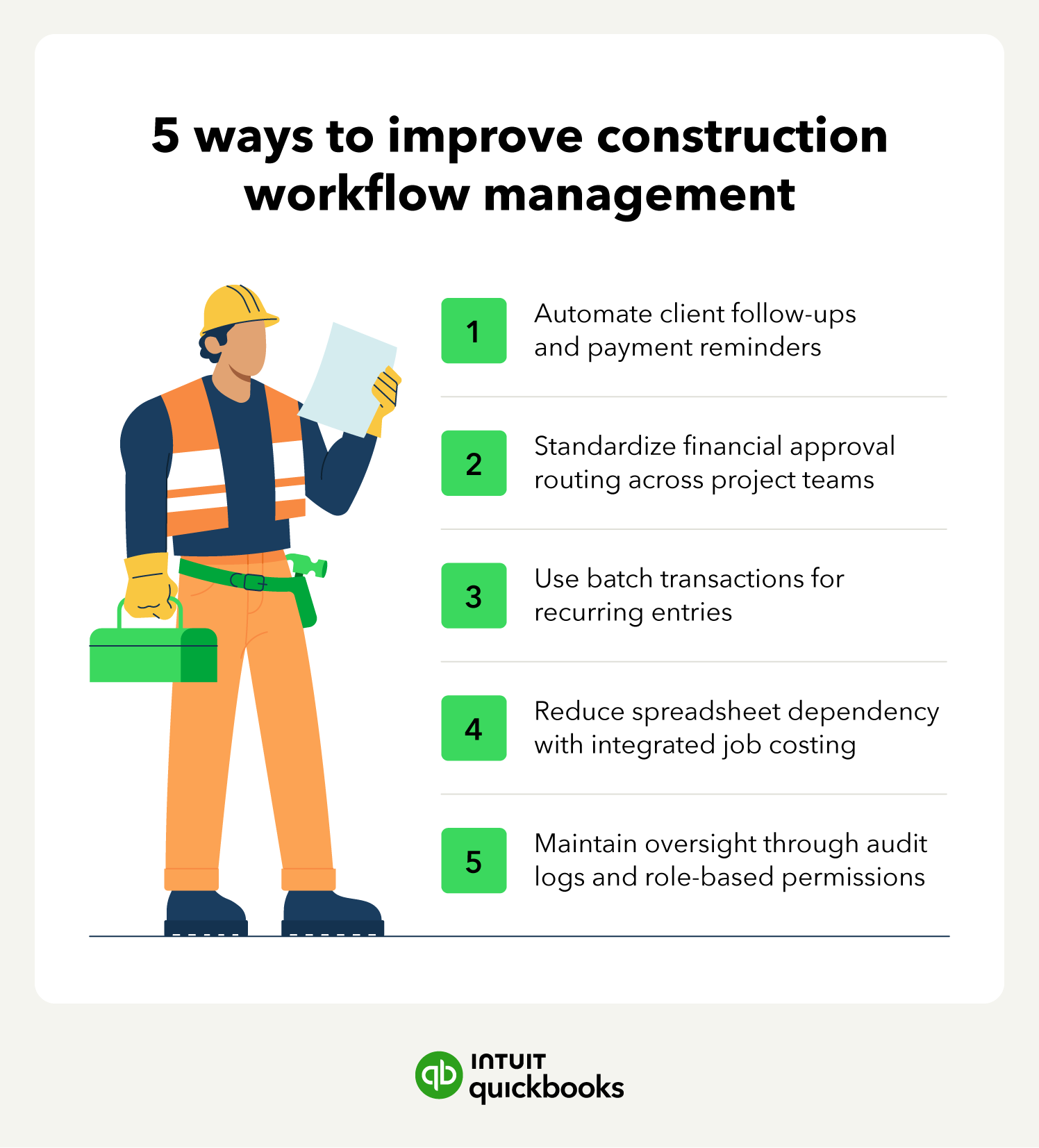
Construction automation software, like QuickBooks Online Advanced, supports that approach with pre-built workflows, batch transaction tools, and integrated job costing that keeps financial data connected to project execution. In this article, we'll cover five ways to improve construction workflow management including automating client follow-ups and standardizing approval routing to maintaining oversight through audit logs and role-based permissions.
Accounts receivable follow-up is one of the most time-consuming recurring tasks in construction finance, and one of the most automatable. QuickBooks Online Advanced includes a library of 45 pre-built workflows that handle invoice reminders, payment confirmations, and customer communications without manual intervention.
You can configure automated payment due reminders based on specific schedules, invoice amounts, or net terms. A subcontractor draw due on net-30 terms triggers a reminder without anyone on the finance team tracking the calendar. When a payment is received, the system automatically sends a confirmation to the client, reducing inbound inquiries and maintaining a professional record of every transaction.
As project volume scales, the volume of outstanding receivables scales with it. Automated follow-ups ensure that no invoice falls through the cracks regardless of how many jobs are active simultaneously, which protects cash flow during high-volume periods when finance teams have the least capacity for manual tracking.

Start with your highest-volume invoice type when configuring reminders. Progress billing draws and recurring vendor invoices are good candidates. Automating those two categories alone covers the majority of follow-up work for most contractors.
Verbal approvals and email-based sign-offs don't scale. As the number of active jobs and team members grows, inconsistent approval processes create gaps in financial oversight and slow down purchasing decisions that affect project timelines. Structured routing replaces that inconsistency with a repeatable construction management workflow.
Rule-based routing in QuickBooks Online Advanced replaces ad-hoc approvals for bills, estimates, and purchase orders. Transactions route automatically to the appropriate manager based on dollar thresholds, location, or vendor type.
A material order under $3,000 routes to the project manager, while anything above that threshold requires a second review from the finance lead before it posts to the books.
For major expenditures, parallel approval chains bring in up to five distinct approvers simultaneously. This keeps both the project and finance sides of the organization aligned on spending decisions without creating sequential delays where one approval holds up the next. For teams following structured project management methodologies, defined approval thresholds map directly to existing authorization levels.
Map your existing approval process before configuring workflows. Identify the dollar thresholds where a second sign-off actually changes the outcome. Those are the triggers worth automating.
The Task Manager gives finance and operations a shared view of every pending approval and outstanding financial decision. Each task can include a description, a priority level, and supporting documents attached directly to the record. That keeps a vendor quote linked to the purchase order it supports rather than buried in a separate email thread.
Automated notifications move approvals forward without manual follow-up. When a material order is waiting on a sign-off, the assigned approver is notified directly. That removes the coordination overhead that typically falls on the project manager and reduces the risk of project delays caused by held material orders or late subcontractor payments.
Line-by-line data entry across multiple project phases is one of the clearest examples of administrative work that scales poorly. As job volume increases, the time required to enter, modify, or close out recurring transactions increases proportionally, unless the process is structured to handle volume efficiently.
Batch transactions in QuickBooks Online Advanced allow finance teams to create, modify, or delete hundreds of invoices, bills, and expenses at once. A recurring monthly billing run across twelve active jobs processes in a single operation rather than twelve separate entries. The same applies to modifications. Adjusting payment terms or correcting a vendor code across a set of bills happens in one step, not one transaction at a time.
High-volume processing also reduces the error rate that comes with repetitive manual entry. When the same data gets entered repeatedly across multiple records, small inconsistencies accumulate. Batch transactions enforce consistency across project phases and reduce the cleanup work that typically surfaces during month-end reconciliation.
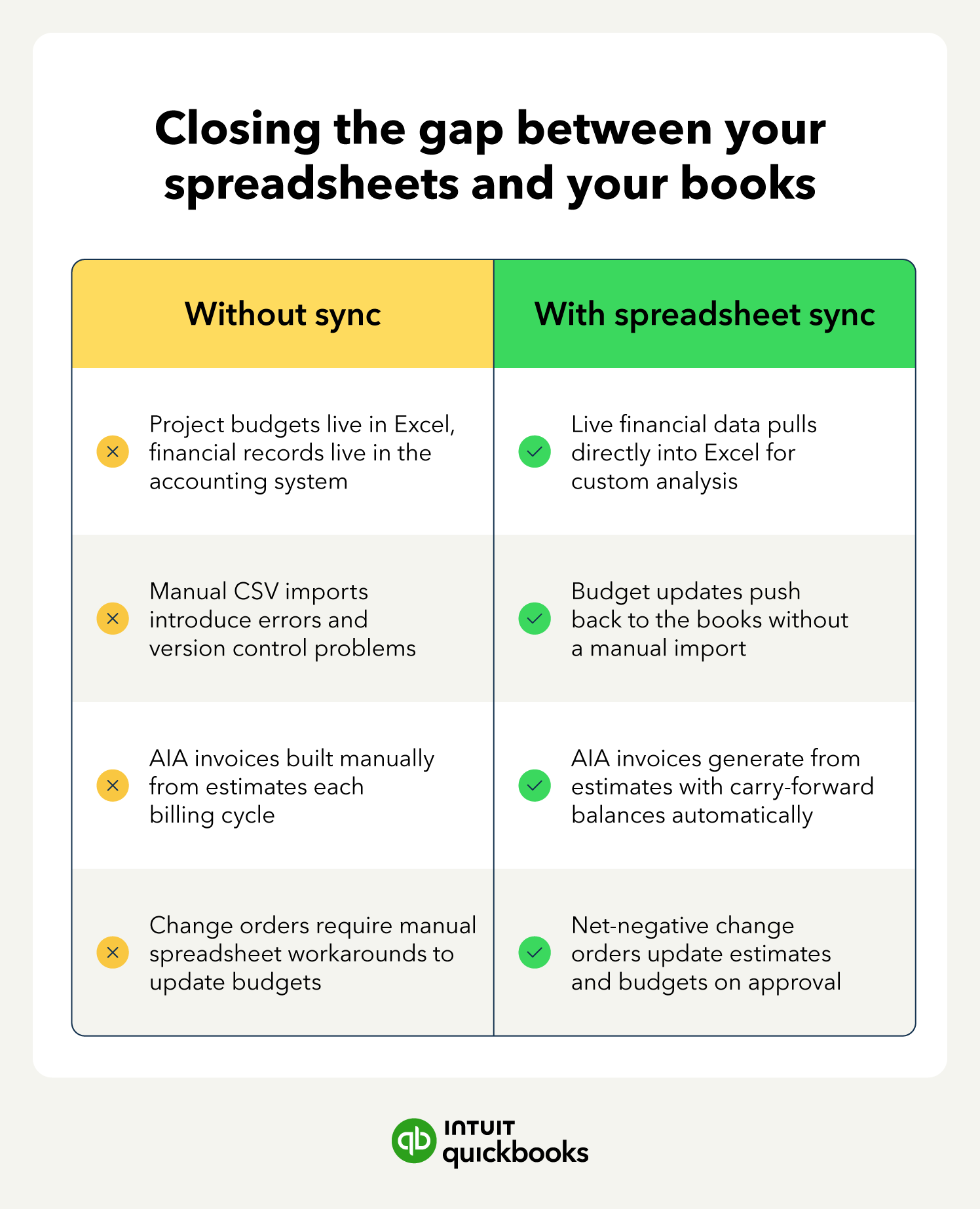
Spreadsheets don't disappear from construction finance overnight, and for many teams, they don't need to. The goal is to remove the manual data transfer that happens when project budgets live in Excel and financial records live in the accounting system. That gap is where errors are introduced and where reconciliation time is lost.
Spreadsheet Sync creates a two-way connection between QuickBooks Online Advanced and Excel. Finance teams can pull live financial data directly into Excel for:
The accounting system stays current without requiring the team to abandon the analysis tools they already use.
For contractors managing multiple construction projects simultaneously, this removes the version control problem that comes with maintaining separate budget files per job. One connection, one source of data.
The construction module in QuickBooks Online Advanced ties project estimates directly to billing, so each progress invoice builds on the last with accurate carry-forward balances.
The platform automatically generates AIA-style invoices from the estimate, pulling the contract value, amounts invoiced to date, and the remaining balance without requiring manual input at each billing cycle.
When scope changes, net-negative change orders update the project estimate and budget immediately upon digital approval. The revised figures carry through to the next billing cycle automatically, removing the manual workarounds that typically sit between a signed construction contract and an updated invoice.
For firms managing billing across multiple phases, that automation reduces reconciliation work at each draw significantly.
Set up your cost groups, including Labor, Materials, Subcontractors, Equipment, and Other, before generating the first AIA invoice on a new job. Retroactively mapping costs to phases mid-project creates gaps in the billing history that complicate draw reconciliation.
QuickBooks Online Advanced supports up to 25 configurable user seats, so each team member only accesses the data relevant to their role: project managers see job-level costs, while payroll figures and bank balances stay restricted to finance.
The audit log records every change made to the books, including who made it, what was changed, and when, so reconciliation issues get resolved from the log rather than guesswork. For firms managing construction inventory across multiple job sites, that traceability is particularly valuable when material costs need to be tied back to specific project phases.
The Backup and Restore feature adds a recovery layer: if a delegated user posts an incorrect entry or deletes a transaction, the file can be rolled back to a specific point before the error occurred.
Administrative bottlenecks in construction finance compound as job volume grows.
The firms that scale efficiently are the ones that standardize repeatable processes early. They implement automated reminders, structured approval routing, batch transactions, and integrated billing that eliminates the manual handoffs between project management and accounting.
QuickBooks Online Advanced gives growing contractors the tools to build that structure without adding back-office headcount. See how the platform supports your team's workflow.

Call Sales: 1-800-285-4854