





You could save up to 25% on transaction costs².
Speak with us now to see if you qualify.
Talk to sales 1-800-515-8366
Monday - Friday, 6 AM to 4 PM PT

Table of contents
Table of contents
Running a growing business means more transactions, more invoices, and more financial decisions than you had last year. Bookkeeping stretches to keep up with all of it, but it may not scale the same way the rest of the business does.
Enter accounting automation. It can take some of that pressure off your financial operations while helping you keep a closer eye on the numbers that matter.
Here’s what accounting automation can do for a growing business and the areas where it can make the biggest difference.
Accounting automation uses software to complete repeatable financial tasks that would otherwise take manual entry and review, such as:
It’s a way to automate your bookkeeping, not hand your books over to a machine. The predictable parts move on their own, while you stay involved in decisions that need your judgment.
AI-powered tools can build on that automation. They can analyze your financial data, identify patterns, flag issues, and help explain what the numbers mean. Together, automation and AI can reduce routine work while helping you get more insight from your financial data.
The Intuit QuickBooks 2026 AI Impact Report found that roughly 3 in 4 businesses using AI say it has made them more productive. One in four businesses says AI has given them time back in their day. For scaling businesses, that time and productivity can make a real difference as the financial workload grows.
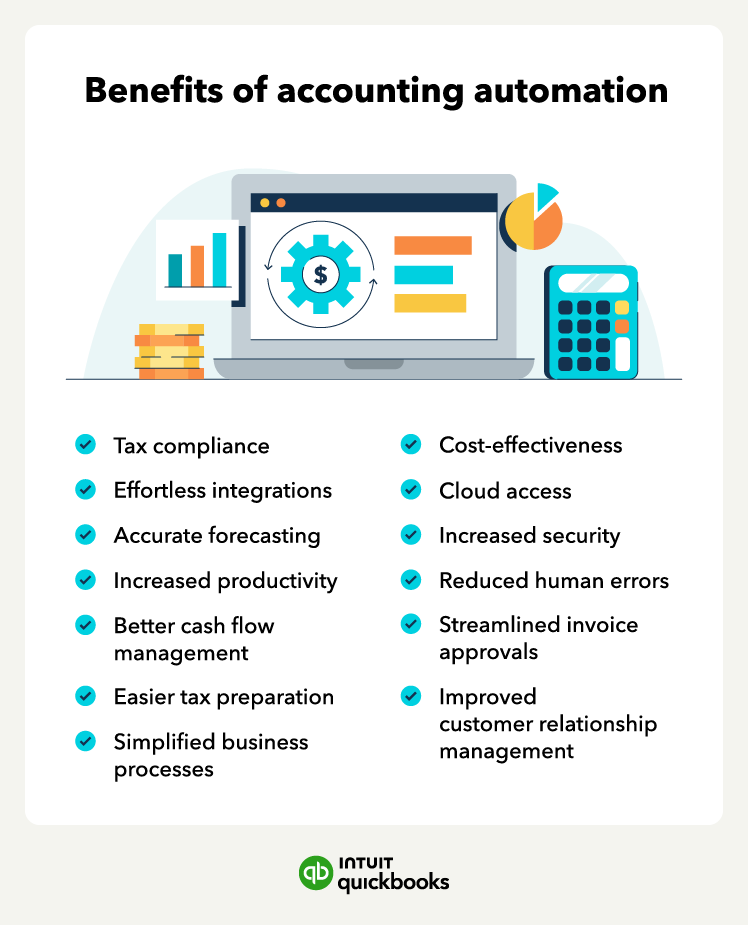
When your business expands, keeping your books current can get harder. Accounting automation can help your financial processes keep pace. Here are some of the biggest benefits of bringing automation into your accounting.
Categorizing transactions, entering expenses, and pulling routine reports can take hours each week. Automation can handle more of this recurring bookkeeping based on rules you set, cutting down on the manual effort involved.
That gives you more time to review your numbers, plan ahead, work with customers, or focus on other priorities.
Accounting and bookkeeping automation can match transactions against your bank and credit card feeds, so you don’t have to check every line by hand. Instead, you can focus your review on discrepancies and other issues, while AI-powered tools can help flag unusual activity that may need a closer look.
Closing your books sooner also gives you more current financial statements when you need them for things like:
Moving financial information between systems by hand creates more chances for mistakes. Automation can pull data from connected sources and apply consistent rules, reducing manual work. That can help prevent errors such as:
Keeping your records organized throughout the year can mean less scrambling when it’s time to prepare taxes for your small business. Automation can:
As always, consult a tax professional for tax guidance specific to your business.
When your financial information stays updated, you have a better chance of catching an issue at its early stage.
Automated workflows can help bring problems to your attention sooner, including:
AI-powered financial insights can build on that automation by analyzing current data for patterns and unusual activity that may need your attention.
Automated invoicing, expense tracking, and transaction updates can give you a more current view of money moving in and out of your business. Cash flow projections can add a view of what may be ahead, helping you decide when to:
Better planning starts with reliable financial data. Automation can help keep the information behind your forecasts current, so you’re not making decisions based on books that are weeks behind.
AI-powered accounting software, like QuickBooks powered by Intuit Intelligence, can take it further. It uses your business data to spot patterns, help you understand what’s driving your numbers, and support forecasting and scenario planning through questions such as:
Getting more value from accounting automation means thinking about how it can support your business as a whole, not just save time on individual tasks. Here are a few ways to make it work harder for you.
Are you a new or solo business? You can start small and get your books in order with free accounting software like QuickBooks Free. It’s $0 per month with no credit card required. You can track income and expenses, connect a bank account, and run key reports, then bring your data and history with you if you upgrade as your business grows.
Growth puts more pressure on your books—and makes timely financial insight more valuable. Accounting automation helps your financial operations keep pace, while giving you a clearer view of where the business stands and what may need attention next.
QuickBooks automates accounting work like invoicing, expense tracking, reconciliation, and reporting. Intuit Intelligence builds on that foundation with insights that help you understand changes in your numbers and explore what could come next.
Automation keeps the work moving, but you stay in the driver’s seat. Approvals, tax decisions, and other financial choices still need human judgment.

Call Sales: 1-800-285-4854