Get 50% OFF QuickBooks for 3 months*

Buy now
Switch to QuickBooks and 70% off for 3 Months
August 6, 2023
Question

Adding checks manually to Register in Classic mode

  • August 6, 2023
  • 1 reply
  • 18 views

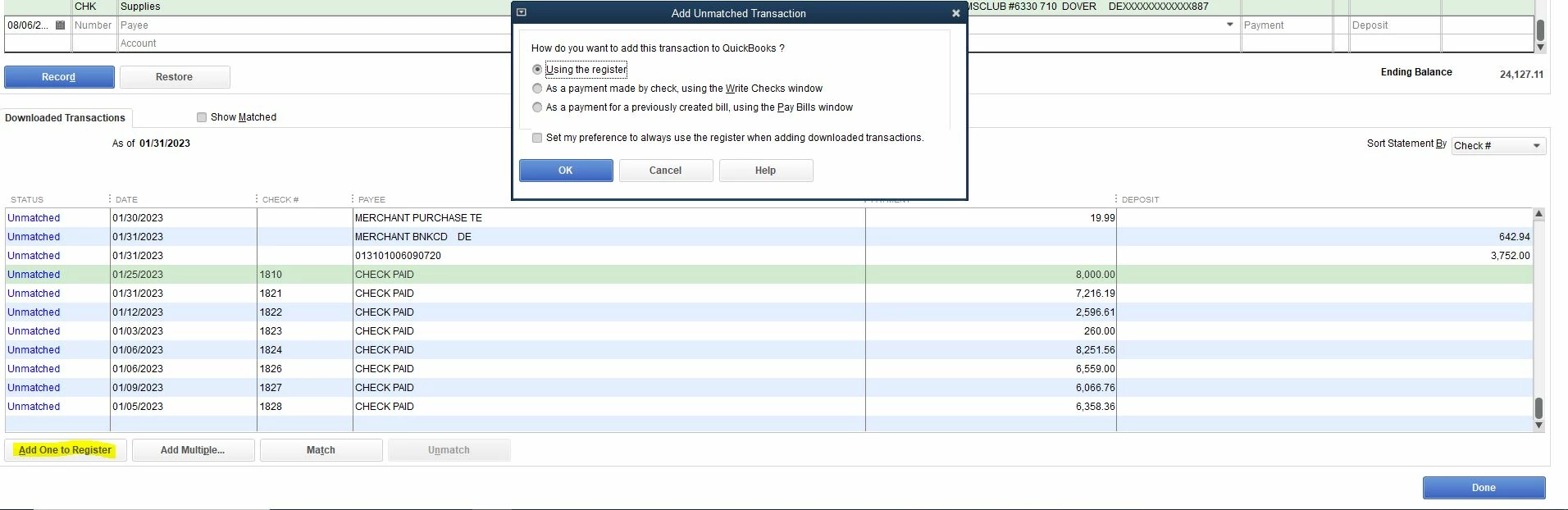
I use the classic mode when adding downloaded bank transactions to my register. When I am adding the downloaded checks, I usually click on "Add One To Register" and get a "Add Unmatched Transaction" screen. I usually click on the second option "As a payment made by check.....". (Picture 1)

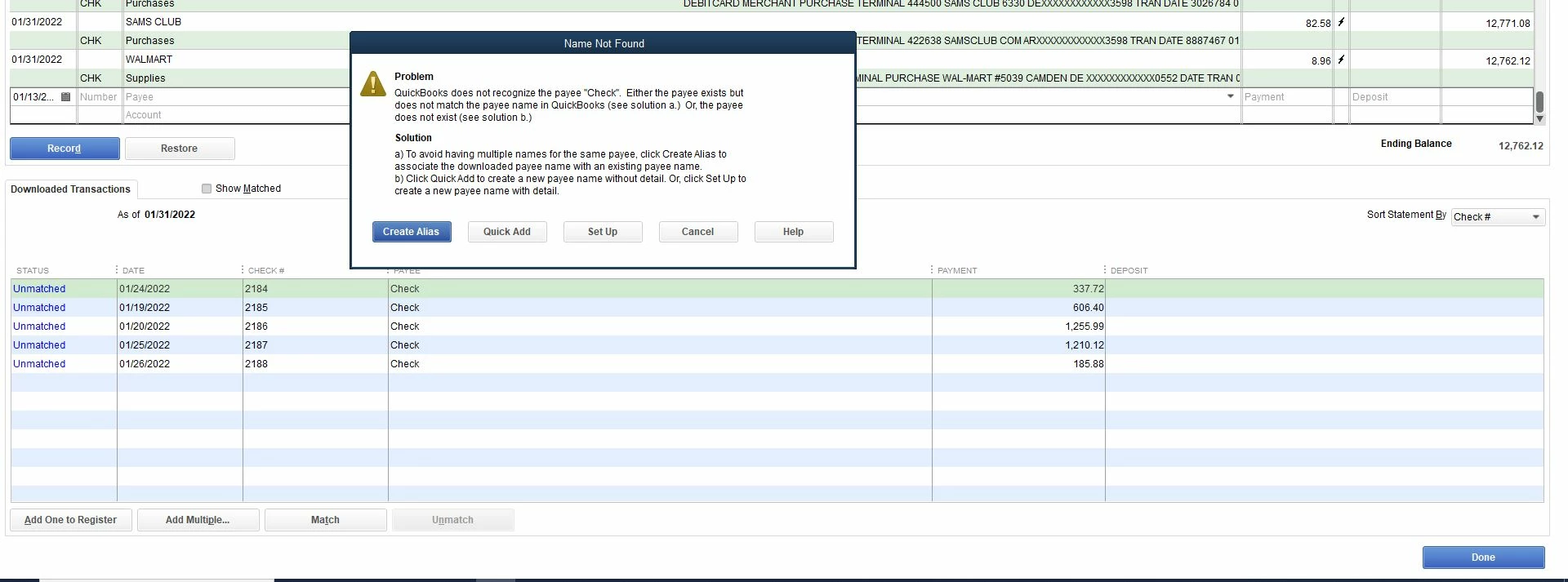
Recently when I add the checks I am getting a screen with the error "Name not found" (Picture 2).

I wanted to know how I can get the original "Add Unmatched Transaction" screen back.


1 reply

Level 9
August 6, 2023

Welcome back to the QuickBooks Community, Neha1222. Please know that adding downloaded bank transactions to register in Classic mode and getting an error you've shared is a recently recognized ongoing issue. Let me route you to our support to assist you further.


For now, you can use one of the newer modes in QuickBooks like Express when managing your bank transactions as a workaround.


Then, I suggest contacting our QuickBooks Desktop Support Team so they can add you to our notification list. This will help our engineers determine the number of affected users. You'll also receive updates through email once the issue is resolved.


Here's how:


  1. Press F1 to open the Help window.
  2. From the search icon, type Contact Support.
  3. Click Contact us at the bottom part.
  4. Give a brief description of your issue about adding transactions and click the Search button.
  5. You'll be routed with How to connect with a QuickBooks expert and you choose which one is best for you.


Lastly, click this article if you need help creating rules to help QuickBooks match your Bank Feeds entries: Create rules to categorize transactions in QuickBooks Desktop.


Don't hesitate to add a comment below if you have other concerns about managing your bank transactions in QBDT. I'm always here ready to lend a hand, Neha1222.

Neha1222Author
August 8, 2023

Hello,


I don't want to change the mode as I feel classic mode works best for my work purpose. There should be a resolution to this issue regardless of mode. Choosing how to add an unmatched transaction is a basic prompt that is standard to Quickbooks. How do I get the "Add Unmatched Transaction" screen prompt again where I can choose how to enter a transaction?

QuickBooks Team
August 8, 2023

I understand the inconvenience of switching to different banking modes, Neha.


The Name Not Found error message usually occurs when QuickBooks doesn't recognize the payee name in the downloaded bank transactions.


To fix this, I recommend turning on the Payee Aliasing option. It allows you to use a different name for a payee while maintaining their original information in your records.


Here's how:


  1. Go to the Edit menu and then select Preferences.
  2. Select Checking and proceed to the Company Preferences tab.
  3. In the Bank Feeds section, ensure that the Classic Mode is turned on.
  4. Under Classic Mode, enable the Payee aliasing.
  5. Click OK to complete.


For visual reference, I've added a screenshot below.


If turned on, let's run QuickBooks as an administrator to ensure the program runs properly. I'll show you how:


  1. Close all open processes and reboot your computer.
  2. Right-click the QuickBooks Desktop icon.
  3. Select Run as Administrator.


Also, make sure QuickBooks is up-to-date so you have the latest release and product improvements.


If none of these fixes the issue, I suggest running the Verify and Rebuild Data utility. The tool scans data issues within the company file and self-resolves them.


Moreover, you'll want to create rules to help QuickBooks match your bank transactions. It'll help you save more time by automating the match.


Please keep us posted if you have other banking-related questions or concerns. I'll do my best to assist you. 

Our goal is to ensure you can track all your transactions in the program.