
Get 50% OFF QuickBooks for 3 months*

Buy now
Switch to QuickBooks and 70% off for 3 Months
July 29, 2025
Solved

The Date Dropdown in QuickBooks Desktop Reports

  • July 29, 2025
  • 1 reply
  • 12 views

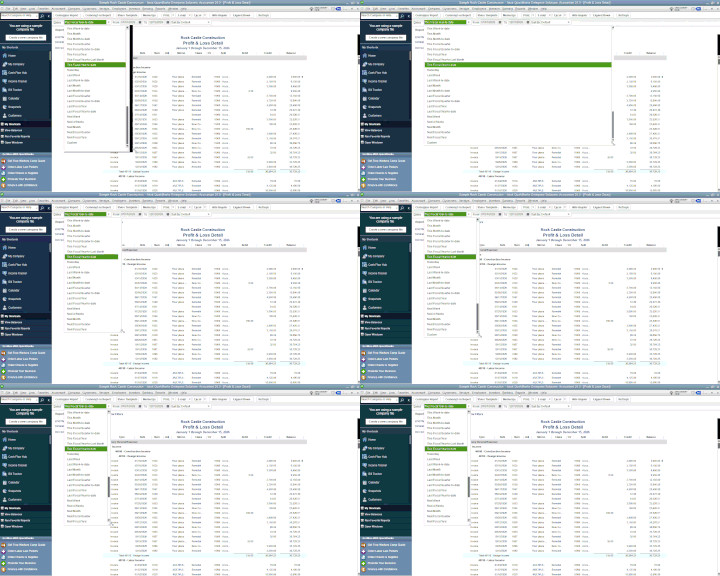
Is there a way to widen entries in the Data drop-down in QB Reports?  The field that displays the selected time period is fine, but the width of the drop-down list is too narrow.  For example, there are 5 different items that all say "This Fiscal...", but until I select one, I don't know if I selected "This Fiscal Quarter", "This Fiscal Quarter-to-Date", "This Fiscal Year", "This Fiscal Year-to-Last Month", or "This Fiscal Year-to-date".  See attachment for an illustration.
Best answer by EmanE17

Yes, there's a way to widen the entries by dragging the bottom right corner of the drop-down list, Dan. I'll outline the process below.


In the date drop-down, simply drag the bottom right triangle. For a visual guide, please watch the GIF.


Meanwhile, if the issue persists even after following the process above, you can visit this article to learn how to use File Doctor to fix company file issues in QuickBooks Desktop: Fix company file and network issues with QuickBooks File Doctor.


Leave a comment below if you have additional questions about managing your reports. We'll be willing to lend a hand to assist you.

1 reply

EmanE17QuickBooks TeamAnswer
QuickBooks Team
July 29, 2025

Yes, there's a way to widen the entries by dragging the bottom right corner of the drop-down list, Dan. I'll outline the process below.


In the date drop-down, simply drag the bottom right triangle. For a visual guide, please watch the GIF.


Meanwhile, if the issue persists even after following the process above, you can visit this article to learn how to use File Doctor to fix company file issues in QuickBooks Desktop: Fix company file and network issues with QuickBooks File Doctor.


Leave a comment below if you have additional questions about managing your reports. We'll be willing to lend a hand to assist you.

Dan-0Author
July 29, 2025

Thank you for pointing that out to me!