
Get 50% OFF QuickBooks for 3 months*

Buy now
Switch to QuickBooks and 70% off for 3 Months
March 3, 2021
Question

Intuits My Time App

  • March 3, 2021
  • 1 reply
  • 71 views

I am using QB for Mac 2016 and have been for several years without any issues.  I recently went into the Employees tab and went to the "Download My Time" button to see what that integration was all about.  I was able to download and install the program on my Mac running 10.14.6 (Mojave) and when it went to the setup screen it says It can not find the company file.
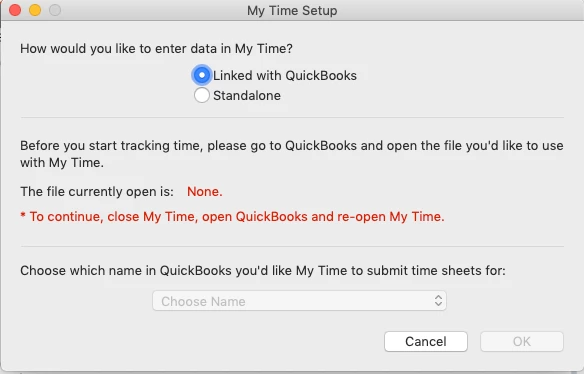
 

I reached out to support and they keep pointing me to mytime.com saying they need to help me and when I did mytime.com says they are a scheduling company not a time tracking company.  After reviwing the My Time App I see it is an Intuit product and apparently no one in support knows how to support it.
 

I am hoping someone here can shed some light on the situation.  I would like to get this working as I have been manually entering this in and would like to see how this program works.


FYI I have tried

  • rebooting the computer.
  • closing and opening my company file
  • closing my company file and opening a sample file (my Time doesn't see that file either)
  • verifying the company data file


Thanks for any help.

1 reply

Tori B
QuickBooks Team
March 3, 2021

Hey there, @Bgerber4


Thanks for reaching out to the Community for support. I'm happy to provide some insight into the My Time app.


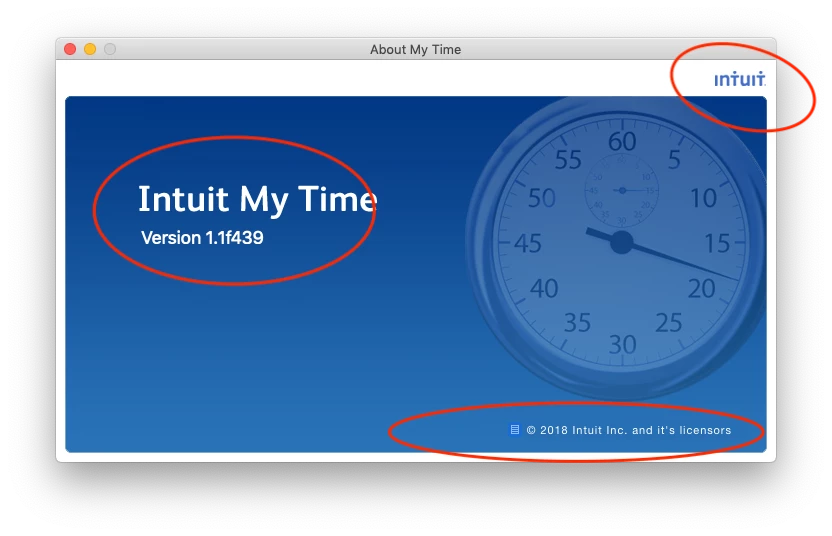
Some users have found it helpful to uninstall the My time app version 1.1.f439. Once the My Time app has been uninstalled, you can download the new version of My Time which is 1.2.0.44. Grab the download of the new version here: Get your free My Time v1.2.x download. From there, you'll need to close QuickBooks and save a Backup. Once you've closed and saved a backup, Reopen QuickBooks and open My Time.


That should do it! Please let me know if you have further questions. I'm always around to lend a hand. You can reach out to the Community at any time. Take care! 


Bgerber4Author
March 3, 2021

thank you for the response.  I did try that before posting this and Unfortunately the V1.2 app is not supported on my version of mac os 10.14.6 (Mojave).

November 4, 2022

We recognize the inconvenience caused by this syncing issue with your My Time app with QuickBooks, @NBGlaw.


As one of our representatives mentioned, it's best to contact the My Time support team. There could be some settings that need to be configured in your My Time app so that it will sync to QuickBooks successfully.


To do this, you can proceed to their page to have an idea of how to contact one of their support agents. 


Additionally, I'm sharing this link you can utilize for future use to set up and track time off, vacation, and sick pay for your employees: Set up and track time off.


Feel at ease to comment below if you have other concerns with syncing the My Time app with QuickBooks. I'm around to help you out always. Keep safe!


I am experiencing the same issue. I just upgraded to QB 2023 Desktop for Mac and I am unable to export my time to QB. It asks me to open Quickbooks.


However, when I'm in QB and I select, Employees > Time Tracking > Launch My Time it opens up the My Time app so it does recognize it.


There is NO support on the My Time page and it identifies itself as an Intuit product. It would be greatly appreciated if you could connect us with someone who can support this product.


Thank you.