QuickBooks Blog
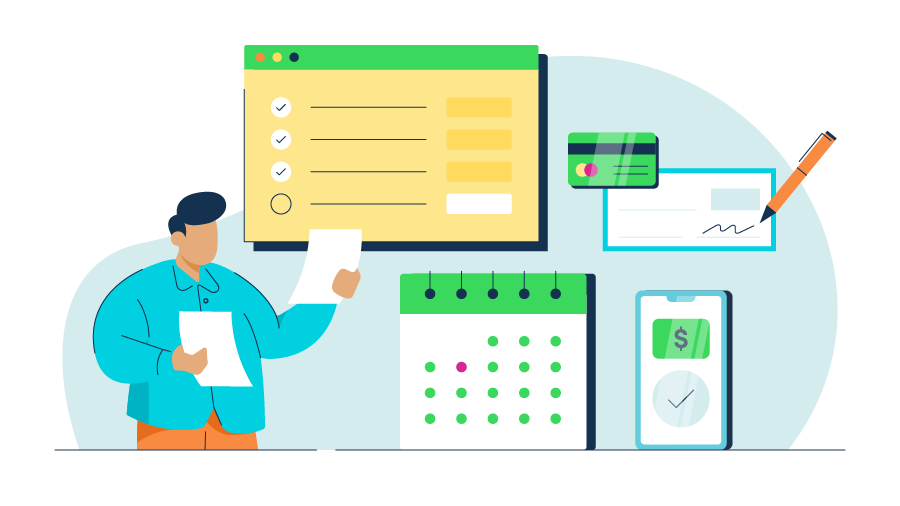
An illustration of reports, payments, and a calendar to indicate the accounts payable process as the hero image.
payments

The accounts payable process: A 5-step guide for small businesses in 2026


A look into the accounts payable process:

  • The accounts payable (AP) process is the system your business uses to manage, verify, and pay vendor invoices accurately and on time.
  • Missed deadlines and manual data entry are the common challenges that slow the AP process.
  • Using accounting tools can help reduce errors and help you spend less time on manual bill management.


There are many moving parts to keep track of when taking care of your business’s accounting, and the accounts payable process is one of the most important. 

Yet, according to QuickBooks' Small Business Late Payments Report, over half (56%) of small businesses surveyed reported being owed money from unpaid invoices. 

That’s why it’s so important to have a well-defined accounts payable process. Accounts payable describes the various amounts of money your business owes to external vendors for goods and services that you have not yet paid for.

Let’s dive into the accounts payable process, including how it works, why it’s important, and ways to save time in your workflow.

Jump to:

What is the accounts payable process?

The accounts payable process is how your business handles paying its bills, from the moment you receive an invoice until the supplier is paid. Throughout the process, your team reviews invoices, matches them to purchase details, and then records payments for accurate tracking.

Accounts payable, also known as AP, refers to the unpaid amounts your business owes for goods or services you’ve already received. 

These balances often come from common expenses, such as:

  • Direct purchases, including inventory, materials, or office supplies
  • Services received, like maintenance, professional support, or IT work
  • Additional charges, including interest or fees outlined in vendor agreements

A clear accounts payable process helps you stay on top of payment deadlines and keep financial records accurate. When you track bills consistently, you gain better visibility into upcoming expenses and can manage cash flow with fewer surprises.

What is the full-cycle accounts payable process?

While the accounts payable process focuses on paying bills, the full workflow cycle breaks everything into clear steps, from purchase to payment. Looking at the full cycle helps clarify where reviews, approvals, and payments happen.

Here’s a breakdown of the steps involved in the accounts payable cycle:

  1. Purchase order created: The process begins when your business creates a purchase order (PO) to formally request goods or services, and then documents agreed pricing and terms.
  2. Goods or services received: Once the vendor delivers the goods or completes the service, your business confirms that the order was fulfilled as expected.
  3. Invoice received: The vendor submits an invoice requesting payment for the goods or services provided, either electronically or physically.
  4. Invoice reviewed and matched: The invoice is reviewed for accuracy and matched against the purchase order and receipt, when applicable, to confirm quantities, pricing, and payment terms. This step is often referred to as a three-way match.
  5. Invoice coded and approved: After verification, the invoice is assigned the appropriate expense or general ledger codes and routed for approval based on your internal approval rules.
  6. Payment scheduled and issued: Once approved, payment is scheduled and issued according to the agreed payment terms, using the payment method selected by your business.
  7. Payment recorded: After payment is made, the transaction is recorded in your accounting system, and the invoice status is updated to reflect that it has been paid.
  8. Reconciliation and close: Accounts payable records are reconciled with bank statements and the general ledger to confirm accuracy and close out the payment cycle.

How the accounts payable process works in practice

The full accounts payable cycle provides a framework, but managing accounts payable also involves hands-on steps. Below, we walk through how businesses typically handle accounts payable in practice.

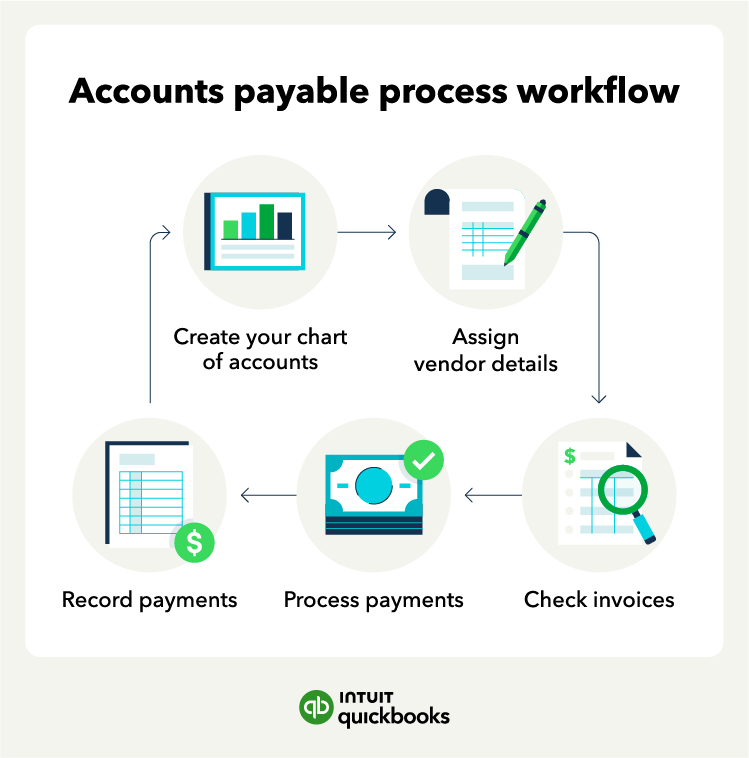
The accounts payable process workflow which starts with creating a chart of accounts, assigning vendor details, checking invoices, processing payments, and recording payments.

Step 1. Set up your chart of accounts

The first step of the accounts payable process is to create a chart of accounts, which is an organizational chart that summarizes where you record accounting transactions. 

Generally, a chart of accounts will have five primary account types: 

  • Income accounts
  • Asset accounts
  • Liability accounts
  • Expense accounts
  • Equity accounts

Each account category will have different account names with an associated account number and financial statements. You can also create subcategories to further divide and make them more organized.

Step 2. Assign vendor details

Next, you should assign vendor details to help you keep track of orders and payment deadlines, then assign codes to remind you about future payments.

Here are some vendor codes you can use: 

  • Net 10: Payment is due in 10 days.
  • Net 30: Payment is due in 30 days. 
  • Net 60: Payment is due in 60 days. 

Assigning codes organizes accounts payable processing so you know when to expect payments. Using accounting software for this step allows you to track payment terms and assign payment due dates automatically.

Step 3. Review and approve invoices

Before initiating payment, you’ll want to review your invoice for accuracy and ensure you’ve received the product or service requested. Using invoicing software, you can use the three-way match to verify the invoice before paying them. 

Here’s how the three-way match accounts payable process works: 

  • Purchase order: Use this official order confirmation to verify the quantity, cost, and payment terms.
  • Order receipt or goods received note: Ensure the vendor delivers the purchase correctly. 
  • Invoice: Confirm the amount you owe and the payment terms. 

With QuickBooks Bill Pay, you save time chasing manual approvals and get faster approvals with workflows**. Automate your processes with custom workflows that fit your unique business needs.

Simplify your accounts payable with Bill Pay

Discover the smarter way to manage vendor payments, optimize cash flow, and stay on top of financial reporting—all from one integrated platform.

quote image
I'm able to just validate that we received that service and then pass it on to Chris (the business owner) for final approval. Once he clicks approve, he's able to just send that transfer right away, connected to our bank account.
Leah Mulholland, Operations Manager for Nootka Saunas

Step 4. Process payment for outstanding invoices

After verifying the accuracy of your invoices, you can initiate invoice payments to the appropriate vendors. Depending on the vendor’s preference and your payment method, you may need to notify them that payment is on its way. 

Review your accounts payable weekly to ensure there are no outstanding payments and to confirm you completed the payment.

Step 5. Record payments and reconcile

Once you’ve completed these steps, it’s time to update your books to reflect the most current information. After a vendor payment has gone through, you can remove it from your list of accounts payable. Then repeat this process weekly. 

You can also automate reconciliation with accounting software to help track payments and reduce the risk of late fees.


note icon

QuickBooks Bill Pay lets you store all your digital records in one place, including invoice records and audit trails. Vendor verification and proactive fraud prevention checks help protect your business as you scale.


Why is the accounts payable process important?

The accounts payable process plays an important role in your business’s accounting operations for several reasons. Let's dive into a few benefits of having a clear and consistent AP process.

Helps manage cash flow

Your AP process dictates when money leaves your business. When your business consistently records and tracks invoices, you have a much clearer view of upcoming payments and short-term obligations. This ultimately makes it easier to plan payments strategically instead of scrambling at the last minute.

A structured process allows you to:

  • Schedule payments based on the exact due date
  • Anticipate your near-term cash needs accurately
  • Maximize working capital by timing payments strategically

Supports accurate financial reporting

Every recorded invoice feeds directly into your expense and liability accounts. Following consistent procedures for coding and recording helps you generate financial statements that accurately reflect your business's true spending and debt. This makes your life easier when you need to review your spending habits or questions during tax season or an audit.

Reduces financial risk

Without a defined process, invoices can easily be forgotten, paid incorrectly, or even paid twice. Establishing clear review and approval steps adds structure and makes it easier to catch potential issues before the money leaves your bank account.

A clear AP process helps you reduce the risk of:

  • Accounting errors like duplicate or incorrect payments
  • Missed invoices leading to late fees
  • Errors in expense recording and tax compliance

Strengthens vendor relationships

Your vendors rely on timely payments, and your organized AP process is what delivers on that promise. When your system is reliable, it's easy to pay invoices on schedule and quickly address questions if something doesn’t look right. 

Consistent payment practices support stronger vendor relationship management and can lead to favorable outcomes, like better contract terms.

Creates reliable historical records

Every invoice and payment becomes a permanent part of your business’s financial history. Keeping accurate AP records gives you a clear audit trail to reference when reviewing:

  •  Past spending
  • Resolving discrepancies
  • Responding to tax requests 

Having this information organized in one place makes it easier to respond confidently when questions come up.


Challenges in the accounts payable process

Managing accounts payable can come with a few common challenges, especially when much of the work is handled manually or spread across different systems.

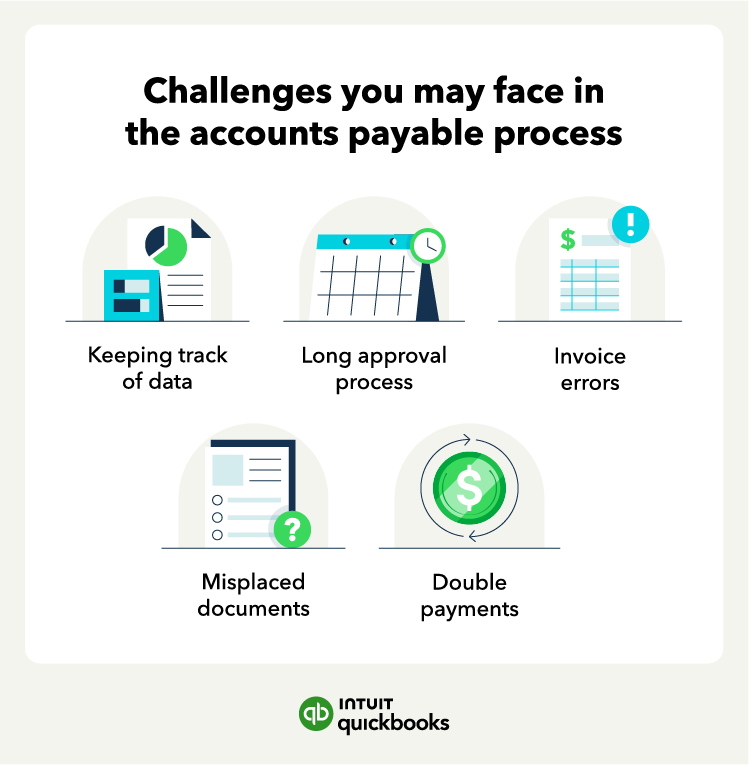
A list of challenges you may face in the accounts payable process, including keeping track of data, long approval process, invoice errors, misplaced documents, and double payments.

Some of the accounts payable challenges include: 

  • Keeping track of data manually: Tracking your accounts payable manually can not only be time-consuming but can also lead to errors and missing invoices. 
  • Long approval process: Reviewing your invoices for accuracy can lead to a long approval process, especially if they are not readily available. 
  • Invoice errors: Sometimes, your invoices might not be correct, which may take time to communicate with the vendor and fix it. 
  • Missing documents: Recipients might also misplace paperwork, resulting in late payments and fees. 
  • Duplicate payments: Tracking invoices improperly can also lead to duplicate payments. 

Most businesses have these challenges when tracking accounts payable manually. With accounting software, you can track expenses to ensure your accounts payable process is more accurate.

6 tips for streamlining the accounts payable process

By this point, you probably know that implementing an accurate accounts payable process is key to keeping your finances in check and making sure payments don’t go missing. But it’s no lie that it can be a time-consuming process that needs streamlining.

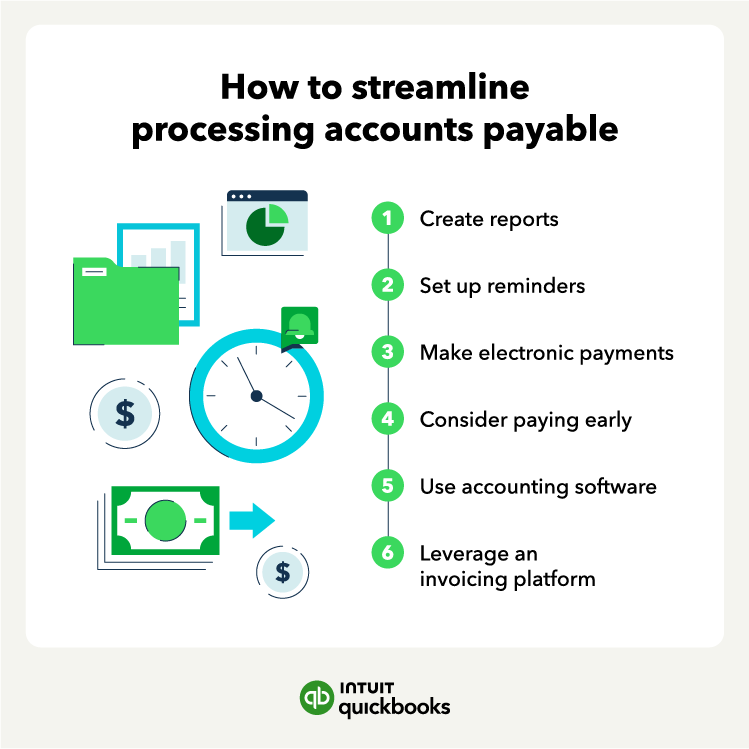
A list of tips on how to streamline the accounts payable process including creating reports, setting up reminders, making electronic payments, considering paying early, using accounting software, and leveraging invoicing platform.

If you want to streamline your accounts payable process, here are some things you can try: 

  1. Creating monthly reports: Run reports monthly or weekly to identify trends, improve your AP process, and avoid late payments
  2. Setting up reminders: Create reminders for invoice payment deadlines or weekly status checks on your accounts payable. 
  3. Moving to electronic payments: Try making only electronic payments when possible to make the process faster and less manual. 
  4. Making early payments: Consider making early payments whenever possible and explore possible discounts with vendors. 
  5. Using accounting software: Keeping everything in one place with accounting software can automate the process by integrating invoices and payments. 


quote image
As PersonalSoft has scaled, QuickBooks Bill Pay has enabled PersonalSoft to effectively manage vendor payments in a way that hasn't required adding back office staff.
Frank Torres, Prof services, SMB

With tools like QuickBooks Bill Pay, you can manage invoices, approvals, and payments in one place instead of juggling multiple systems.

Stay on top of 1099s with Bill Pay

See your vendors and everyone who needs a 1099 all in one place. Plus, get unlimited 1099 e-filing, with printing and email, for no additional fee.

What’s changed in the accounts payable process?

The accounts payable process has gone through significant transformation in recent years, especially with technological advancements and the increased emphasis on financial transparency and efficiency. 

Here are some key changes in the accounts payable process that small businesses should be aware of:

  • Automation and software integration: Technologies now automate invoice processing, vendor payments, and reconciliations, reducing errors and saving time.
  • Digital and remote operations: The shift to electronic invoicing and payments has streamlined processes, allowing businesses to manage accounts payable remotely and securely.
  • Enhanced security measures: As cybersecurity concerns grow, businesses are adopting robust security protocols like two-factor authentication and encryption, with software solutions providing built-in safeguards.
  • Regulatory compliance: Updated accounts payable systems help businesses stay in line with evolving financial regulations by maintaining transparent and accurate records.
  • Analytics and reporting: Advanced tools offer insights into spending patterns and vendor performance, aiding strategic financial planning.

Keeping up with these changes can make it easier to run accounts payable more efficiently and stay aligned with current requirements.

Choose the best payment setup for your business

Many things contribute to your small business’s success, but effectively managing cash flow is critical. Adding in the accounts payable process is necessary for effective business accounting, but we know it can be time-consuming. 

With QuickBooks Payments, Bill Pay lets you manage vendor payments within your accounts payable process. 

Spend less time on admin work and more time running your business with QuickBooks accounting software.

Disclaimers

QuickBooks and Intuit are a technology company, not a bank. Banking services provided by our partner, Green Dot Bank, member FDIC.

QuickBooks Bill Pay: QuickBooks Bill Pay account subject to eligibility criteria, credit, and application approval. Subscription to QuickBooks Online required. Not available in U.S. territories or outside the U.S. Money movement services are provided by Intuit Payments Inc., licensed as a Money Transmitter by the New York State Department of Financial Services. For more information about Intuit Payments' money transmission licenses, please visit https://www.intuit.com/legal/licenses/payment-licenses/.

QuickBooks Money: QuickBooks Money is a standalone Intuit product that includes QuickBooks Payments, and currently does not connect with other QuickBooks products such as QuickBooks Online (and QuickBooks Checking), QuickBooks Self-Employed, or GoPayment. Intuit accounts are subject to eligibility criteria, credit, and application approval. Banking services provided by and the QuickBooks Visa® Debit Card is issued by Green Dot Bank, Member FDIC, pursuant to license from Visa U.S.A., Inc. Visa is a registered trademark of Visa International Service Association. QuickBooks Money Deposit Account Agreement applies. Banking services and debit card opening are subject to identity verification and approval by Green Dot Bank. Money movement services, including Same Day Deposit, are provided by Intuit Payments Inc., licensed as a Money Transmitter by the New York State Department of Financial Services.

Free ACH transfers: QuickBooks Money does not charge for ACH transfers, however other banks’ restrictions and fees may apply. Limits, qualifications and enrollment requirements may apply. Payment processing fees apply for ACH and card transactions.

Automatic Matching: QuickBooks Online will only match bank withdrawals with transactions processed through QuickBooks Bill Pay. Not all transactions are eligible.

Faster approvals: 

User Roles and Approval Workflows: Available in QuickBooks Bill Pay Elite or QuickBooks Online Advanced. Not available for QuickBooks Online Simple Start customers.


Recommended for you

How can we help?
Talk to sales 800-580-2443

Mon - Fri, 6am - 4pm PST

Learn more
Mail icon
Get the latest to your inbox
No Thanks

Get the latest to your inbox

Relevant resources to help start, run, and grow your business.

By clicking “Submit,” you agree to permit Intuit to contact you regarding QuickBooks and have read and acknowledge our Privacy Statement.

Thanks for subscribing.

Fresh business resources are headed your way!

Looking for something else?

QuickBooks

From big jobs to small tasks, we've got your business covered.

Firm of the Future

Topical articles and news from top pros and Intuit product experts.

QuickBooks Support

Get help with QuickBooks. Find articles, video tutorials, and more.