
Get 50% OFF QuickBooks for 3 months*

Buy now
Switch to QuickBooks and 70% off for 3 Months
June 19, 2020
Question

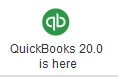
Hide the update button

  • June 19, 2020
  • 1 reply
  • 0 views

How to hide this button at all users and the admin user. 
If not possible, show to only admin users.
1 reply

AddieC
Level 5
June 19, 2020

Hi there, 


Running your business with QuickBooks Desktop is an awesome way to streamline your bookkeeping and stay organized. It's important to stay up-to-date with upgrades for the program, especially if you're using Payroll. That being said, I know it's vital to have control over update alerts. I'd be happy to explain how you can remove the update alert from your account.


All you have to do is click Company > Alert Manager. Once you're in the Alert Manager, you'll see a pop-up with each alert listed. Simple select this update alert and remove it. 


That's all there is to it! I hope this helps get you back on track. 

If you have any further questions, please don't hesitate to reach out to our tech support team.

Cheers.


June 19, 2020

I couldn't find anything related to updates in the alert manager.
I was trying to hide the update button on the home window...
Thank you.

AddieC
Level 5
June 19, 2020

Hi anonymousUSR. Can you post a screenshot of where you're seeing the alert? Feel free to block out any private details. Alternatively, I'd encourage you to reach out to our tech support team so an agent can review what you're seeing on your end.
