
SUMMER SAVINGS 90% OFF QuickBooks for 3 months* Ends 8/27

Buy now
Switch to QuickBooks and 70% off for 3 Months
New Member
Oct 6, 2026 12:28 PM UTC
Question

Account name error: CSV upload for JE
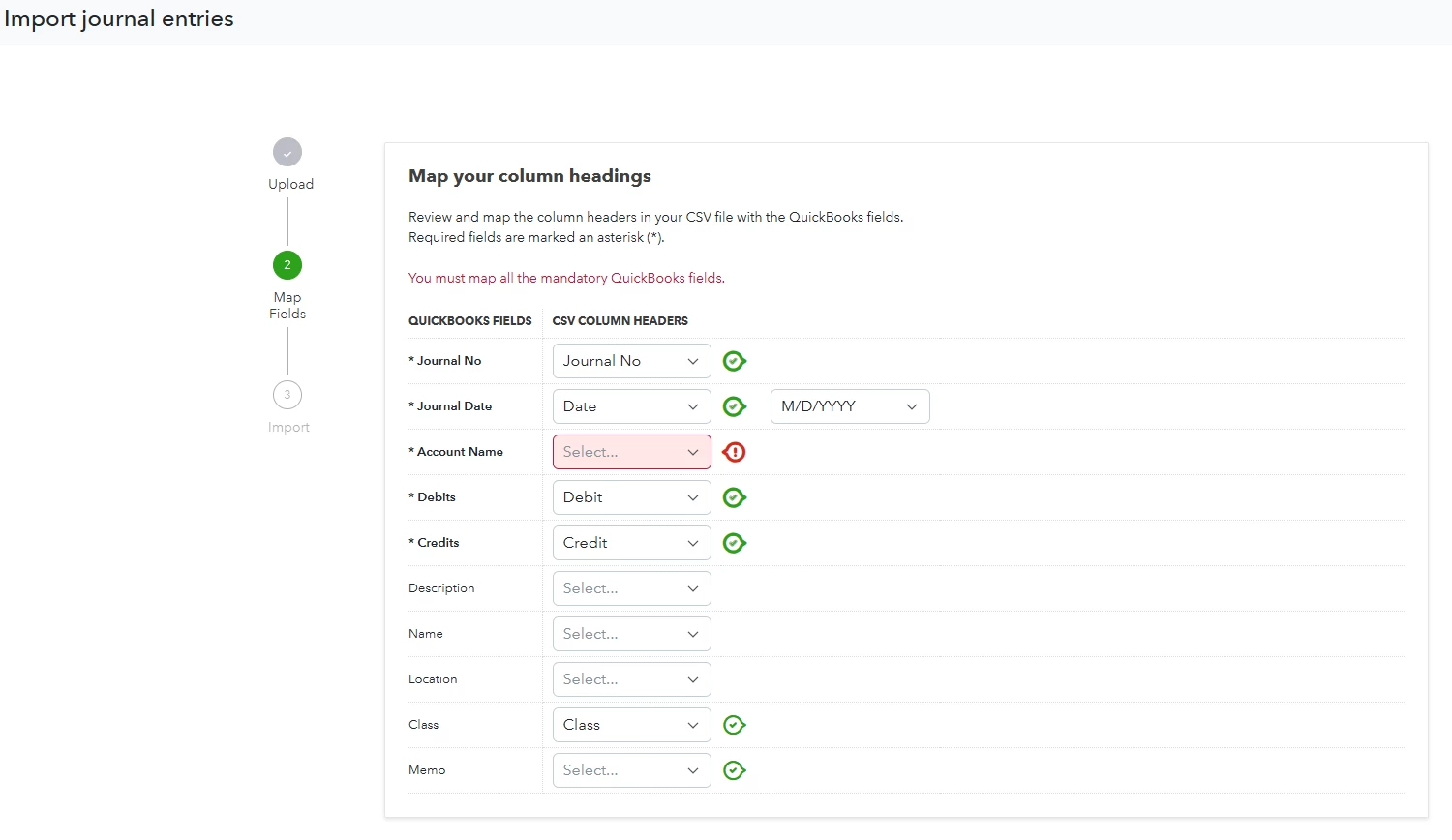
My CSV file looks like exactly like the manual entry created last month.  Account name is required for some of those because some go into AR due from Partnership account and account name is the only thing that distinguishes it.  But for others, account name is empty.  I am not sure what to fill it up.  Thanks

6 replies

Moderator
Oct 6, 2026 2:56 PM UTC

In QuickBooks Online, every line of a journal entry must have a valid account category assigned to it. To ensure proper import, make sure your CSV file includes a column with the exact names from your Chart of Accounts.


Copy-pasting is the safest approach, since even a single extra space can cause an import error. For sub-accounts, include the parent account name followed by a colon, like ParentAccount:SubAccount.


For AR/AP lines specifically, you also need the Name column populated with the customer or vendor name. QBO requires both to know where to post and whose balance to affect.


Regarding your rows with empty account names, since your CSV is identical to last month's manual entry, open that entry in QBO. Check the corresponding lines to see which accounts were used to balance against your AR lines. Once identified, fill those accounts into your CSV using the exact names from your Chart of Accounts.


If your spreadsheet contains new accounts, be sure to add them to your Chart of Accounts before importing.


For more information on importing journal entries, refer to this article: Import journal entries.


Once you've matched all the account names, your import should go through cleanly. Let us know if you hit any errors and we can help you troubleshoot from there.

New Member
Oct 8, 2026 5:53 PM UTC

This is for payroll entry.  Not sure if account name is even appropriate for it.


Moderator
Oct 8, 2026 6:55 PM UTC

Based on the screenshot, it seems that the account names are listed under the Journal Number column. Lets separate it and move them under the Accounts Name column. Then, map it again during the import process.

Also, make sure that the account name matches exactly to your existing accounts in QuickBooks Online.
 

You can also visit this article to be guided what specific accounts to use when tracking your payroll liabilities and expenses as journal entries: Manually enter payroll paychecks.

Let us know in the comments if you have follow-up questions. 

New Member
Oct 14, 2026 3:19 AM UTC

Yes, every line in the CSV needs an Account Name, payroll lines included. From your screenshot the account names look like they landed in the Journal No. column, so moving them over should clear most of the errors.

Two things from the import help page that trip people up:

  • Sub-accounts need the parent name first, like Payroll Expenses:Wages. Only the sub-account name gives a “Line Account Invalid” error.
  • If “AR due from Partnership” is set up as an Accounts Receivable type, that line also needs a Name filled in.

Is that due-from account an A/R type or an Other Current Asset?