Get 50% OFF QuickBooks for 3 months*

Buy now
Switch to QuickBooks and 70% off for 3 Months
June 11, 2020
Solved

Default "Billable" checkbox for Vendors in Timer

  • June 11, 2020
  • 1 reply
  • 0 views

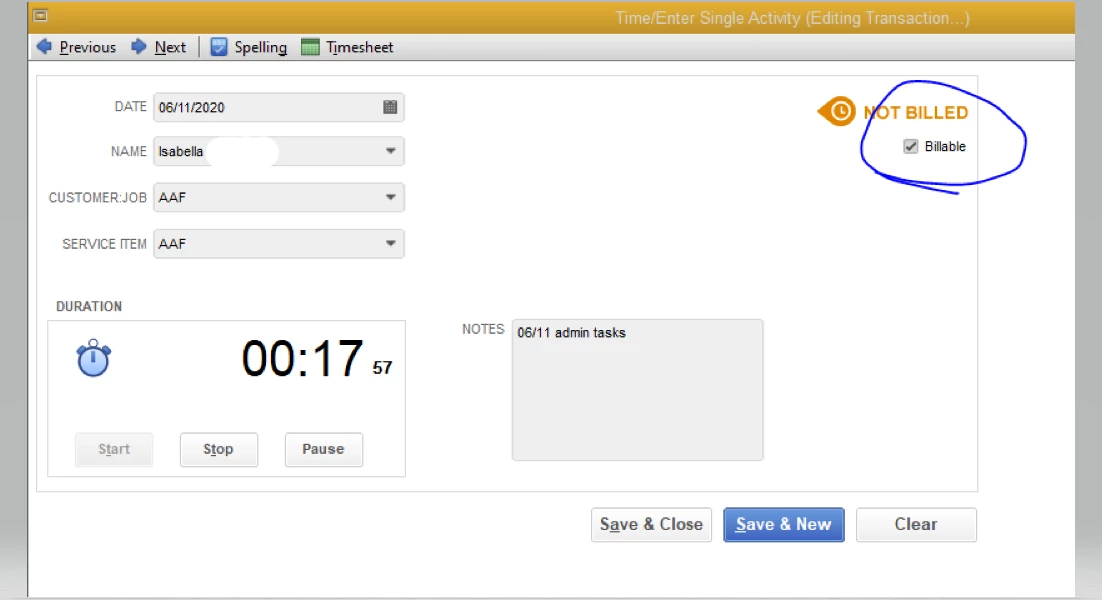
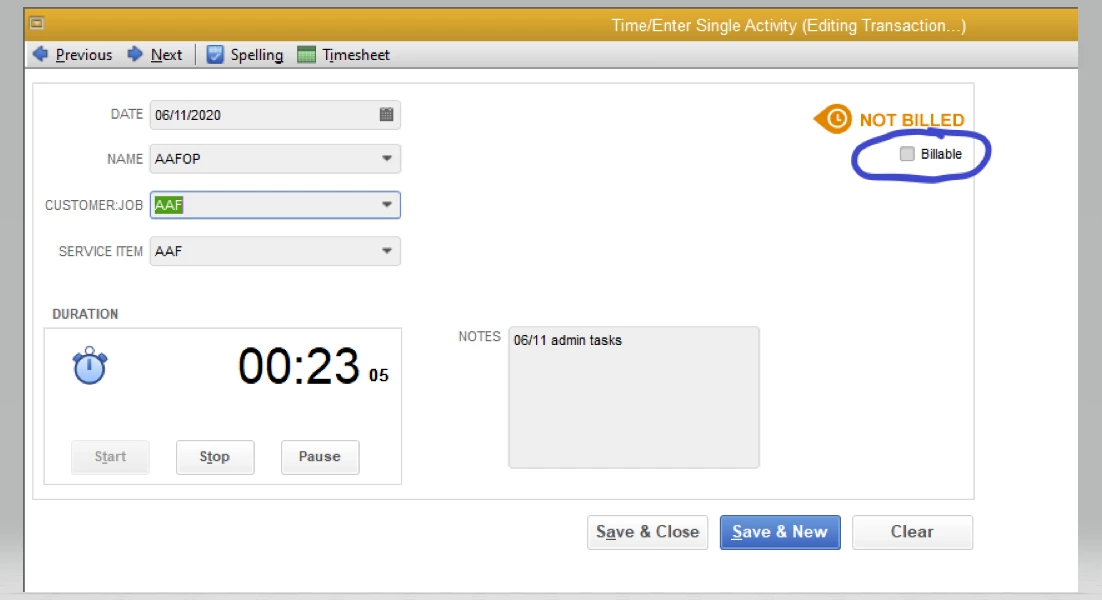
I need to default the billing timer to automatically check "billable" when using a vendor name. It works fine when using employee names, but I need it to work for vendor names as well. I've attached photos for reference.

Best answer by Ryan_M

Hi @MaggiAAF,


Thank you for your prompt reply, as well as sharing screenshots on your previous post.


I've replicated this on my QuickBooks Desktop test account and found the same situation you're in. How it works is that the system automatically checks the Billable box for employees, but it also automatically removes it when you choose a vendor. I've checked, and there isn't any other setting to change this behavior as well. What you can do is manually put a check on the Billable box whenever you select a vendor.


Speaking of timesheets, take a look at this article: Create paychecks based on timesheet hours. Here you'll find the steps on how you can use time data to create a paycheck.


Got other queries you want to take care of? Place them in the comments below, and I'll get back to you. 

1 reply

Level 8
June 12, 2020

Good Morning, @MaggiAAF


It's great to see a new face here in the Community. Let's make sure the preference to mark all time entries as billable is checked in your QuickBooks account. Don't worry. It only takes a few easy steps. 


  1. Open QuickBooks. 
  2. Pick Edit
  3. Tap Preferences
  4. Scroll down and press Time & Expenses in the left-hand menu bar. 
  5. Select the Company Preferences section. 
  6. Check the Mark all time entries as billable box. 
  7. Hit OK when finished. 


It's that simple. Learn more about time tracking through this link. 


Should you need any further assistance, just let me know. I want to make sure that you're able to get back to running your business. Have a splendid Friday!

MaggiAAFAuthor
June 12, 2020

Hi Candice,


Thank you for the instructions, but the "mark all time entries as billable" box is already checked. We are still unable to get the billable box checked when using our vendor names.


I am not sure if it's even possible to do this, but it would be a huge time saving help!

Ryan_MModeratorAnswer
Moderator
June 12, 2020

Hi @MaggiAAF,


Thank you for your prompt reply, as well as sharing screenshots on your previous post.


I've replicated this on my QuickBooks Desktop test account and found the same situation you're in. How it works is that the system automatically checks the Billable box for employees, but it also automatically removes it when you choose a vendor. I've checked, and there isn't any other setting to change this behavior as well. What you can do is manually put a check on the Billable box whenever you select a vendor.


Speaking of timesheets, take a look at this article: Create paychecks based on timesheet hours. Here you'll find the steps on how you can use time data to create a paycheck.


Got other queries you want to take care of? Place them in the comments below, and I'll get back to you.