
Get 50% OFF QuickBooks for 3 months*

Buy now
Switch to QuickBooks and 70% off for 3 Months
July 19, 2022
Question

Single payment... multiple invoices

  • July 19, 2022
  • 1 reply
  • 0 views

Customer paid £1,000 into our bank account (relating to 5 x £200 invoices)


Customers > Open Invoices > Selected Customer > Receive Payment


Selected the 5 invoices (totalling £1,000)


I'm unsure on the rest...
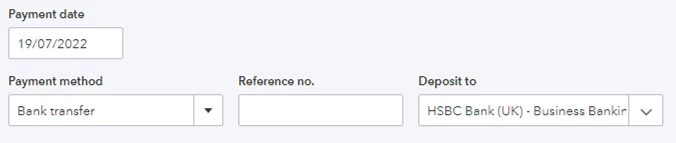


Deposit to: Should it be the bank account, or undeposited funds (I have read a few posts that suggest this)?


The invoices are now marked as paid, but the £1,000 transaction is still showing on the 'For review' section.


Do I categorise this as Services (Income)? Find Match? Or Exclude? 

1 reply

Level 13
July 19, 2022

Hi askingforEric, thanks for joining the QB Community 🙂


After selecting the five invoices on the receive payment screen, you can deposit this directly to the bank account. This will then create a bank entry that can be matched to the transaction in your 'for review' banking tab. The 'undeposited funds' method is typically used where you are receiving payment one or more transactions which have a fee incurred (such as PayPal or other bank charges) that need to be deduced from the total amount received. 

July 19, 2022

I ended up deleting the payment, but managed to use the 'Find a Match' method and linked it to the individual invoices. Much easier. Thanks for your help :)

Level 13
July 19, 2022

Great, thanks askingforEric - yes that would indeed be a quicker way. 🙂