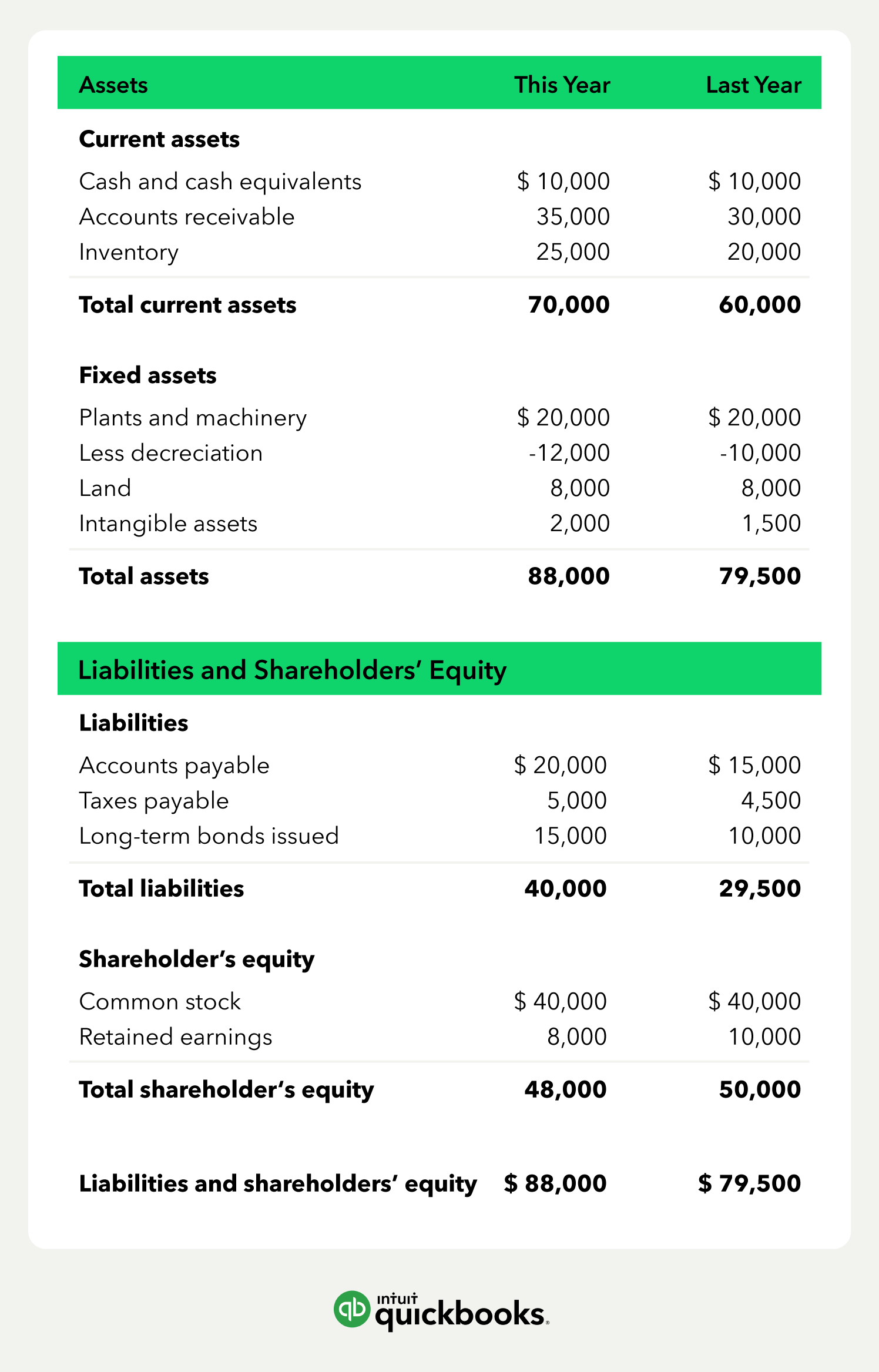
A balance sheet gives you a snapshot of your company’s financial standing on a given day. It shows what you own, what you owe, and your stake in the business. The balance sheet won’t tell you which invoices are overdue, but it will reveal when receivables are piling up. That’s often an early sign of pressure on cash flow.
According to recent QuickBooks research, companies were owed an average of $17,500 in late payments, and nearly half had bills more than 30 days overdue. If you notice receivables rising on your balance sheet, you can take action before it affects cash flow, such as chasing up overdue payments.
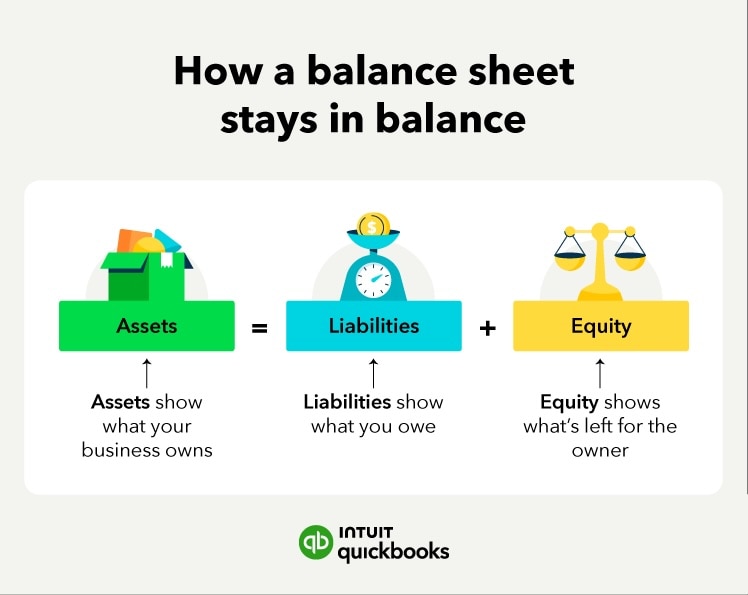
You can start by preparing a balance sheet in Excel, but it’s important to understand where excel vs accounting software differ: accounting software automates many of the checks and balances (like ensuring assets always equal liabilities plus equity), reducing risk of manual errors. As businesses grow, the efficiency and automation offered by accounting software often outpace what’s feasible in pure Excel.
Accounting software automatically updates your balance sheet, enabling you to track your financial performance in real time. In this article, you’ll learn how to read a balance sheet and prepare one for your business.
How to read a company balance sheet and prepare one
 When compiling a list of your assets, start with your bank account and invoices. They are usually your most liquid assets. Then list physical items your business owns and uses regularly.