You could save up to 25% on transaction costs².
Speak with us now to see if you qualify.
Talk to sales 1-800-515-8366
Monday - Friday, 6 AM to 4 PM PT

Table of contents
Table of contents
AI in construction helps finance teams discover margin, cash flow, and reporting risks while there’s still time to put things right. QuickBooks Online Advanced brings AI into financial workflows such as transaction review, financial analysis, and project setup, helping teams spend less time finding issues in their data and more time deciding what to do about them.
Construction firms are already using AI for everyday finance work. Intuit’s Construction AI Adoption report found that 57% of firms reported increased revenue, with 46% citing bookkeeping as their main use case for AI.
AI in the construction industry is a financial issue because of the sector’s transactional complexity per revenue dollar. Unlike other industries, finance teams have to reconcile the following against the revenue each job generates:
When project and financial data stay connected, AI can help teams analyze the financial information already flowing through their workflows and surface areas that deserve closer attention.
At a time when construction inflation is impacting both materials and labor costs, spotting problems before they hit your profitability matters more than ever.

Give project managers access to job costs without opening up payroll or bank balances. With construction workflow management, finance can control who sees what and use the audit log to check who changed a transaction and when.
For construction businesses, AI can support three useful areas of financial work: reducing manual project setup, identifying anomalies or changes that deserve review, and helping teams understand financial performance and forecast variances.
QuickBooks Online Advanced brings AI into several financial and project workflows. Examples include:
While AI doesn’t make financial decisions for you, it does alert your team to the jobs and figures that need a closer look.
AI can support project profitability analysis by reducing manual setup and helping teams investigate financial information alongside current project costs and budgets.
QuickBooks Online Advanced brings project budgets, actual costs, WIP, change orders, and other construction financial workflows together at the project level. Teams can compare current project costs with budgets and estimates to investigate where spending is moving off plan.
Here’s how this works in practice. Say your company is managing multiple construction projects, with 12 active jobs lasting four to nine months.
Your estimating team uses construction job costing software to price new work. However, when setting bids, it uses historical averages because, at the moment, finance only sees framing overruns when it’s reviewing final costs after the work has finished.
Three months into one job, a subcontractor invoice pushes framing costs over budget. With current project costs and budget information available together, the team can investigate the variance and see that subcontractor costs have increased. Finance can use that updated cost information when reviewing the job forecast and sharing current cost trends with the estimating team.
Your finance team can update the job’s forecast and provide the estimating team with the latest framing costs, so the bids they send out are based on current costs. This gives you a more accurate forecast for each project and reduces the risk that future jobs won’t achieve their expected margin.
AI strengthens cash flow visibility for contractors by showing finance teams when the money due in and out of the business is no longer aligned with their forecasts.
For example, QuickBooks Online Advanced’s Finance AI tells you why you’re likely to have less money available than you expect, so there’s time to act before payments to staff or suppliers become due.
This is important because contractors often have to pay out before they get cash back in from their customers. This gap in liquidity can also be made worse by:
Your finance team can use a 13-week cash flow forecast to see how these gaps affect the money available each week over the next three months.
Say your finance team is coordinating draws across eight active jobs. A retainage payment expected before payroll is pushed into the following month. Comparing updated cash expectations with the forecast makes the timing gap visible, giving the team an opportunity to review upcoming purchases, billing, and other cash-flow decisions.
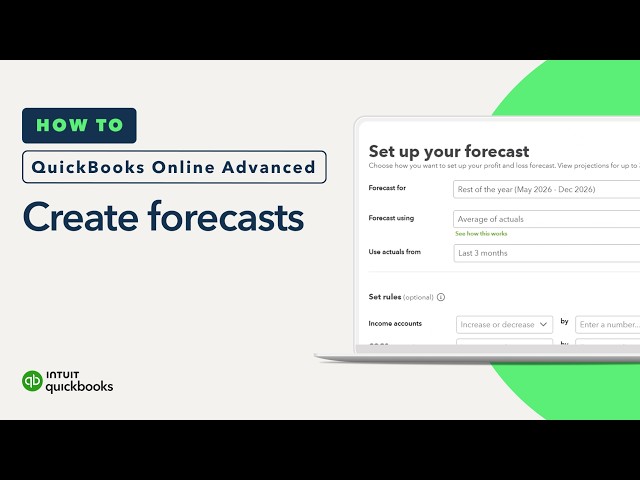
Finance AI can help you understand what changed financially and compare actual performance with forecasts, supporting that review.
AI speeds up month-end financial reporting for construction finance teams by reducing the volume of matching, correction, and approval tasks they need to complete before completing a final review.
This is because the Accounting AI feature in QuickBooks Online Advanced categorizes new bank transactions and links them to bills and payments already recorded in QuickBooks. It also points out problems it spots, such as duplicate or incorrectly categorized transactions, and suggests how to put them right. You can also set up automated workflows to send any bills that still need approval to the right person.
For construction finance teams, much of their month-end work involves handling subcontractor invoices and accounts payable approvals. Until they’re able to record and approve each cost, your finance team isn’t in a position to produce reliable job-level profit and loss reports.
Together, Accounting AI and automated workflows cut down the work that can delay the close. QuickBooks Online Advanced customers report they close 2.2 days faster per month on average.
The QuickBooks construction study found that 80% of construction AI users reported AI improved productivity, with 45% saying it was very helpful.

AI can help teams investigate the financial data behind a potential cost overrun, while current project budgets and actual costs provide the baseline for identifying where spending is moving off plan.
For example, if an electrical subcontractor invoice pushes the wiring phase above budget, the finance team can review the project’s current costs, confirm whether the increase relates to an approved scope change, and update its expectations for the remaining work.
The value of AI is in reducing the tedious work required to find and interpret relevant financial information that can help you make informed decisions around projects.
Record purchase orders against a job when they’re issued, rather than waiting for the invoice. Tracking committed costs alongside actual costs can give you a more complete view of expected project spending before every invoice arrives.
Growing contractors evaluating AI-enabled accounting software should look for capabilities that connect AI to real financial workflows, including:
QuickBooks Online Advanced combines AI-assisted financial workflows with construction-specific project financial capabilities, giving growing teams a connected foundation for reviewing performance and making decisions.
AI can help construction businesses investigate margin pressure, understand changes in cash flow, and reduce some of the manual financial review that slows decision-making.
QuickBooks Online Advanced offers a free trial to construction companies for 30 days, so you can road test your current projects with our range of accounting and AI features.

Call Sales: 1-800-285-4854