Get 50% OFF QuickBooks for 3 months*

Buy now
Switch to QuickBooks and 70% off for 3 Months
March 5, 2019
Question

QuickBooks Mac Desktop Not Saving Entries

  • March 5, 2019
  • 2 replies
  • 20 views

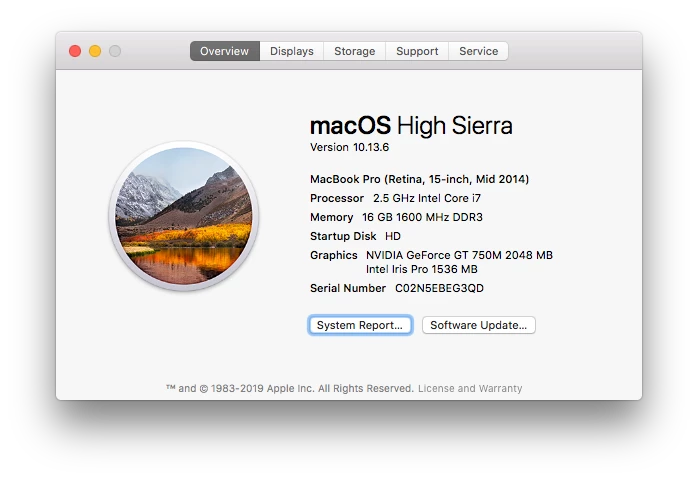
Here's my system.


I enter data, close QB, reopen, and it is like I never entered the data. This happened with entering memorized transactions, importing a new customer, reconciling an account, etc. Print settings for checks aren't saving either.


This all started when I upgraded to QB Mac 2019 from 2016. I rebuilt and verified the data and that doesn't seem to have any affect. What's even more confusing is that occasionally, it will save something but not all the edits I made since last open. I even downloaded a fresh copy of the program and reinstalled it.


I'm dead in the water and I need to run payroll. Thoughts?

2 replies

Level 5
March 5, 2019

Choose the Help->Product Information menu.  Scroll down to the bottom of the window that appears. It will show you where your company file is stored. Is it in the Documents directory of your user on the Hard Drive?  Or is it stored somewhere else?  


Close QuickBooks and open it again. Are you seeing the same location for the file (Help->Product Information). 

Select your HD in the finder.  Choose File->Get Info.  How much free space is available on the drive?

March 11, 2019

My company file is stored on my Google Drive and 'available offline'. It has always been stored there, but the problems didn't start until I upgraded to 2019 from 2016.

Level 5
May 24, 2019

Did you figure out a solution to this? I'd suggest trying to move the file to Documents instead of Google Drive.  Interested in what you discover.

December 30, 2020

Did anyone figure this out? I've had the exact same problem. At first, I thought it was a glitch, but it's happened multiple times to me now and hours of work has just disappeared with no warning or glitch notice. 

Moderator
December 30, 2020

This is not the kind of service we want you to experience, Mo28. However, I've checked with my resources and with our engineering team, there is no reported issue where the transactions disappear without prior notice. 


Since the Community has limited sources to conduct an investigation, I recommend reaching out to our customer support team. This way, one of our phone agents can pull up your account in a secure session and get it sorted out for a further solution.  


Here's how to connect with our support team: 


  1. Open QuickBooks.
  2. Go to Help, then select QuickBooks Desktop Help.
  3. Hit Contact Us
  4. Enter your concern, and click Let's talk
  5. Choose a way to connect with us: 
  • Start a chat 
  • Get a call

To ensure that we address your concerns on time, please contact us during these hours: M-F 6 AM to 6 PM and Saturday 6 AM to 3 PM PT. 


I'm just a few clicks away if you have any other concerns or questions.  Stay safe and have a great rest of the day.

January 9, 2022

Running QB Mac Desktop 2019 for 2 companies (masOS Monterey v12.0.1). Starting around NOV 2021 the program will not save transactions for only one of the companies. It happened in NOV where it didn't save the invoices I entered, but I thought it was a 1-time glitch.


Thought I had just misremembered entering the more recent transactions, and just spent 3 hours catching up reconciling bank accounts, etc. thru 12/31/21. After switching to the other company and then back, ALL work was gone - still shows OCT bank statement unreconciled. Have found the data file, and it shows updating today, but no new data since 11/2/21. The other company file seems to be fine.


QB did update to v18.0.12 R13 around NOV 2021. Have gone back and tested a single transaction and it seems to be working - but how can I be assured that I don't waste another several hours??? Since QB doesn't give the ability to save your work as you go - it's supposed to do it automatically.