You can run the Custom Transaction Detail Report instead, @kssimon.
Allow me to share first why there are transactions with classes that aren’t showing on the report. If the class is on the header of the Bill event, then it will show up. However, once the class is located on the line item of the Bill, it will not normally display on the reports.
There are three types of reports, the summary, the list and the detail. If you need the one that covers all information of the event, then you’ll need the details report.
Running Custom Transaction Detail report has the ability to show the list of the vendor you have on a specific period, paid date, amounts and the class. I’ll show how:
- Go to the Reports menu, then Custom Reports.
- Select Transaction Detail.
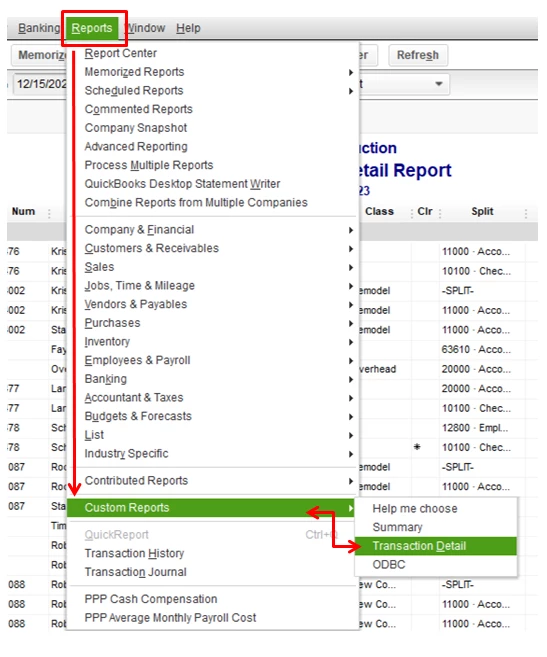
- Click Customize Report

- Filter to Bill and select Class under Column.
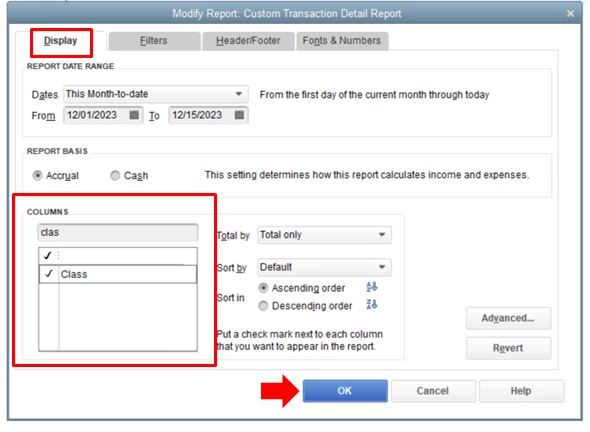
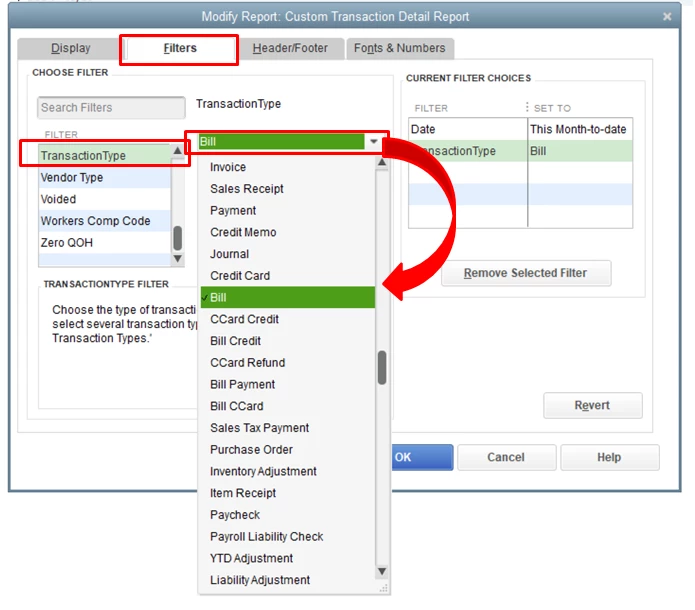
- Select OK.
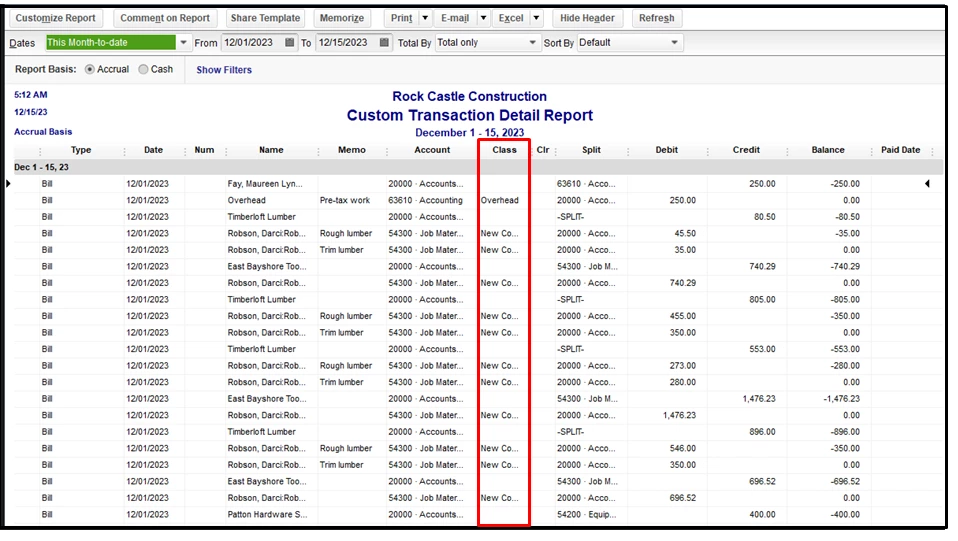
You might want to check this article about customizing vendor reports in QuickBooks. This helps you modify some information based on your business needs.
If you want the same settings or customization to be available for future use, you can create memorized reports. QuickBooks will let you save it, so you do not have to go through the customization process again.
We’ll be here whenever you need help. Just visit us here, and I’ll make sure it will be taken care of. Keep safe.
