Get 50% OFF QuickBooks for 3 months*

Buy now
Switch to QuickBooks and 70% off for 3 Months
the_tile_setters
January 23, 2021
Solved

retained earnings

  • January 23, 2021
  • 1 reply
  • 3 views

im using QB desktop premier contractor edition 2019


Should there be a retained earnings account listed in chart of accounts?

Best answer by ShiellaGraceA

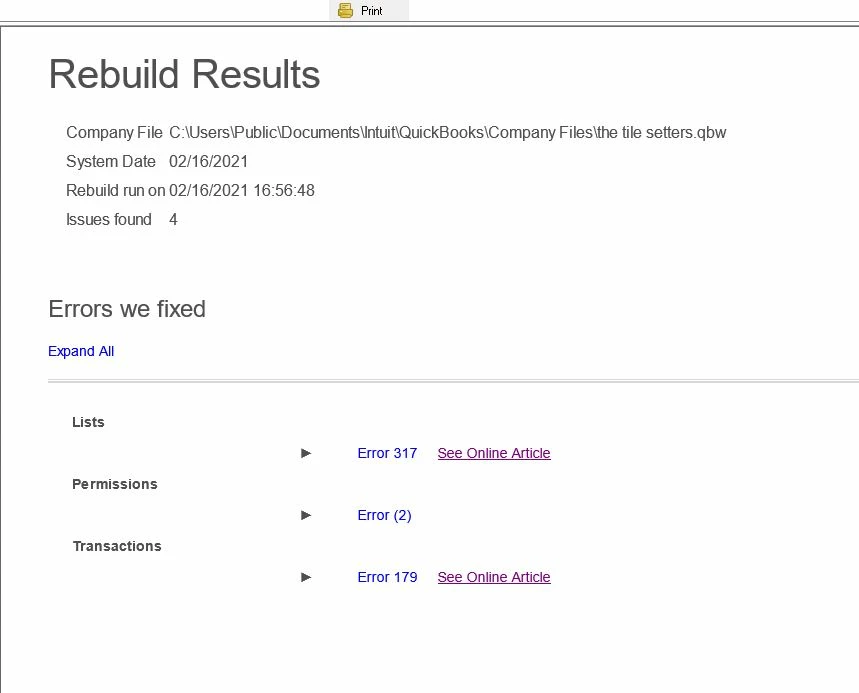
The rebuild showed errors


I'll share the steps on how to resolve the rebuild errors, @the_tile_setters.


You'll want to download the QuickBooks Tool Hub and run the QuickBooks File Doctor tool to fix company file issues.


Here's how:


  1. Close QuickBooks.
  2. Download QuickBooks Tool Hub and save it on your desktop.
  3. Open the file you downloaded (QuickBooksToolHub.exe). Then, follow the on-screen steps to install and agree to the terms and conditions.
  4. Double-click the icon on your Windows desktop to open the tool hub.
  5. From the tool hub, choose the Company File Issues tab. This will open the QuickBooks File Doctor tool. 


Once done, restart your computer and check your chart of accounts again. Learn more about the tools at this link here: Fix common problems and errors with the QuickBooks Desktop Tool Hub.


In case you need help with other tasks in QBDT, click this link to go to our general topics with articles.


Keep me posted if you still have questions or concerns with the program. I'm always here for you. Take care and have a good one.

1 reply

Moderator
January 23, 2021

Hi there, @the_tile_setters.
 

I hope you're having a great week, let me give you some additional information about a Retained Earnings account.

The answer to question will depends if you already closed your books in QuickBooks. Once you close you entries, the program will automatically create a Retained Earnings account to transfer the balance from the Income and Expense accounts to it. 
 

This account will shows the total of your company's income and expenses from all previous years. When a new fiscal year starts, QuickBooks automatically adds the net income from the previous fiscal year to your Balance Sheet as Retained Earnings.


QBDT doesn't have an actual transaction for closing entries it automatically creates. The program computes the adjustments when you run a report (for example QuickReport of Retained Earnings) but you can't "QuickZoom" on these transactions, unlike the manual adjustments you recorded.

For more details, you can check out this article: How to view Retained Earnings account details.


Don't hesitate to tag my name in the comment section below if you have other concerns or questions. I'm always ready to help.

the_tile_setters
February 15, 2021

how do I run a quick report of retained earnings?

Jen_D
Level 8
February 15, 2021

There are a few ways to open a quick report for Retained Earnings, @the_tile_setters,


I can share the set of steps for you. First, you can access it in the Chart of Accounts. Here's how:


  1. Go to the Lists menu and choose Chart of Accounts.
  2. Using the search field, find the Retained Earnings account or scroll through the list.
  3. Double-click the account or right-click on it and pick QuickReport: Retained Earnings.


Secondly, you may access it from the Balance Sheet report. Simply double-click the line for Retained Earnings to open a quick report.


I'm also adding here a related link about customizing reports to help you filter reports properly. See this: Customize reports in QuickBooks Desktop


If you have other questions or concerns, please let me know in the comment below. I'll be right here if you need anything else. Have a good one!