It's our pleasure to help, @JLN1977.
Yes, the item/service code is for the specific product or service. Once you've added a code, it will automatically be attached to the invoice that you'll be creating. The alternative would be to use the description box or use a custom field box(both of these you would need to manually enter the Commodity codes each time)
Just make sure to activate the item/service code column when creating an invoice as well as on your invoicing template as mentioned by @payment after leaving.
Here’s how to add the item/service column to your invoices:
- Go to your Sales menu and then Invoices.
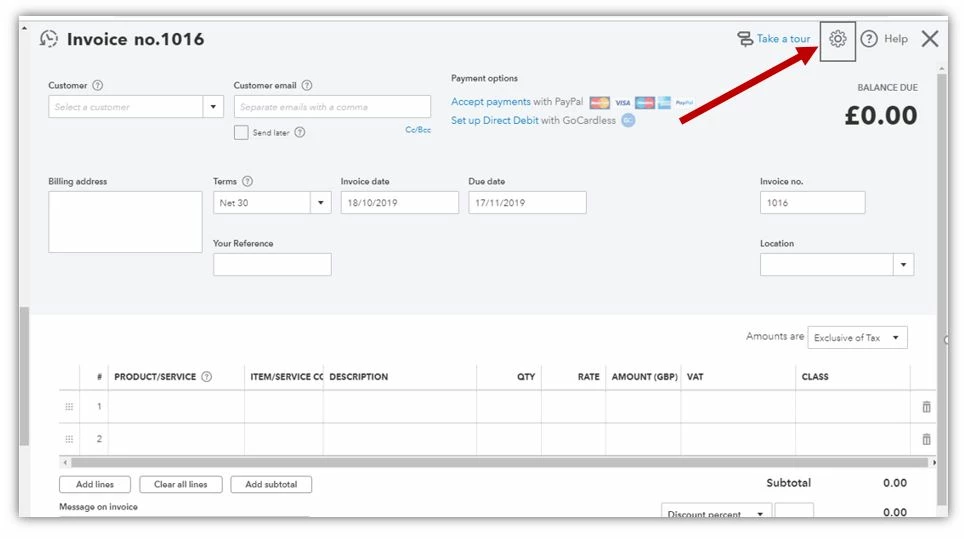
- Hit the New invoice button to create an invoice.
- Click the Gear icon at the top to choose what you see on this page.
- On the Optional columns part, click box beside the Product/Service and Item/Service.
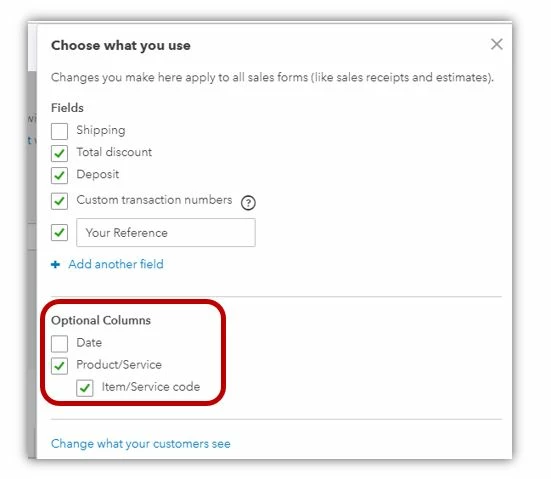
- Tap the X mark at the top to save.
To add it on the invoice template that’ll be sent to your customers, check the following steps:
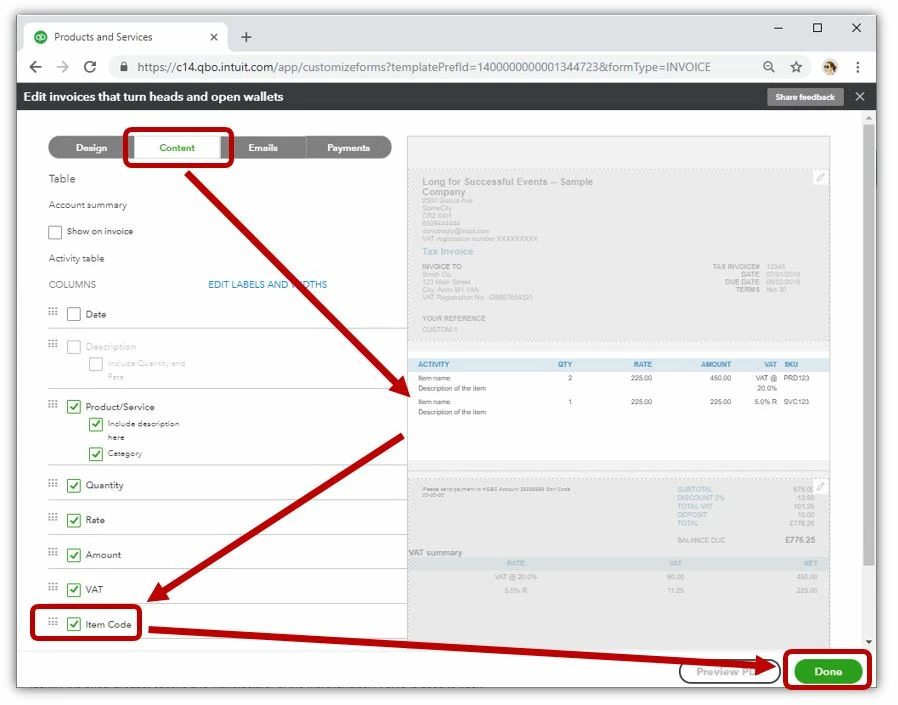
- Go to the Gear icon and choose Custom Form Styles.
- Select the template that you’re using from the list.
- Hit the Content tab and tap the middle part of the greyed out invoice.
- Click the Item Code.
- Choose Done to save the changes.
Check this article for more information: Create an invoice.
For other concerns and follow-up questions, feel free to let me know by leaving a comment below. I'm always here to assist. Have a wonderful day!
