
Get 50% OFF QuickBooks for 3 months*

Buy now
Switch to QuickBooks and 70% off for 3 Months
November 7, 2023
Question

Can not categorize PayPal transactions

  • November 7, 2023
  • 1 reply
  • 30 views

I am using QB online and have it connected to PayPal.  It brings in the transactions decently but seems to have a hard time recognizing the products correctly and usually ends up coming in as 'PayPal Item'.  This part would be great to fix but not the main issue.

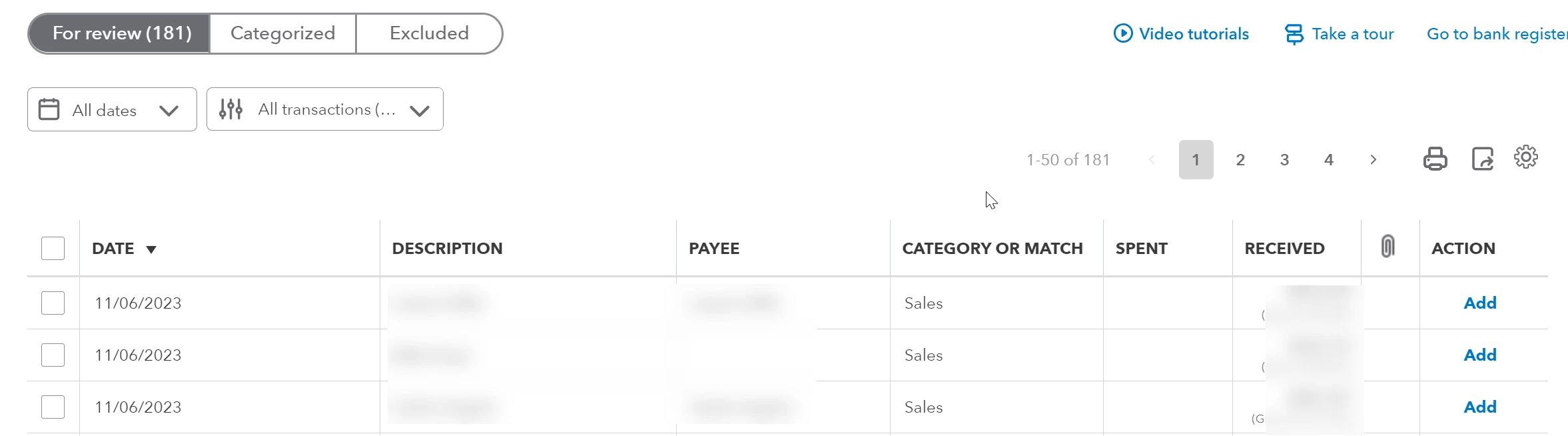
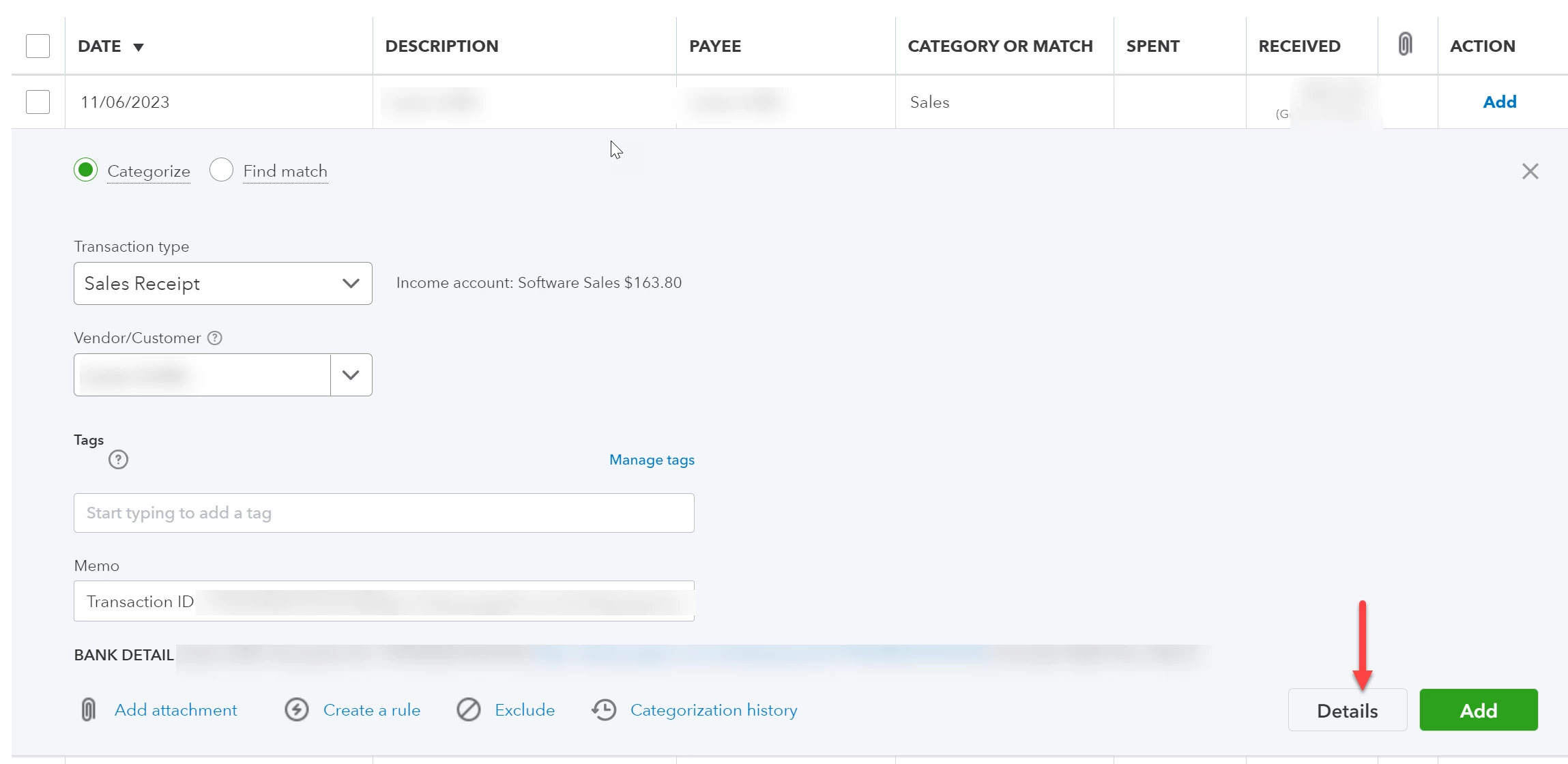
The main issue is that for the last month or so QB does not let me see the transaction detail and change the type of product/service.  I can see all the imported transactions in the grid list.  When I click on an item to select it, it expands as it should.  Then I click the 'Details' button to get the details of the transaction in order to change it.  The details screen comes up, but there is nothing in the grid for transaction data so there is nothing to edit.


Here is the main grid I see:
Then when I select:
And when I hit details this comes up:
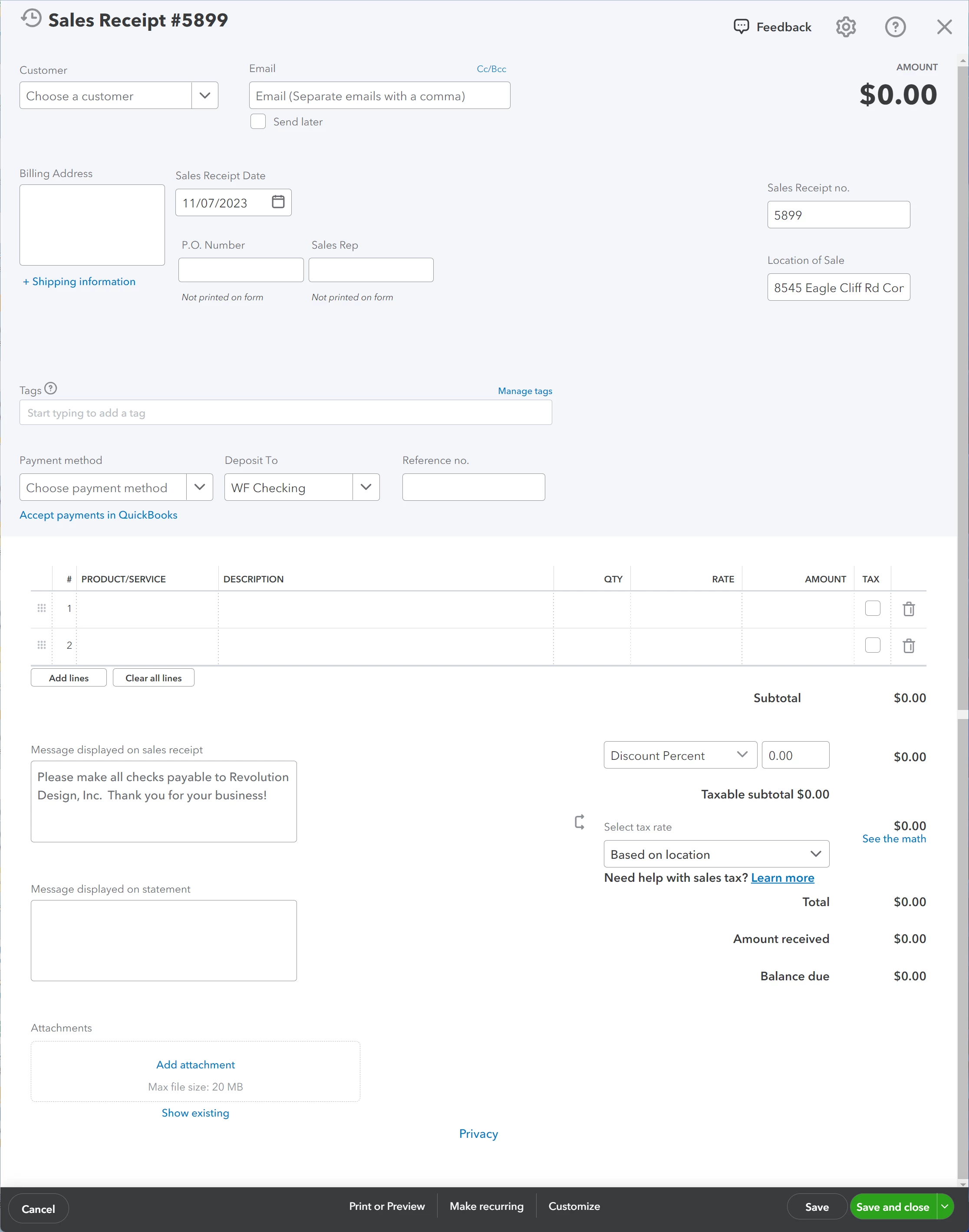
Has anyone encountered this?  I contacted support both by chat and by phone but they have thus far been frustratingly unhelpful.  They 'have an open case and are looking into it' but it's been a month and no update and no fix.

1 reply

Moderator
November 7, 2023

Hello, sfaust. 


I'm sorry to hear that you're experiencing difficulty with QuickBooks Online (QBO) and cannot view transaction details or modify the type of product or service. I can understand how frustrating this must be for you, and I would like to help in any way I can.  


To ensure that your products are being recognized correctly and not coming in as a 'PayPal Item,' it is essential to check your PayPal mapping and ensure it is correctly set up. Here are the detailed steps you can follow: 


  1. Click the Transactions and select App transaction.
  2. Tap the Paypal setting, and check the mapping if it's tagged as Paypal Item under the "Products & Services" section.


With regards to the transaction details are not showing up. Typically, Sales receipts will capture line-level information that can be retrieved often depending on how PayPal has been used in each context.


Let's examine the details of the PayPal transaction to ensure it is correctly recorded in QuickBooks Online. We will verify that the transaction amount, date, payee, and relevant notes are accurately reflected in QuickBooks. If any of this information needs to be corrected or added, we may need to disconnect and reconnect your PayPal app to ensure that QuickBooks imports the transaction correctly. By doing this, we can avoid discrepancies in your financial records and ensure that your accounting is current. 


I've attached a link you can use to view the frequently asked questions about Connect to PayPal: Connect to PayPal FAQ


Please leave a comment below if you have any other questions or concerns with PayPal in QuickBooks. I'm more than happy to answer them. Have a wonderful day.

sfaustAuthor
November 9, 2023

I'm sorry that's not really helpful and not really working right it doesn't seem.  I go to Transactions->App Transactions and I see apps for amazon business, ebay, shopify, amazon seller central, and square, no PayPal (I would guess because it's already connected).


I go under 'Apps->Overview' and I see the connect to PayPal app as the only one listed.  If I click 'launch' it says 'We're sorry, we can't find the page you requested.'  If I just select the app it says 'Your app is connected.  If your app has any connection issues, we'll let you know.'  If I click the dropdown and go to settings it just takes me to my bank transactions page which is where I am having the issue.


None of the above seems to help or give me any indication of why the issue is happening or how to fix it.  I have also not changed any of this for a long time so this is something new on your side that is causing an issue.

sfaustAuthor
November 9, 2023

Thanks for a quick response, @sfaust.


I know this isn't a usual situation you encounter while importing your PayPal transactions to QBO. On top of that, we appreciate you for performing the steps my colleague provided. Let me share information and direct you to the best possible help.


Currently, an investigation (INV-94136) about PayPal being unable to categorize transactions is ongoing. With that in mind, I recommend contacting our support to add you to the notification lists as one of the affected users. Rest assured our product experts are doing their best to resolve this issue. 


Moreover, their tools are equipped to pull up your account in a safe environment and can also look for the root cause of it and fix it. Once an update is available, our team will send it to you through email.


Here's how to contact support:


  1. On the right corner, select the (?) Help icon.
  2. Click Contact Us.
  3. Enter a brief description of the issue. Then, tick Continue.
  4. Select either Chat and start a conversation or a Callback we'll save your spot in line and call you back.


You can also log in through the web and contact support, you can read this article: QuickBooks Online Support.


Additionally, I'll share this article to help you create rules if you want to automatically categorize your PayPal transactions: Set up bank rules to categorize online banking transactions in QuickBooks Online.


For additional queries about PayPal or bank transaction categorization, reply to this post. I'll be willing to assist you. Have a good day.


Yes this is what support has said.  I'm on that investigation.  The investigation (or possibly 2 investigations I don't remember) has been ongoing for 2 MONTHS!  Meanwhile I'm not able to categorize my transactions.  


This is basically 'We are working on it, we'll let you know when we have something.'  Which is a frustrating answer to get for 2 months straight on a critical function.