
Get 50% OFF QuickBooks for 3 months*

Buy now
Switch to QuickBooks and 70% off for 3 Months
November 7, 2023
Question

Can not categorize PayPal transactions

  • November 7, 2023
  • 1 reply
  • 30 views

I am using QB online and have it connected to PayPal.  It brings in the transactions decently but seems to have a hard time recognizing the products correctly and usually ends up coming in as 'PayPal Item'.  This part would be great to fix but not the main issue.

The main issue is that for the last month or so QB does not let me see the transaction detail and change the type of product/service.  I can see all the imported transactions in the grid list.  When I click on an item to select it, it expands as it should.  Then I click the 'Details' button to get the details of the transaction in order to change it.  The details screen comes up, but there is nothing in the grid for transaction data so there is nothing to edit.


Here is the main grid I see:
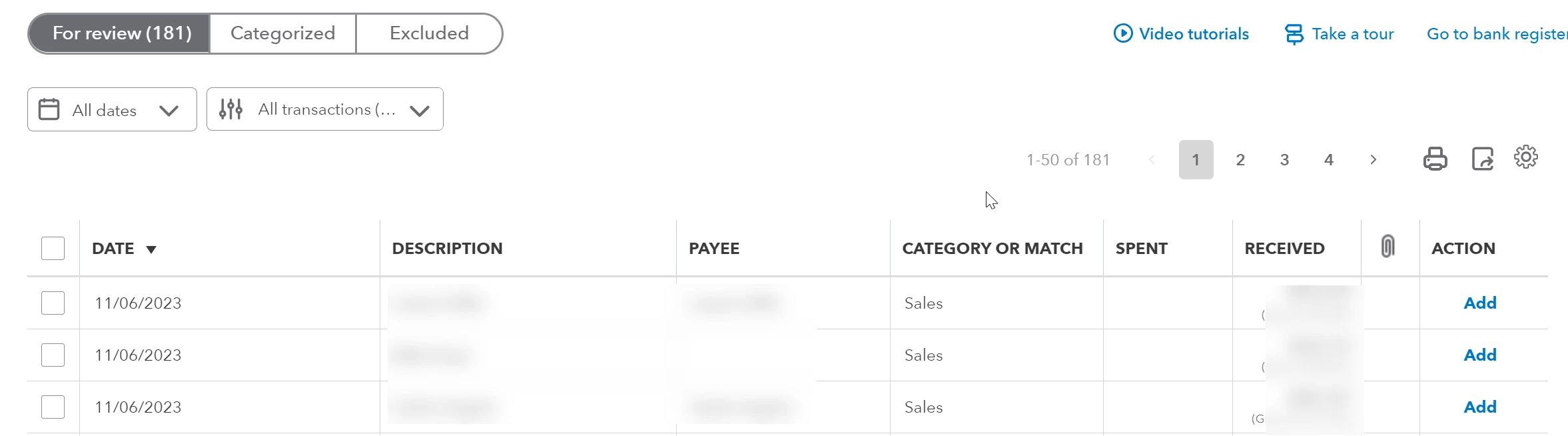
Then when I select:
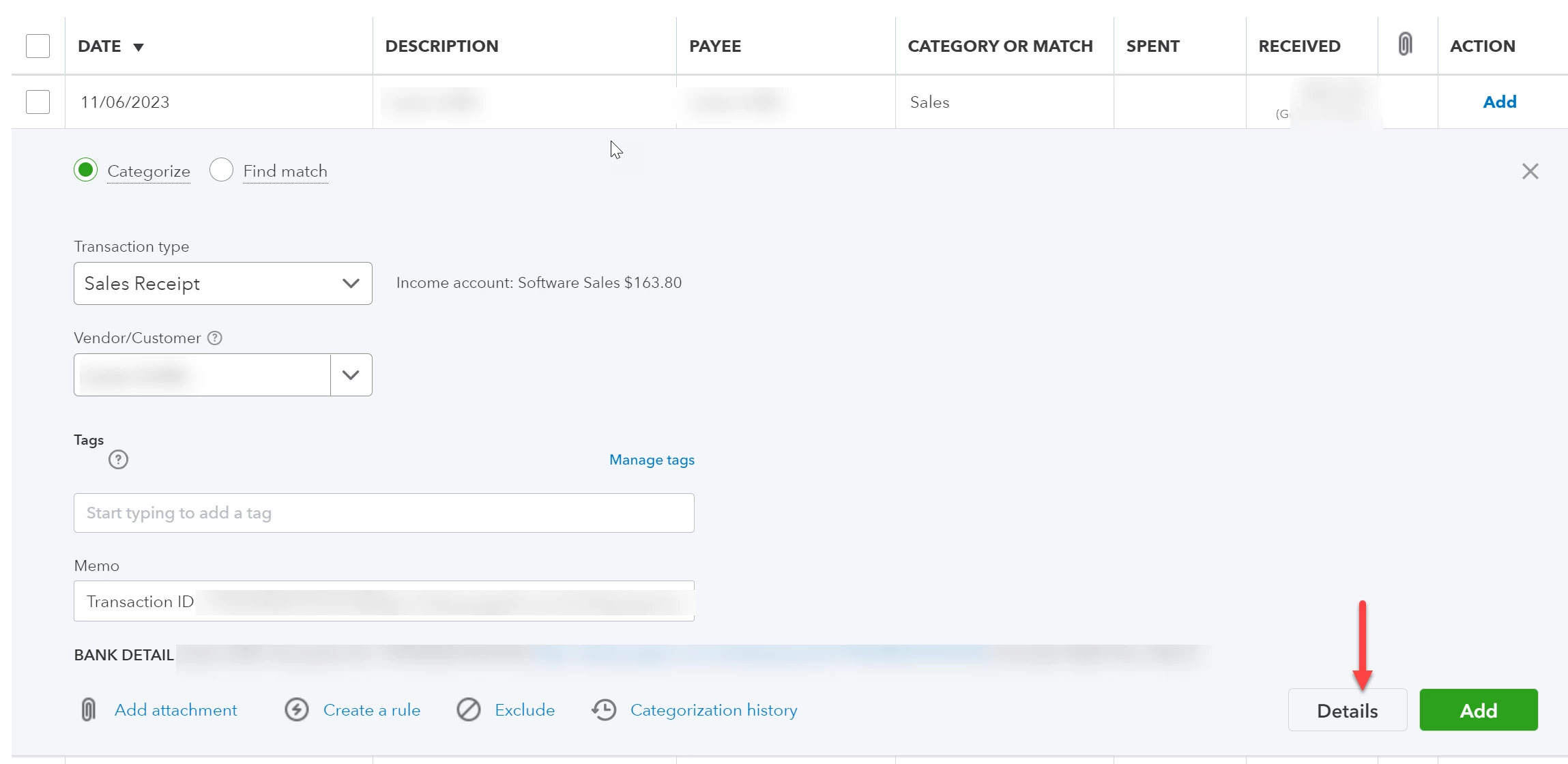
And when I hit details this comes up:
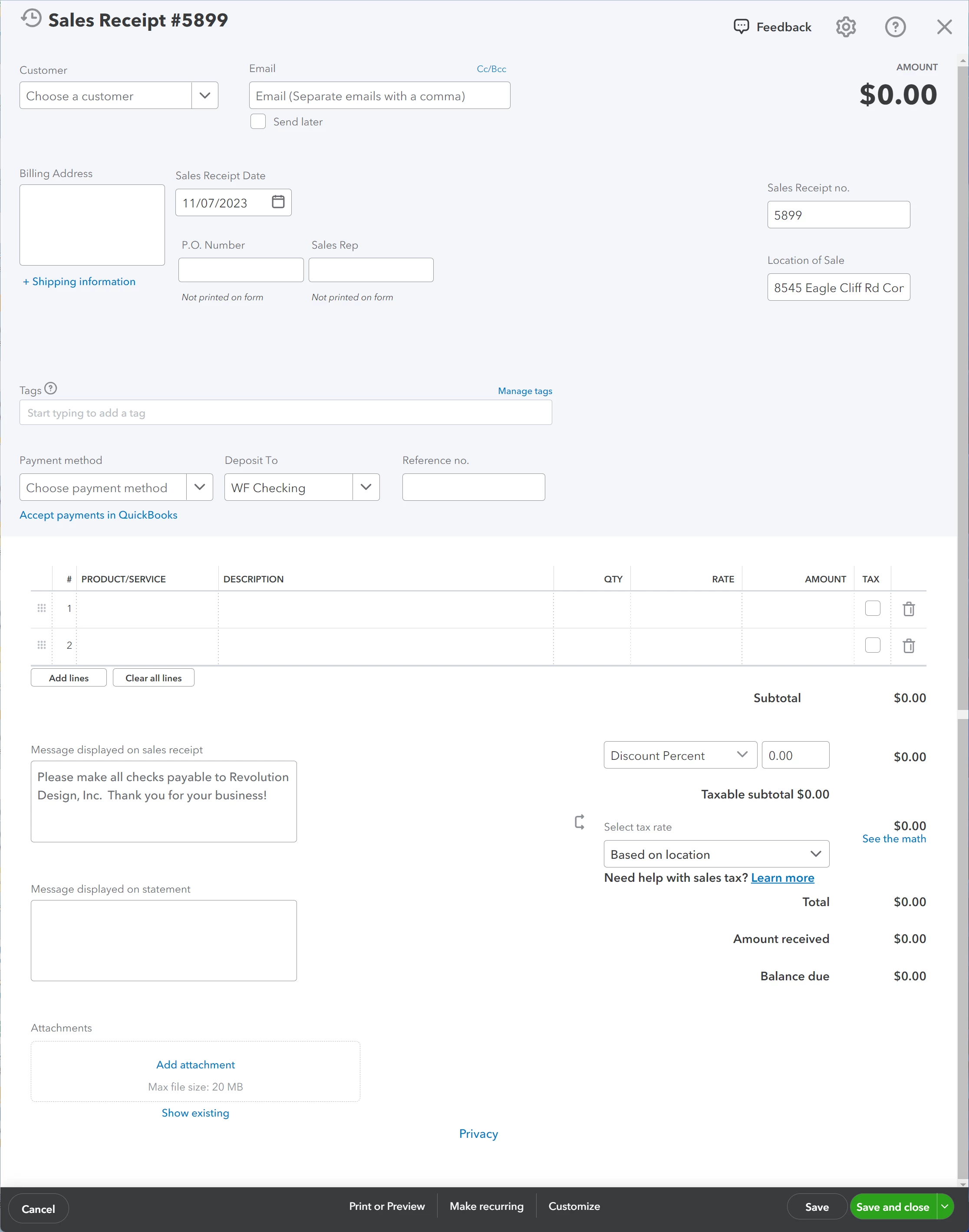
Has anyone encountered this?  I contacted support both by chat and by phone but they have thus far been frustratingly unhelpful.  They 'have an open case and are looking into it' but it's been a month and no update and no fix.

1 reply

Moderator
November 7, 2023

Hello, sfaust. 


I'm sorry to hear that you're experiencing difficulty with QuickBooks Online (QBO) and cannot view transaction details or modify the type of product or service. I can understand how frustrating this must be for you, and I would like to help in any way I can.  


To ensure that your products are being recognized correctly and not coming in as a 'PayPal Item,' it is essential to check your PayPal mapping and ensure it is correctly set up. Here are the detailed steps you can follow: 


  1. Click the Transactions and select App transaction.
  2. Tap the Paypal setting, and check the mapping if it's tagged as Paypal Item under the "Products & Services" section.


With regards to the transaction details are not showing up. Typically, Sales receipts will capture line-level information that can be retrieved often depending on how PayPal has been used in each context.


Let's examine the details of the PayPal transaction to ensure it is correctly recorded in QuickBooks Online. We will verify that the transaction amount, date, payee, and relevant notes are accurately reflected in QuickBooks. If any of this information needs to be corrected or added, we may need to disconnect and reconnect your PayPal app to ensure that QuickBooks imports the transaction correctly. By doing this, we can avoid discrepancies in your financial records and ensure that your accounting is current. 


I've attached a link you can use to view the frequently asked questions about Connect to PayPal: Connect to PayPal FAQ


Please leave a comment below if you have any other questions or concerns with PayPal in QuickBooks. I'm more than happy to answer them. Have a wonderful day.

sfaustAuthor
November 9, 2023

I'm sorry that's not really helpful and not really working right it doesn't seem.  I go to Transactions->App Transactions and I see apps for amazon business, ebay, shopify, amazon seller central, and square, no PayPal (I would guess because it's already connected).


I go under 'Apps->Overview' and I see the connect to PayPal app as the only one listed.  If I click 'launch' it says 'We're sorry, we can't find the page you requested.'  If I just select the app it says 'Your app is connected.  If your app has any connection issues, we'll let you know.'  If I click the dropdown and go to settings it just takes me to my bank transactions page which is where I am having the issue.


None of the above seems to help or give me any indication of why the issue is happening or how to fix it.  I have also not changed any of this for a long time so this is something new on your side that is causing an issue.

January 21, 2024

It's fixed!!  Finally!  It seems to have changed the system just a bit as I now have to do the previous steps and then it wants me to match the transaction to the sales receipt it just created so that's mildly annoying but not a big deal.  Now to process 245 transactions that have been waiting...


It did also give me some weird error with taxes the first time I tried to categorize one but I cancelled and tried again and it worked so I think that was some temporary issue.


Is it really fixed though? I'm having the same problem and was told after a couple hours on a support call that I was on a "list" to be notified of every step in the process to fix this known issue and it would be 24-48 hours. It's been a week or so and nothing yet.


When I try to assign a category to a Sales Receipt for a paypal transaction, it already has a preassigned one that Intuit made up called Paypal sales. That does me no good, I need to categorize transactions by donations, payment for services, etc. There's no way to change the default account..


When I select "Categorization History" at the bottom, which one chat person helpfully told me to do, another window comes up. At the bottom of the screen is a green button that says "Assign Category" so I click that, and in big red letters a box comes up that says "Choose category to assign." Of course there's no option to choose anything. 


I just converted this client to Quickbooks Online and so far I've spent more hours on support calls than I did in years on QB Desktop. I'm just very very frustrated with all the glitches.