Get 50% OFF QuickBooks for 3 months*

Buy now
Switch to QuickBooks and 70% off for 3 Months
June 29, 2022
Question

Loan Manager Error (Web Browser?)

  • June 29, 2022
  • 1 reply
  • 0 views

Hello, 

I've been having issues for some time now using Loan Manager in Quickbook Desktop Pro 2021. I am aware that newer versions will do away with the Loan Manager feature. I have also done many of the loan manager troubleshooting tips I have found here and elsewhere. Nothing seems to be working. 

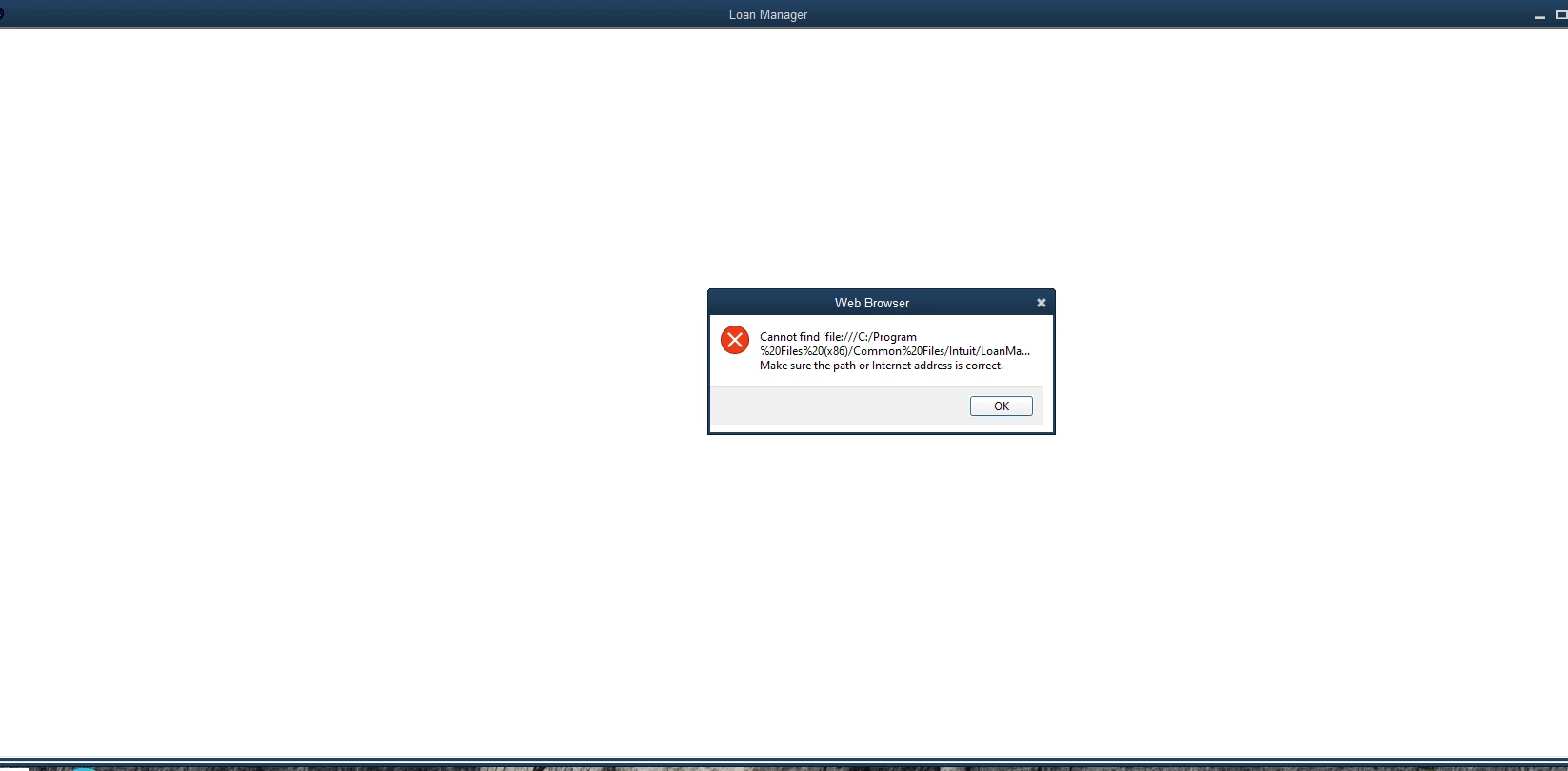
I do have the Loan Manager option in the Banking Menu, however, when I open Loan Manager I get a blank screen with an error window that says  (Web Browser>> Cannot find 'file:///C:Program%20Files%20(x86)/Common%20Files/Intuit/LoanMa...  Make sure the path or Internet address is correct.) See attached. 
I've also gone in and double-checked some browser settings for the old Internet Explorer. My guess it has to do what an issue with the Web Browser in Quickbooks. 

The strange thing is that once in a while the loan manager opens up and I can see my Loans, but more regularly than not it doesn't work I get the error. 

If anyone has any additional things, I can try please let me know. 

Also, here's a list of things I've already tried:

  • moved LMR files out of Company File and restored to the same location to see if it resolves.
  • created a new user in Windows to test of it's a User issue and restored my QB Backup file.
  • Ran the QuickBooks Tool Hub tools multiple times
  • Checked settings in Internet Explore to recommeded settings
  • Verified and Rebuilt QB Data


1 reply

Moderator
June 30, 2022

I've got an update for you, @jamasonry.


Before anything else, I appreciate the efforts you’ve spent in trying to get rid of the Loan Manager error.


At the moment, there’s an ongoing investigation about accessing Loan Manager in QuickBooks Desktop. Rest assured, our engineers are now working hard to rectify this situation as soon as possible. I recommend contacting our support team to add your company to the list of affected users.


Here’s how:


  1. Open QuickBooks.
  2. Go to Help, then select QuickBooks Desktop Help.
  3. Select Contact Us.
  4. Give a brief description of your issue, then choose a way to connect with us.


You can read this article to learn more about tracking loans: QuickBooks Loan Manager.


If you want QuickBooks to automatically enter the payment for you in the future, you can use the Memorize feature.


Don’t hold back to drop a comment below if you have any other questions or concerns besides the Loan Manager error. The Community team is always here to help you out. Keep safe!

July 20, 2022

I have also opened a ticket with Quickbooks on this exact error message.

Because we have multiple systems on the same version, I can tell you that it seems to be specific to the computer itself and a setting tied to the company.


Another computer is not having the same issue and can use Loan Manager in all companies.


The computer experiencing the problem can use the Loan Manager in one company, but not another.


Without the Quickbooks surgeons at Intuit to use a scalpel, it seems likely that backing up our data, blowing away our computers and re-installing them from scratch has a good chance f solving the issue... albeit with the largest of sledgehammers.


Because of the interruption this would cause and the inconvenience presented we have yet to pull that trigger. 

/\/\