SUMMER SAVINGS 90% OFF QuickBooks for 3 months* Ends 8/27

Buy now
Switch to QuickBooks and 70% off for 3 Months
February 12, 2020
Question

Is anyone else having issues with dropdown menus not working in Safari on iPad Pro?

  • February 12, 2020
  • 11 replies
  • 49 views

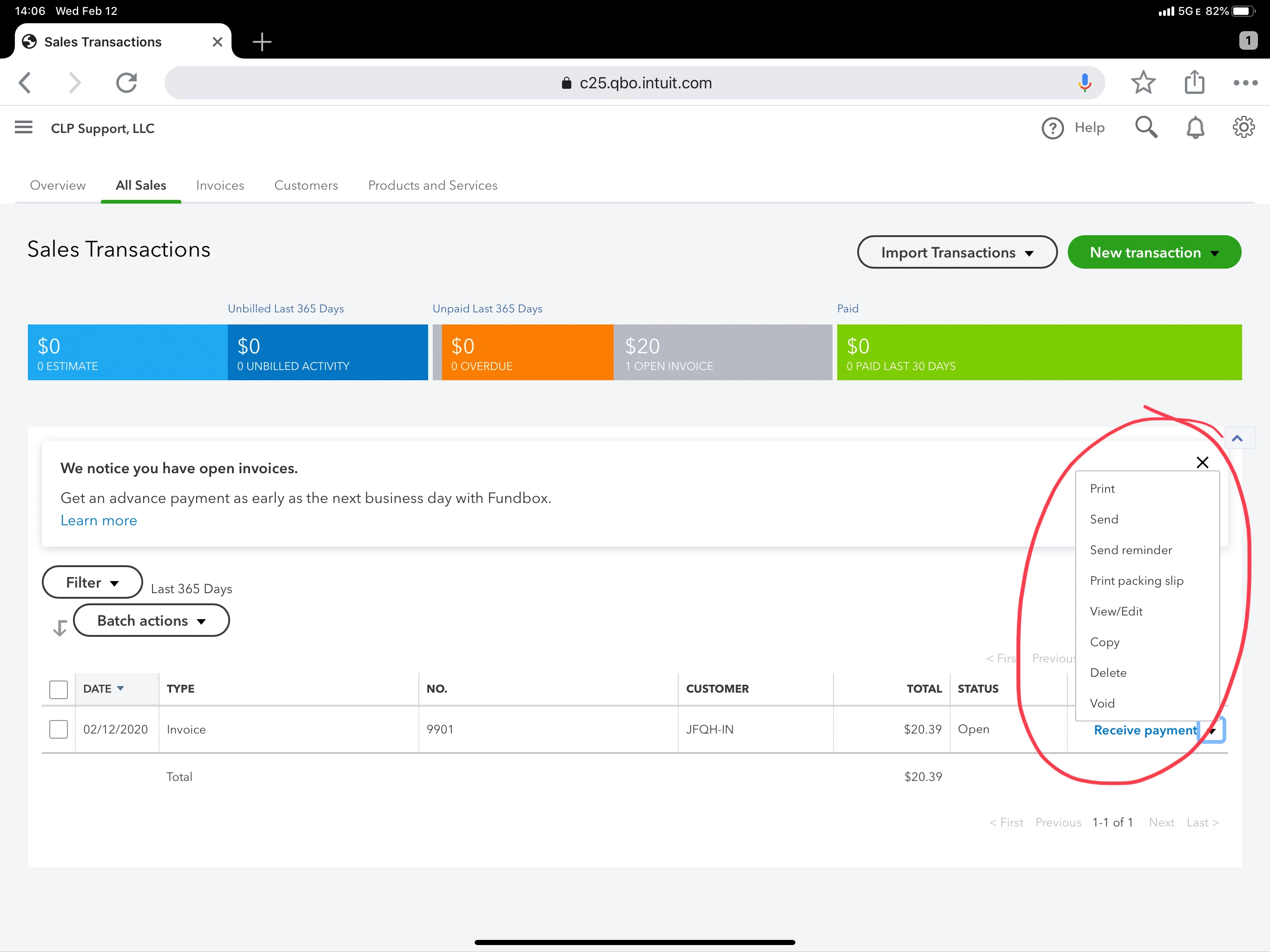
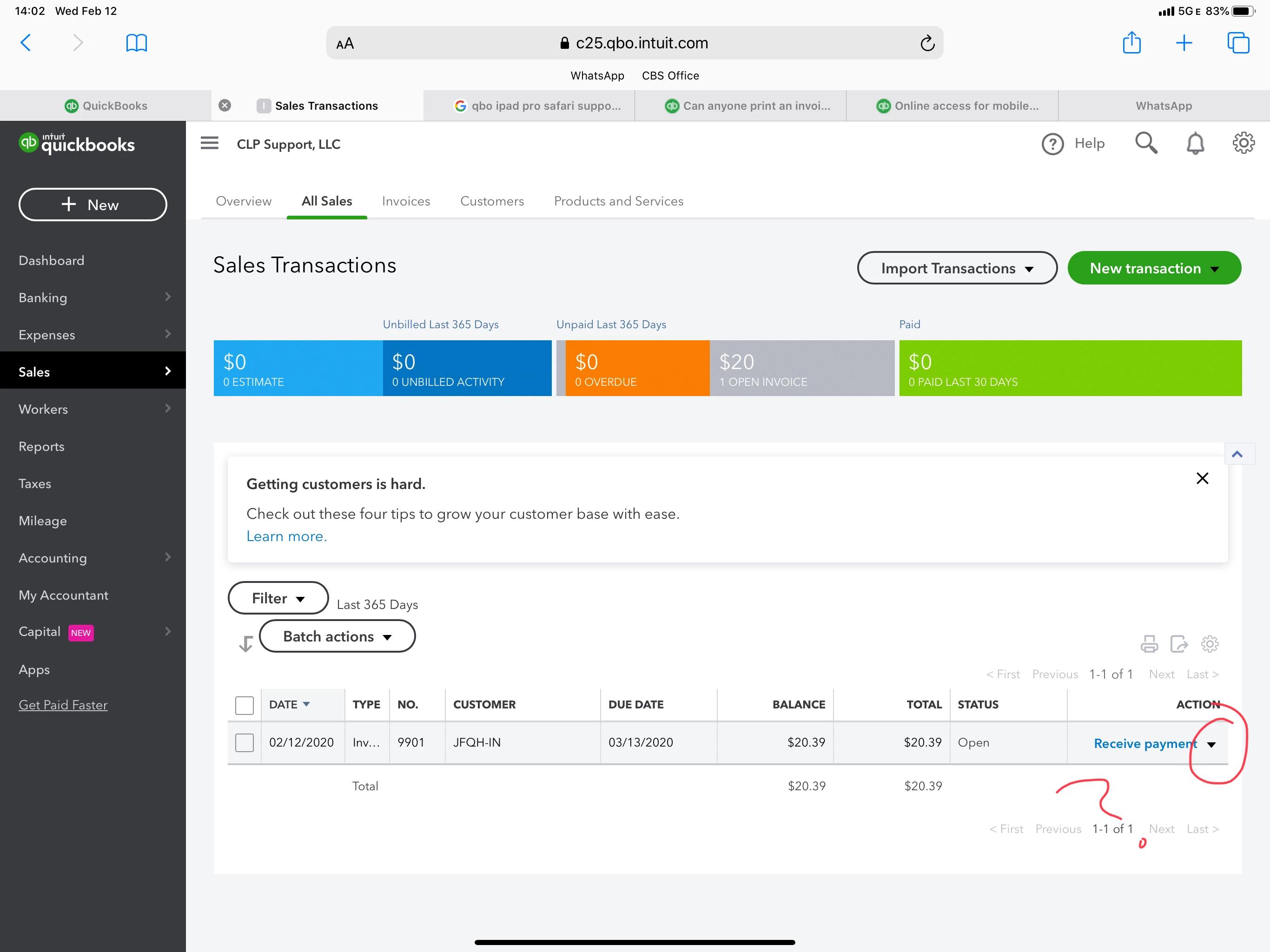
Trying to access the menu for an invoice from the Sales Transactions page. The dropdown next to “Receive Payment” is not working.


Safari is supposed to be supported, but its clearly not. 


Interesting, this menu is working in Chrome, which they do not support!?!


I am forced to go back and forth between browsers to accomplish simple tasks. This is unacceptable.


Note: I have cleared cache/website data...and tried it in private and regular tabs.
 

11 replies

MaryLurleenM
Level 6
February 12, 2020

I appreciate the troubleshooting you've done, BDLHOLDINGS.


It's right to clear cache and use a private browser to determine if it's a browser-related issue. There's a system requirement to make sure QuickBooks is working on its best condition. You can check that on this article, System requirements for QuickBooks Online, Accountant, and QuickBooks Self-Employed.


If the error persists, I recommend contacting our QuickBooks support so they can create report about this. For now, let's use Google Chrome to continue working with your account.


Here's how to get in touch:

  1. Click the Help icon.
  2. Click Contact Us.
  3. Enter Safari browser, then click Let's talk.
  4. Select from Start a message or Get a callback.

Let me know if there's anything else I can be of assistance.

February 12, 2020

Additionally, you recommended that I continue troubleshooting in Chrome, but then the instructions to Let’s Talk are for Safari. 


It’s bad enough QBO cannot actually support both browsers, but your support guidance contradicts itself.