SUMMER SAVINGS 90% OFF QuickBooks for 3 months* Ends 8/27

Buy now
Switch to QuickBooks and 70% off for 3 Months
February 12, 2020
Question

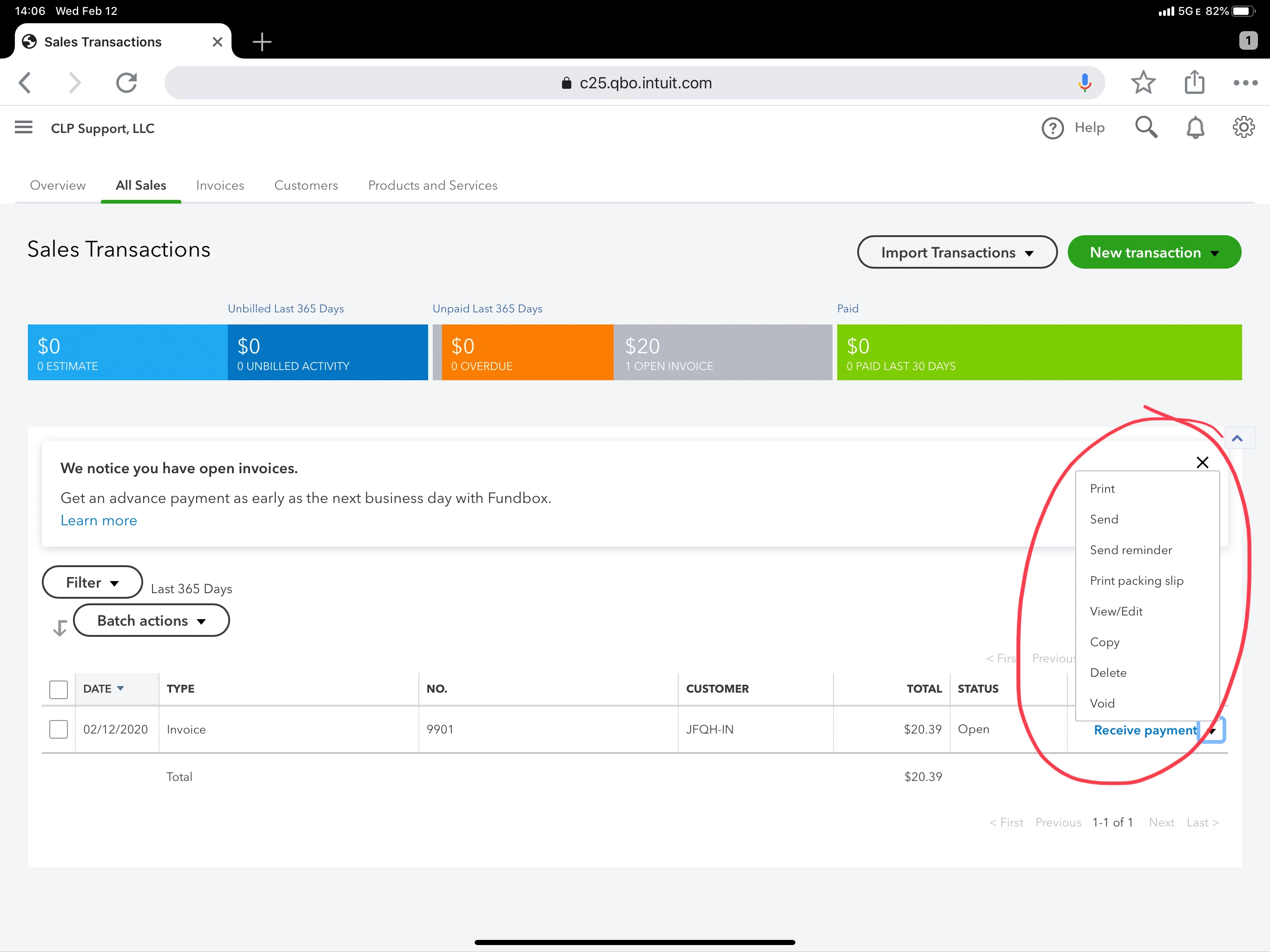
Is anyone else having issues with dropdown menus not working in Safari on iPad Pro?

  • February 12, 2020
  • 11 replies
  • 48 views

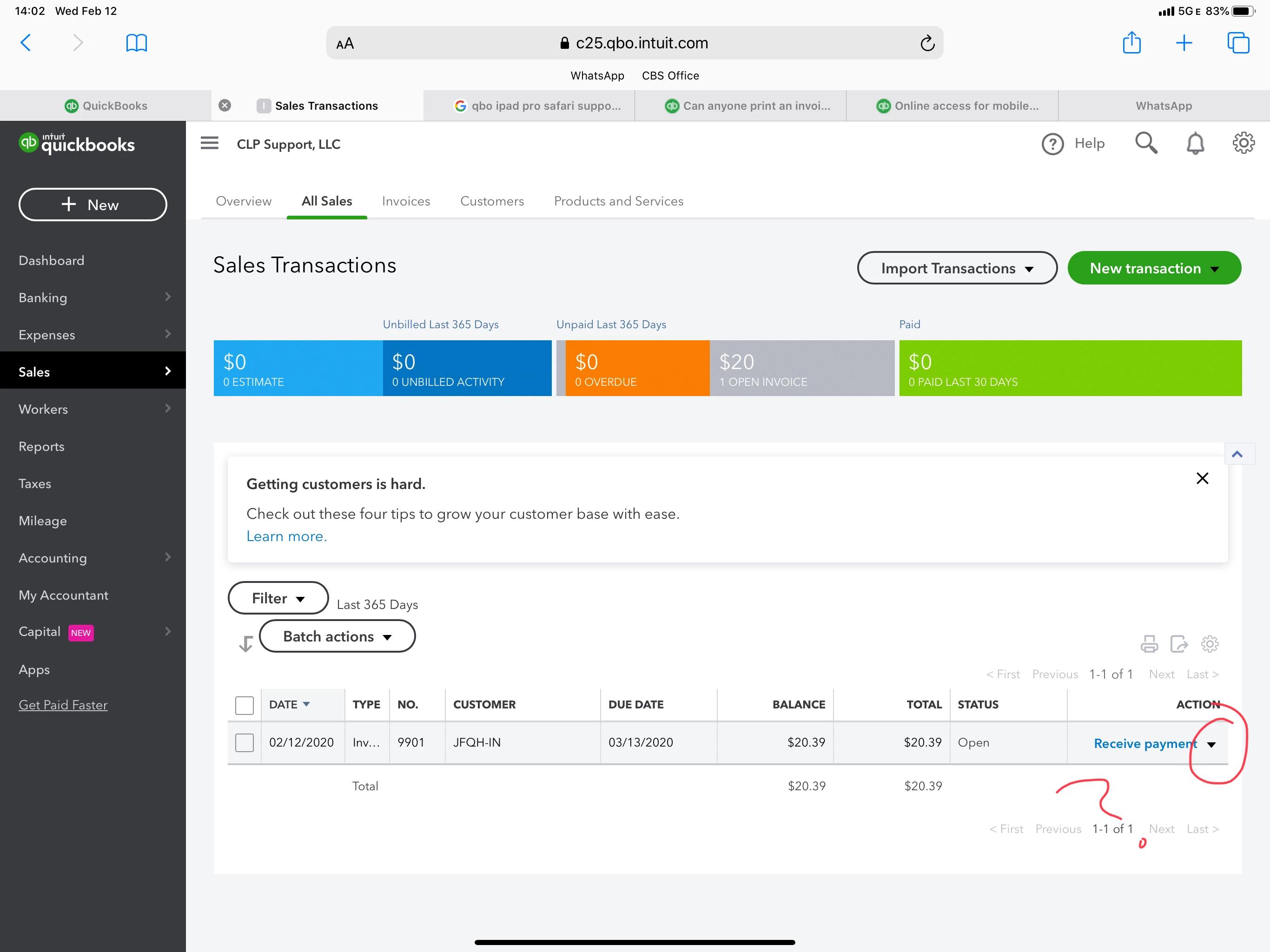
Trying to access the menu for an invoice from the Sales Transactions page. The dropdown next to “Receive Payment” is not working.


Safari is supposed to be supported, but its clearly not. 


Interesting, this menu is working in Chrome, which they do not support!?!


I am forced to go back and forth between browsers to accomplish simple tasks. This is unacceptable.


Note: I have cleared cache/website data...and tried it in private and regular tabs.
 

11 replies

MaryLurleenM
Level 6
February 12, 2020

I appreciate the troubleshooting you've done, BDLHOLDINGS.


It's right to clear cache and use a private browser to determine if it's a browser-related issue. There's a system requirement to make sure QuickBooks is working on its best condition. You can check that on this article, System requirements for QuickBooks Online, Accountant, and QuickBooks Self-Employed.


If the error persists, I recommend contacting our QuickBooks support so they can create report about this. For now, let's use Google Chrome to continue working with your account.


Here's how to get in touch:

  1. Click the Help icon.
  2. Click Contact Us.
  3. Enter Safari browser, then click Let's talk.
  4. Select from Start a message or Get a callback.

Let me know if there's anything else I can be of assistance.

February 12, 2020

I appreciate the quick reply.


I have previously tried all troubleshooting steps posted in the forum AND have called into Customer Service now 4 times on this issue. Nothing works. 


I have tried all suggested solutions - and others - still no luck. 


The latest Customer Service rep had the audacity to tell me these are not bugs, rather, simply “not supported” at present and I should submit a feature request.  These are ALREADY features in both Safari and Chrome. If they are not supported, then don’t display on the pages. The fact that they are displaying indicates that they are bugs.


The QBO right hand doesn’t know what the QBO left hand is doing.


PLEASE get on the same page and provide proper support. Open a ticket and send to the Engineers.

March 4, 2021

Hi there, @ggulley and @BDLHOLDINGS.


As of now, there's an investigation were some users are having issues with bill pay while using QuickBooks Online (QBO) in safari browser.


In the meantime, you'll want to access your QBO account using the Chrome browser. Rest assured, our engineering team is already working to fix this as soon as possible.


From there, they'll add you to the list of affected users and be notify through your email. To contact them, you can refer to steps provided by my colleague MaryLurleenM above.


You'll also want to check this article to learn more about what browser works best in QBO: System requirements for QuickBooks Online, Accountant, and QuickBooks Self-Employed.


Also, visit our Help articles page for reference in case you want to learn some tips on managing your QBO account.


You're always welcome to post in Community anytime you have other concerns or questions. We're always here to back you.


I use Chrome on mac book (OS Big Sur 11.2.2 ) and the drop down lists are not working. I cannot add any bank transactions because it will not populate any of the drop down lists, and when I add a vendor it asks me to set up as a new vendor. Help- this has been broken for a week and I thought it would be resolved by now.