Turn on suggestions
Auto-suggest helps you quickly narrow down your search results by suggesting possible matches as you type.
Showing results for
Get 50% OFF QuickBooks for 3 months*
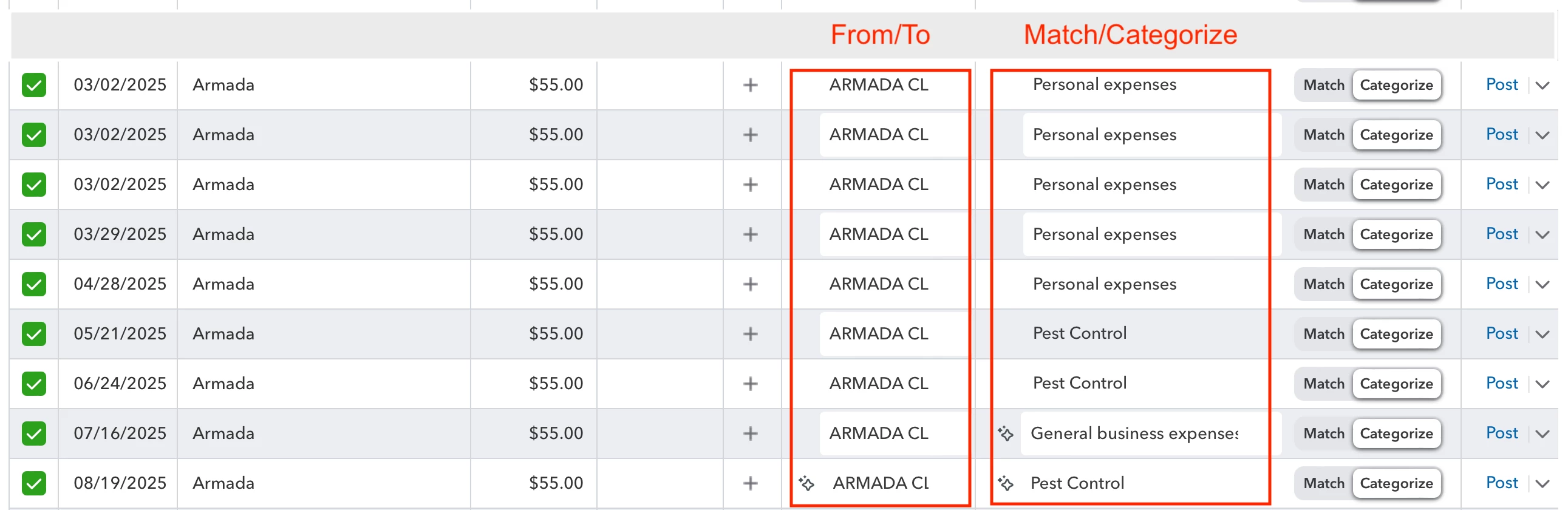
Buy nowUnder bank transactions (pending selected) I have a year’s worth of pest control payments.
At this time the only way I know how to select the proper category (“From/To” and “MatchCategorize” columns) is to manually select the correct item from the drop down list.
This is inefficient. For example, let’s say I have12 payments made during the year. In that case I’d need to manually adjust up to 24 items.
Is there a way to accomplish the same with a single action?
The screen capture below illustrates items I wish to change simultaneously to have the same selections.
Solved! Go to Solution.
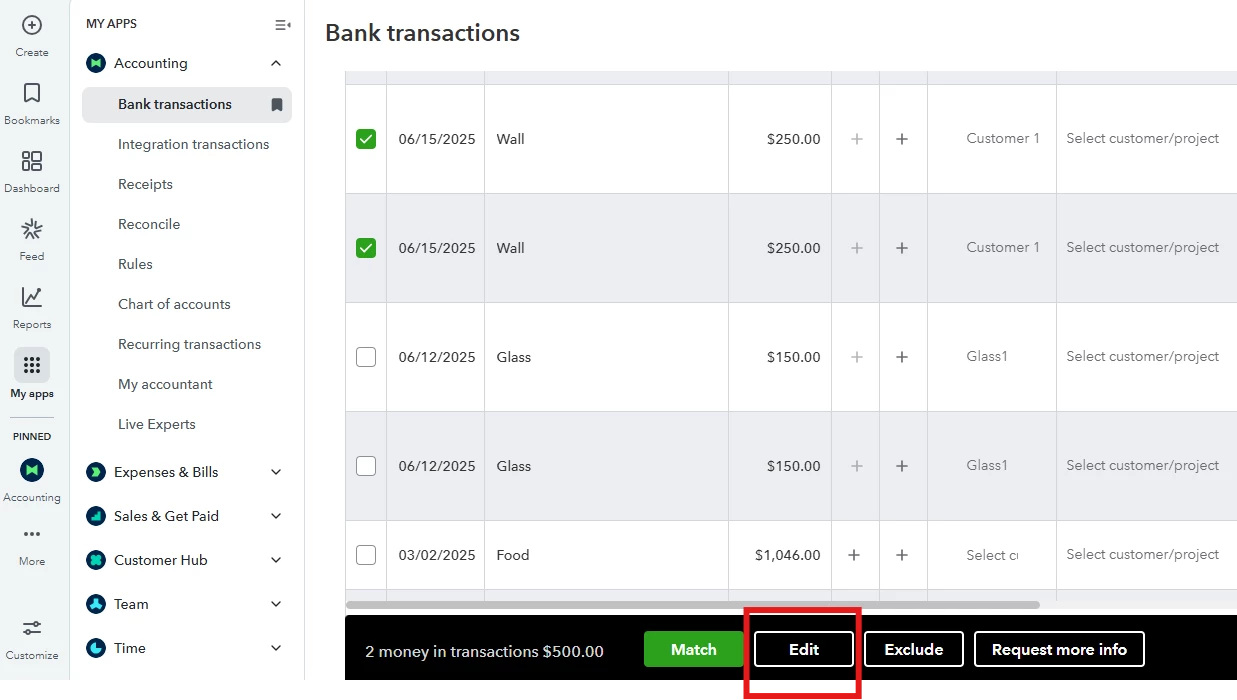
You can bulk edit the transactions you want to assign to a certain customer and category, Peter.
Here's how:
Return to the Pending tab and repeat the steps for other transactions you want to assign to a different Vendor/Customer and Category.
Moving forward, when you download bank transactions, you can then categorize them into the correct accounts. Bank rules can automate this process. Over time, QuickBooks Online learns from the rules you create and gets better at categorizing transactions, automatically adding details as it recognizes patterns.
Here is an article you can read to guide you in creating bank rules: Set up bank rules to categorize online banking transactions in QuickBooks Online.
Leave a comment below if you have additional questions about managing transactions in QuickBooks Online.
You can bulk edit the transactions you want to assign to a certain customer and category, Peter.
Here's how:
Return to the Pending tab and repeat the steps for other transactions you want to assign to a different Vendor/Customer and Category.
Moving forward, when you download bank transactions, you can then categorize them into the correct accounts. Bank rules can automate this process. Over time, QuickBooks Online learns from the rules you create and gets better at categorizing transactions, automatically adding details as it recognizes patterns.
Here is an article you can read to guide you in creating bank rules: Set up bank rules to categorize online banking transactions in QuickBooks Online.
Leave a comment below if you have additional questions about managing transactions in QuickBooks Online.
You have clicked a link to a site outside of the QuickBooks or ProFile Communities. By clicking "Continue", you will leave the community and be taken to that site instead.
For more information visit our Security Center or to report suspicious websites you can contact us here