
Turn on suggestions
Auto-suggest helps you quickly narrow down your search results by suggesting possible matches as you type.
Showing results for
Get 50% OFF QuickBooks for 3 months*
Buy nowI am using Quickbooks desktop for Mac and can't get the My Time App to link to Quickbooks. I keep getting this error that I don't have a file open. I have tried closing, opening, reinstalling, redownloading...NOTHING is working. help!
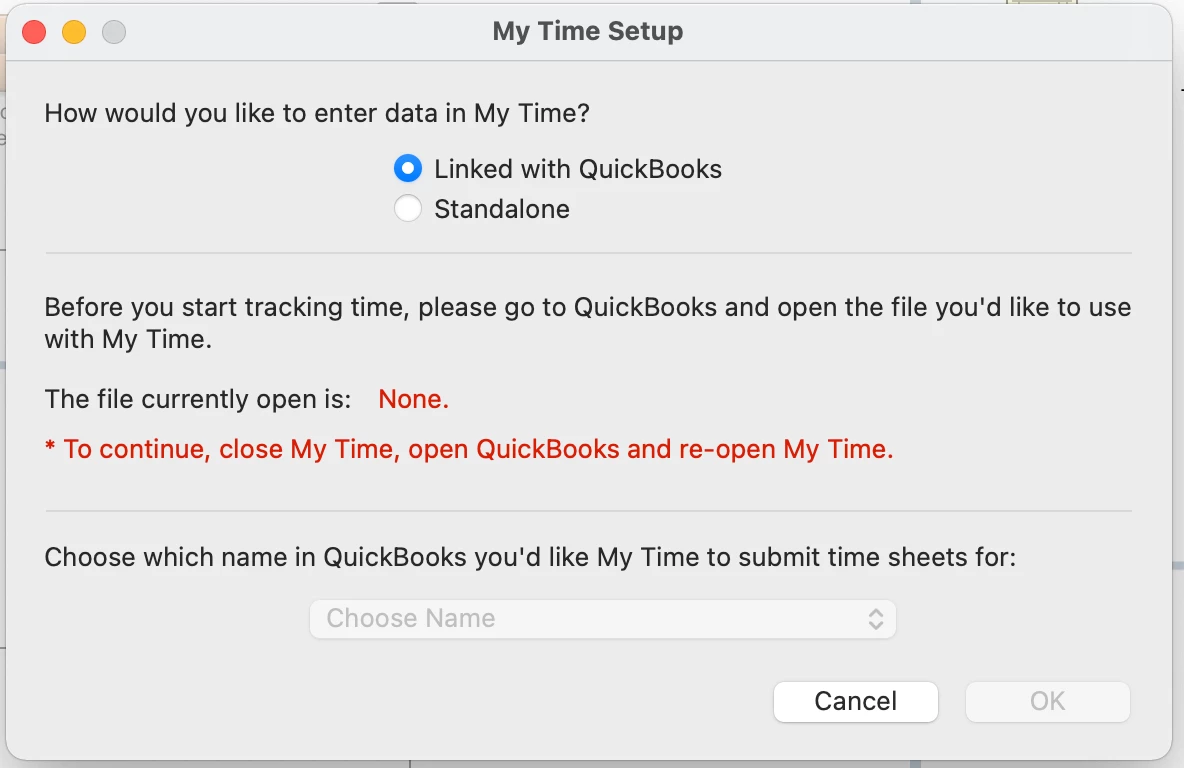
I appreciate you performing some steps so you can sync the My Time app to your QuickBooks Desktop for Mac, karenamp.
Before using My Time, the app is compatible only with Mac OS 10.15 Catalina. And, you must be using a 2019 & 2020 QuickBooks Mac version.
To ensure that you can sync the app, you can consider upgrading your Mac operating system.
Here's how:
For more information about this app, you can check out these articles:
For more resources, while tracking your time and other entries, you can also open the topics from our help articles as your guide in the future: Related topics for QuickBooks Desktop for Mac.
Just in case you want to download the other version of My Time, you can check out this link: Get your free My Time download.
If you're still unable to sync the app, I recommend contacting the My Time Support Team. They can help connect the app for you. Scroll down and fill in the Book a Demo fields, then Submit.
Please let me know how else I can help you with syncing the My Time App. I'm more than happy to provide additional assistance.
Thank you. So if I am using a different iOS (I am on the most current - Monterey - it won't work?
The link for support for My Time is not going to anything related to this app.
Hello, karenamp.
Yes! As of this moment, the only app compatible with is Mac OS 10.15 Catalina. And, should be using a 2019 & 2020 QuickBooks Mac version.
Since syncing is dependent on a number of factors, it's best to start with settings. Make sure the app is on the most up-to-date version (this is the most common reason for syncing issues).
Directions on how to do this can be found in this article: Best practices for using the QuickBooks apps.
If you continue to notice problems, the next best thing would be is to send in a problem report: Contacting the My Time Support Team.
Additionally be able to find many detailed resources about using QuickBooks for Mac in our help article archives.
If you have any other questions, feel free, and let me know by leaving any comments below. Stay safe!
You have clicked a link to a site outside of the QuickBooks or ProFile Communities. By clicking "Continue", you will leave the community and be taken to that site instead.
For more information visit our Security Center or to report suspicious websites you can contact us here