
item Subtotal feature not saving after saving and/or export?? PLEASE HELP.
Hello,
We currently use QB Desktop Enterprise.
Bear with me as I am writing this in a rush.
I am trying to utilize the subtotal item function to calculate my total quantities on my Purchase Order form.
Basically, every item in our inventory has a pre-set cubic meter amount (CBM per unit) (see Image 1). 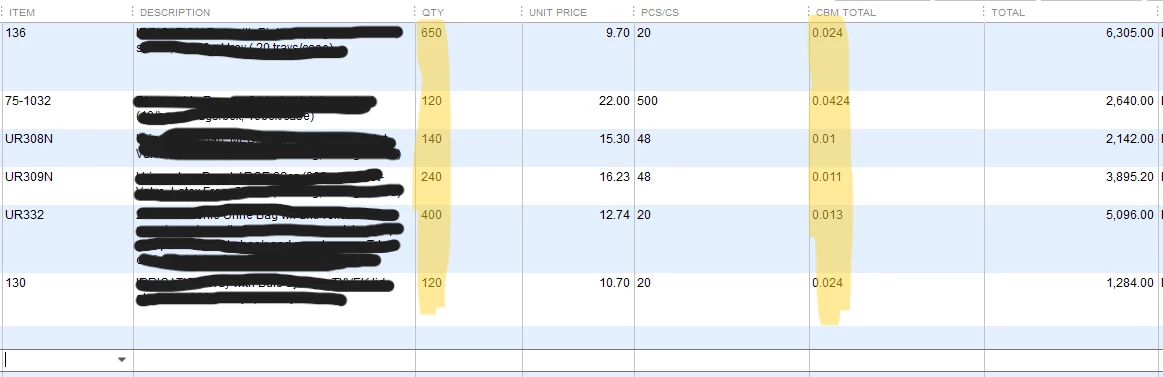
I would want to get the total CBM by amount of cases entered. So CBM x QTY.
There's a feature in Quickbooks that allows you to multiply the value of a column by its quantity as part of the subtotal item function.
So, I did that (see image 2).
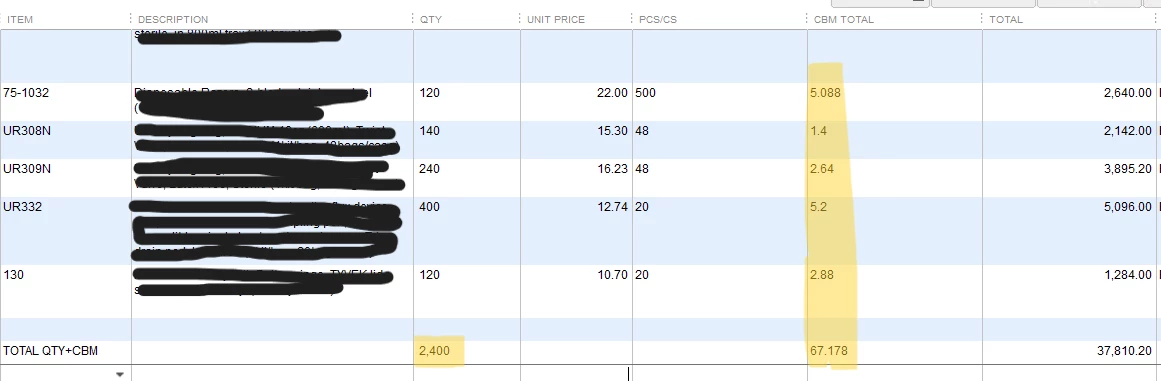
It calculates the total CBM by item, as well as total amount at the bottom.
The problem is when I go to save this Purchase Order or if I want to export it (i.e. save as PDF/ print as PDF), the total value which was calculated (by multiplication) disappears and each item's CBM amount reverts back to their per unit value (see Image 3).
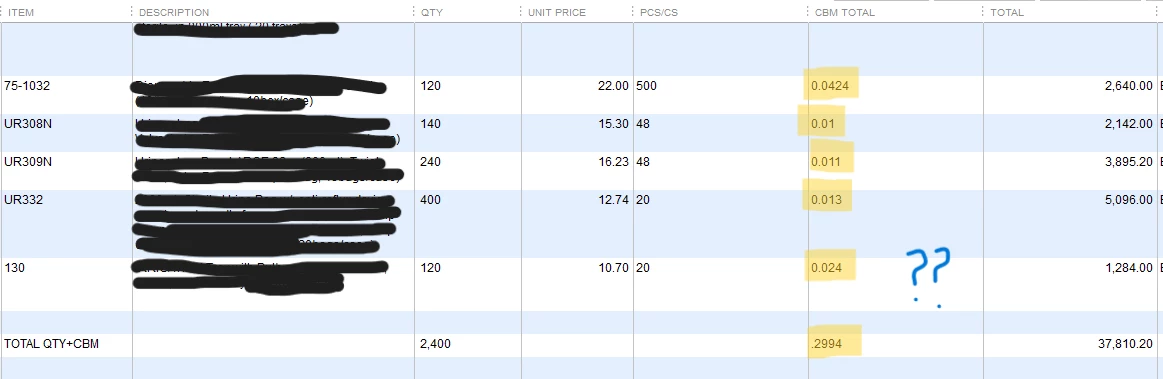
This happens every time I click save or export as PDF, so I cannot actually get a saved version of my form as a file.
I'm wondering if there's something that can be done here so I can see the proper X QTY amount calculated when I export these forms.
Apologies if this is a bit confusing to read or understand. I can clarify further if needed.
But any help would be greatly appreciated!