
Get 50% OFF QuickBooks for 3 months*

Buy now
Switch to QuickBooks and 70% off for 3 Months
May 10, 2023
Question

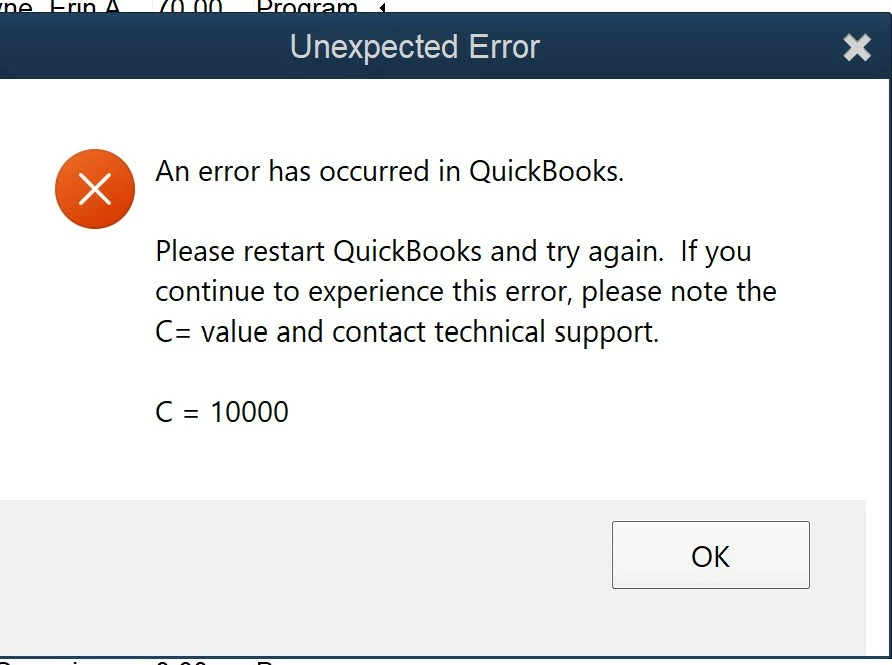
QB's Desktop Error Code (C=10000)
  • May 10, 2023
  • 1 reply
  • 1 view

Does anyone know what QB's Desktop error code C = 10000 means? I get it when running a memorized report in QB's desktop.



1 reply

May 10, 2023

I also just received this exact error for the first time today. I was trying to run an employee report.

Following.

JaeAnnC
Level 6
May 10, 2023

I understand the inconvenience of not having the reports feature function as expected, @trinityak


As per checking, there's an ongoing investigation into customers receiving error code C = 10000 when running reports in QuickBooks Desktop (QBDT). Rest assured that our engineers are already alerted regarding this matter and working diligently to deliver a fix.


In the meantime, it's best to contact our customer support team, so your account will be added to the list of impacted users. This way, you'll be notified via email if any new information becomes available. Here's how:


  1. Go to the Help menu and click QuickBooks Help.
  2. Select Contact Us.
  3. Enter a brief description of your concern, and click Continue.
  4. Sign in to your Intuit account, select Continue, then Continue with my account.
  5. Use the single-use code you received in your email and click Continue.
  6. Choose between Chat with us or Have us call you.

Additionally, you may export your reports from QBDT and analyze them in Excel. Doing so allows you to freely include information crucial to your business.


We'll appreciate your patience as we work on this. Please let us know if you need any clarification about generating reports. The Community is open around the clock to assist you further. Take care.

July 11, 2023

I'm having this error as well, its popping up after every action during payroll