
Get 50% OFF QuickBooks for 3 months*

Buy now
Switch to QuickBooks and 70% off for 3 Months
January 12, 2022
Question

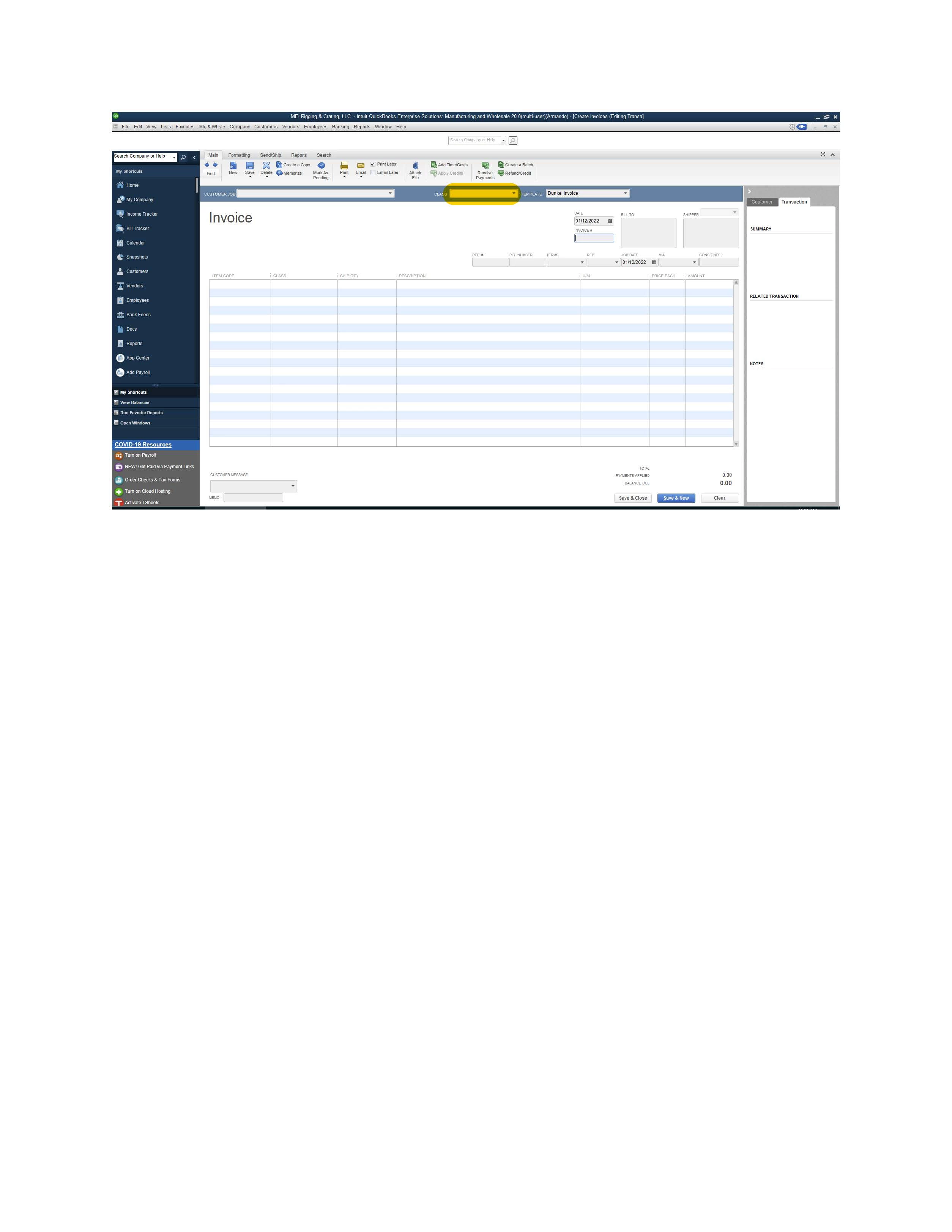
QB Enterprise Batch Enter Transactions Customer Invoice Import not populating Top Level Class Field

  • January 12, 2022
  • 4 replies
  • 7 views

Hello everyone. When we import customer invoices via Batch Enter Transactions the top level Class field right below the menu and between Customer:Job and Template fields is not populating.  The Class field populates just fine in the body of the Invoice.  Any suggestions on how to fix this?  Thank you.
4 replies

AlexV
Level 10
January 12, 2022

Hello RRMANDO!


Thanks for reaching out to us and for the screenshot. Allow me to assist you in importing transactions.


When you enter transactions by batch in QuickBooks Desktop, this behavior about the class is normal. It'll be reflected in the class column and not in the header section. If needed, you can open the invoice to update the class.


You can check this link to learn more on how and what other data you can import and export: Import and export data in QuickBooks Desktop.


Also, here's the article if you need more help in tracking customer transactions: Get started with customer transaction workflows in QuickBooks Desktop.


You can reply to this thread if you need more assistance in importing data. Take care!

RRMANDOAuthor
January 12, 2022

Thank you for the reply.  So there is no way to import into the header section or force that header field to populate?  We're importing hundreds of transactions.  Some of the reports we run omit the invoice information if that header class is left empty. Thank you.

Fiat Lux - ASIA
Level 14
January 13, 2022

@RRMANDO 

As another option, prepare the Invoice data with the following template including Class and Item Line Class

CustomerTransaction DateRefNumberPO NumberTermsClassTemplate NameTo Be PrintedShip DateBillTo Line1BillTo Line2BillTo Line3BillTo Line4BillTo CityBillTo StateBillTo PostalCodeBillTo CountryShipTo Line1ShipTo Line2ShipTo Line3ShipTo Line4ShipTo CityShipTo StateShipTo PostalCodeShipTo CountryPhoneFaxEmailContact NameFirst NameLast NameRepDue DateShip MethodCustomer MessageMemoCust. Tax CodeItemQuantityDescriptionPriceIs PendingItem Line ClassService DateFOBCustomer Acct NoSales Tax ItemTo Be E-MailedOtherOther1Other2Unit of MeasureAR AccountCurrencyExchange RateSales Tax Code
Anne's Bakery01/09/2020100    Y15/09/2020Anne's BakeryOne Harbor Street  AnytownNY12345USAAnne's BakeryOne Harbor Street  AnytownNY12345USA(123) 456-7890          NonCabinets10Cabinets1000              Non
Anne's Bakery01/09/2020100    Y15/09/2020Anne's BakeryOne Harbor Street  AnytownNY12345USAAnne's BakeryOne Harbor Street  AnytownNY12345USA(123) 456-7890          NonHardware10Hardware50              Non
John's Barber Shope02/09/2020101    Y15/09/2020John's Barber Shope1 Main Street  AnytownNY12345USAJohn's Barber Shope1 Main Street  AnytownNY12345USA(999) 888-8888          NonBlueprints1Blueprints500              Non
Main St Bank03/09/2020102    N16/09/2020Main St Bank1 State Street  AnytownNY12345USAMain St Bank1 State Street  AnytownNY12345USA(888) 888-8888          NonDoor1Door300              Non
Main St Bank03/09/2020102    N16/09/2020Main St Bank1 State Street  AnytownNY12345USAMain St Bank1 State Street  AnytownNY12345USA(888) 888-8888          NonHandles1Handle10              Non
Main St Bank03/09/2020102    N16/09/2020Main St Bank1 State Street  AnytownNY12345USAMain St Bank1 State Street  AnytownNY12345USA(888) 888-8888          NonHinges3Hinges5              Non


then utilize one of these importer tools

https://transactionpro.grsm.io/qbd

https://partners.saasant.com/affiliate/idevaffiliate.php?id=5051_2