
Get 50% OFF QuickBooks for 3 months*

Buy now
Switch to QuickBooks and 70% off for 3 Months
New Member
December 8, 2025
Solved

advance repayment

  • December 8, 2025
  • 1 reply
  • 1 view

I have given an employee an advance on there payroll,  how do i deduct the advance?

Best answer by ThomasJosephD

Hi Mary53, thank you for reaching out.

To deduct an advance payment from an employee's paycheque, you can select the employee's paycheque and enter the advance payment amount with a minus sign.

Here’s how:
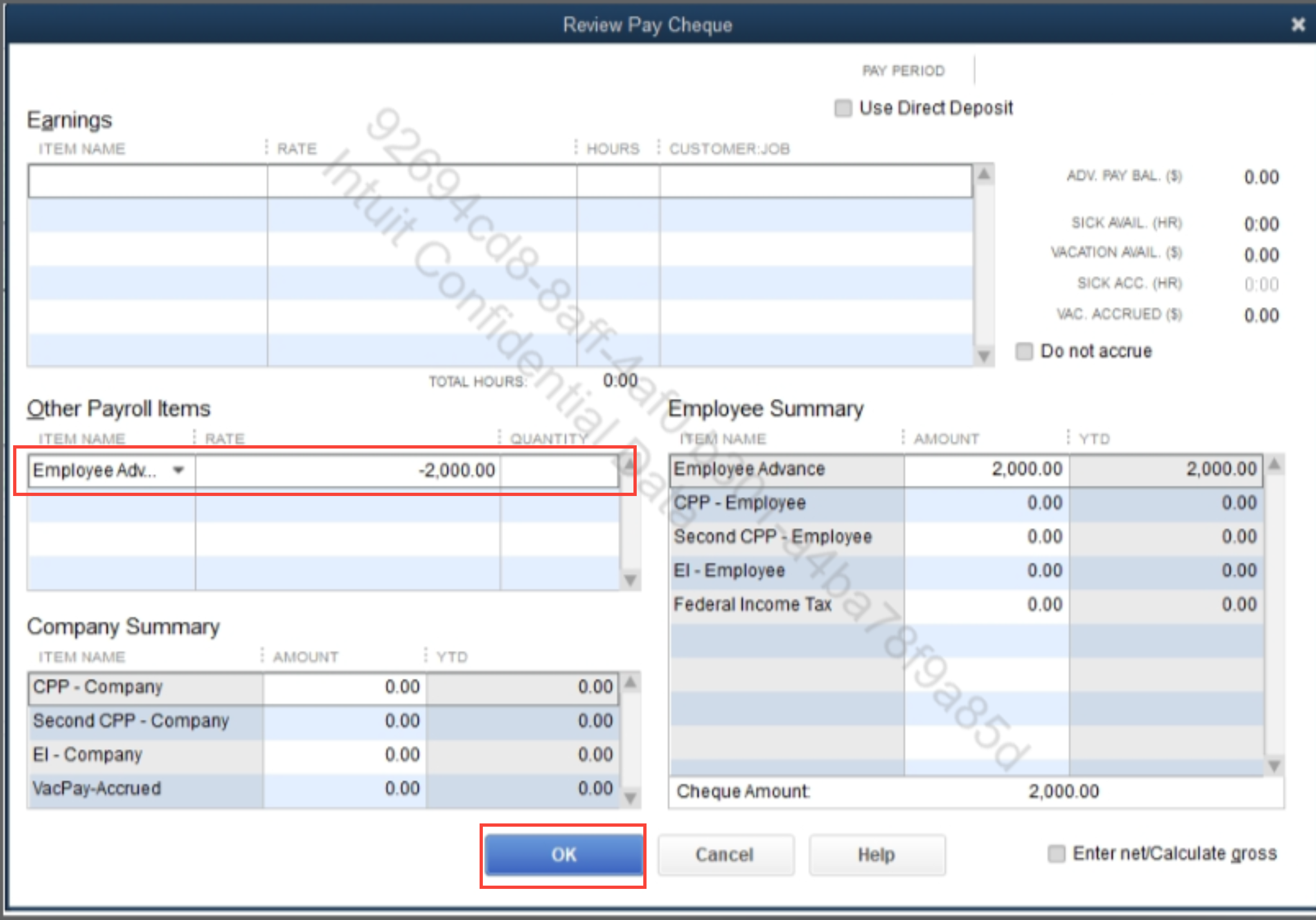
 

  1. Go to Employees and select Employee Centre.
  2. Locate the employee and open the paycheque where the advance payment was made.
  3. On the Advance item, enter the amount with a minus sign (-) and click OK.
  4. Click Save & Close.
     

Once you've completed these steps, the advance payment will be updated accordingly in the YTD (Year-to-Date) column.

Feel free to reply here if you have any further questions or need additional assistance.

1 reply

QuickBooks Team
December 8, 2025

Hi Mary53, thank you for reaching out.

To deduct an advance payment from an employee's paycheque, you can select the employee's paycheque and enter the advance payment amount with a minus sign.

Here’s how:
 

  1. Go to Employees and select Employee Centre.
  2. Locate the employee and open the paycheque where the advance payment was made.
  3. On the Advance item, enter the amount with a minus sign (-) and click OK.
  4. Click Save & Close.
     

Once you've completed these steps, the advance payment will be updated accordingly in the YTD (Year-to-Date) column.

Feel free to reply here if you have any further questions or need additional assistance.