
Get 50% OFF QuickBooks for 3 months*

Buy now
Switch to QuickBooks and 70% off for 3 Months
October 14, 2025
Question

Advanced Search

  • October 14, 2025
  • 2 replies
  • 4 views

Why is the filters constantly moving?! Why can I remove filters I do not need? Before I could remove the unneeded filters for searches. Now it looks like I can remove them, I can only move them around?! This is so annoying!! Can this company PLEASE stop messing with things that were working JUST FINE!!!
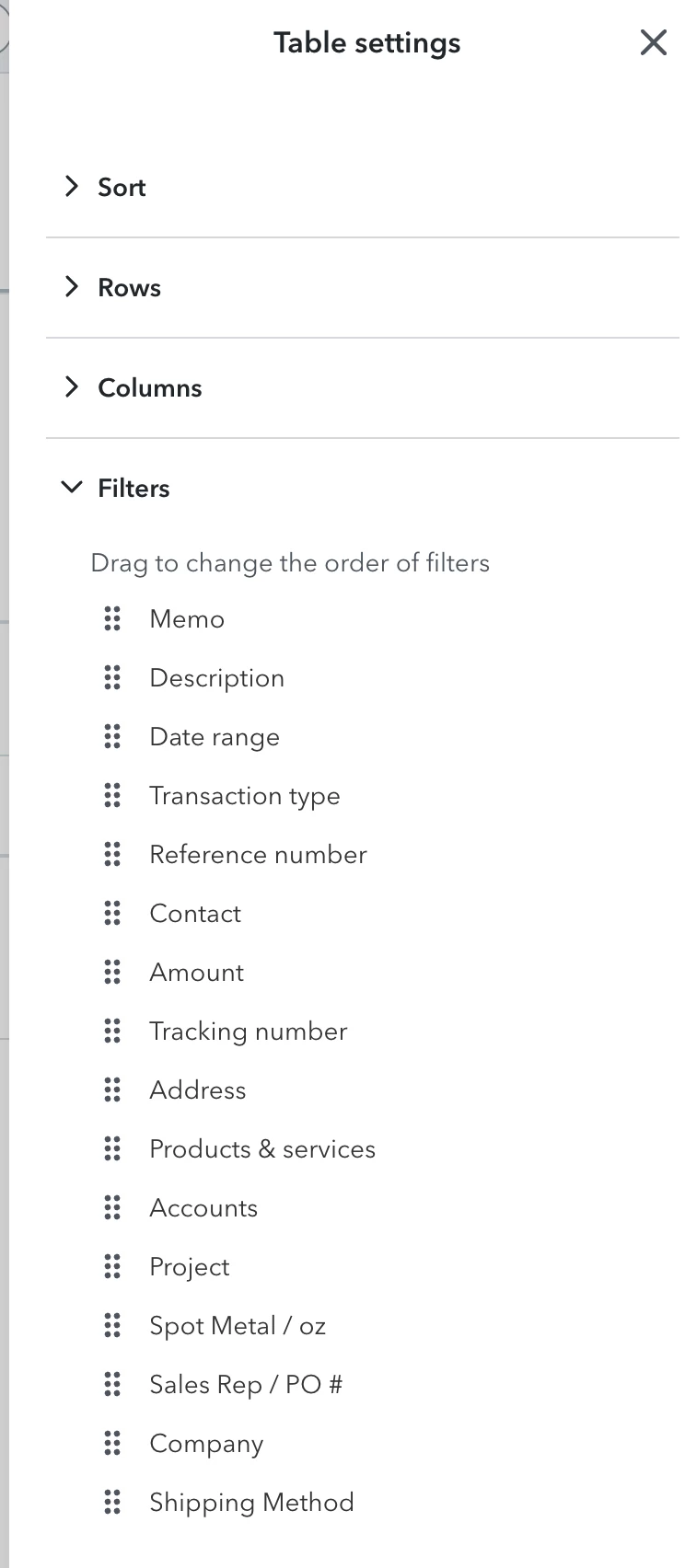
!!!!!

2 replies

QuickBooks Team
October 14, 2025

Your experience with the Advanced Search filters matters, Jupiter, and I recognize that changes to familiar features can be challenging.


To troubleshoot this issue, we can clear your browser's cache and cookies. These measures help eliminate outdated data that has caused features like Advanced Search filters to malfunction. It often restores proper functionality and enhances application performance.


To begin, clear your browser's cache and cookies for a fresh start. Including cookies will sign you out of your account. With this, you can sign in to your account again and recheck the customization option. Aside from that, you can use other supported browsers if you have one for a better experience.


If you need further assistance with managing QuickBooks, please feel free to reply to this thread.

QuickBooks Team
October 15, 2025
Hi Jupiter,
 
I just wanted to follow up to check if the resolution we provided helped resolve your issue. Please let us know if everything is now working as expected or if you’re still experiencing any problems.

We’ll be glad to assist further if needed.