Get 50% OFF QuickBooks for 3 months*

Buy now
Switch to QuickBooks and 70% off for 3 Months
April 8, 2020
Question

Project Cost wont load expense

  • April 8, 2020
  • 1 reply
  • 12 views

Hi guys, I made a project to track cost and profit of our used car dealership. 


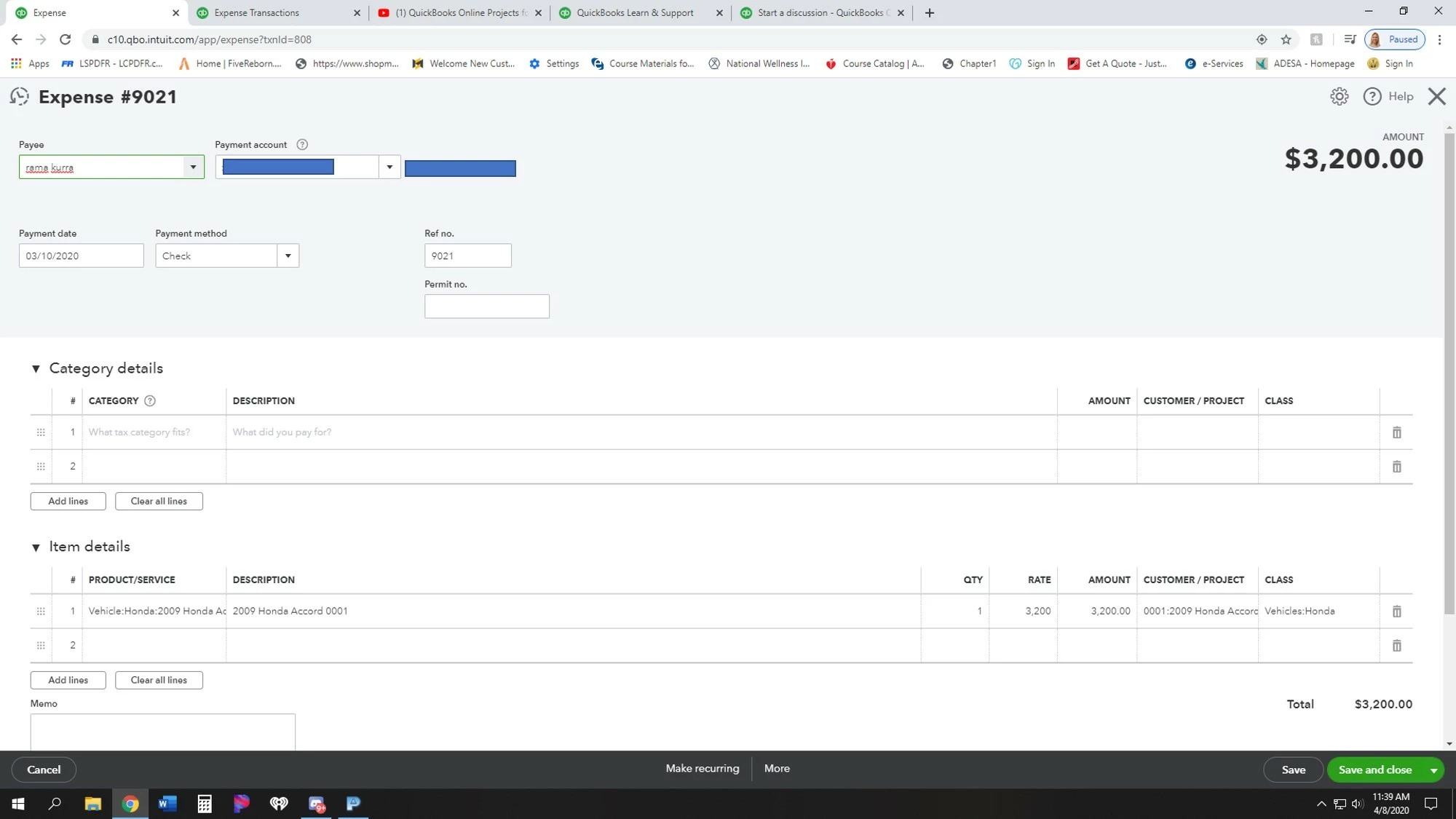
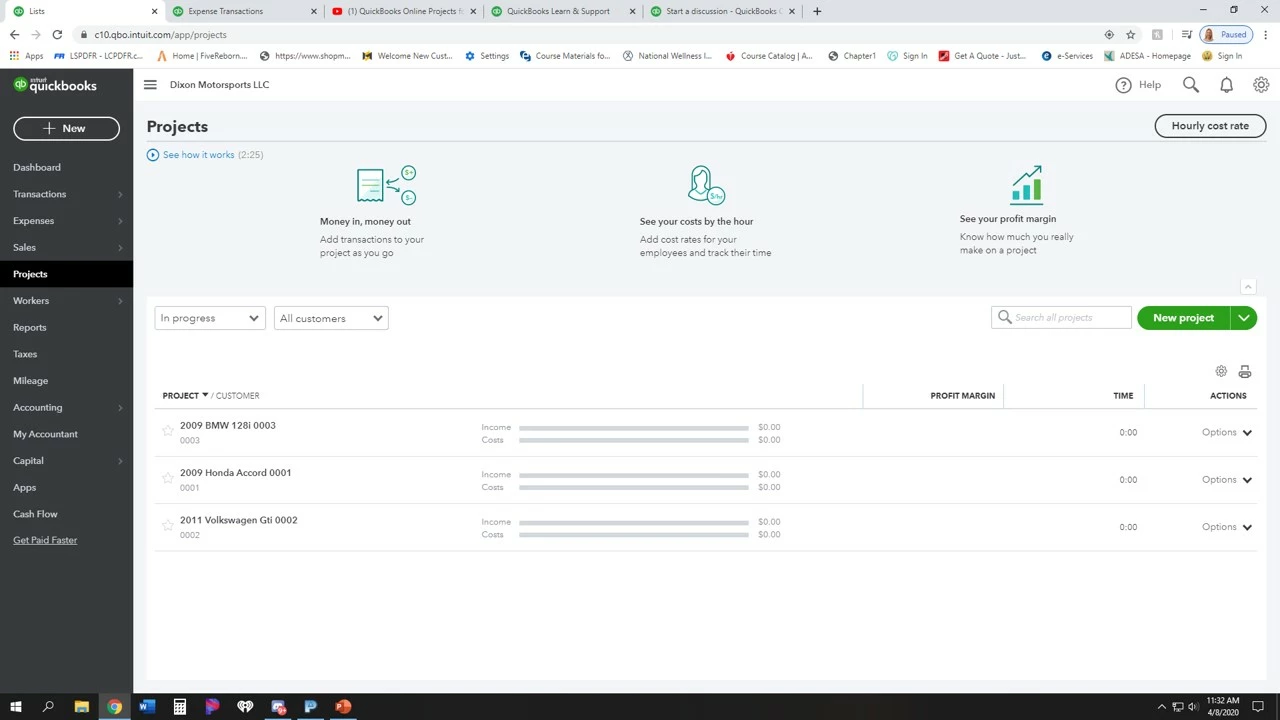
I enter some projects to get started. For example our accord we paid $3200 and I created expense but when i go back into projects it wont load or show up. 


1 reply

JoesemM
QuickBooks Team
April 8, 2020


Hi, @dixonmotorsports.


You have to choose an Expense below the Add to project drop-down to ensure that it is inline with your project name. This way it will show the project cost.


I'm adding a screenshot for visual reference.


To learn more about projects in QuickBooks Online, please check this article: Projects FAQ.


Also, you can visit our Income and expenses page to learn some tips on managing your expenses in QuickBooks.


Please, leave a comment below if you have additional questions. I'll be right here to help.


April 8, 2020

I did that but still it shows no cost.


The only time a cost will post if its listed under Category, but this isnt a Category but a item that will be put into inventory. 

Moderator
April 8, 2020

Sometimes local internet cache files stored in the system can cause unexpected behavior in the product, @dixonmotorsports.


It would be best to perform some basic troubleshooting to fix this.


Let's start by accessing your QuickBooks Online through a private browser. This a special mode where the browser doesn't record the browsing activity on the local device, so no trace will be left on the computer. Here's how:


  • Press Ctrl + Shift + N (Google Chrome).
  • Ctrl + Shift + P (Firefox or Internet Explorer).
  • Control + Option + P (Safari).

 
If the project's cost shows up, then let's clear the cache in your web browser or try using a different supported browser. This might be a temporary issue with QuickBooks and the current browser that you use.


Let me also provide you a link to check if your browser is compatible with QuickBooks: Fixit.intuit.com.


If there's anything else that I can help you with, please let me know in the comment section down below. I'll be always around to help. Stay healthy and keep safe.