I appreciate you getting back to us, @2robertc.
Removing the Total column in the Profit and Loss by Class report is not possible. But I've got a workaround for you that you may consider.
You can export the report to MS Excel and remove the total column from there. Here's how:
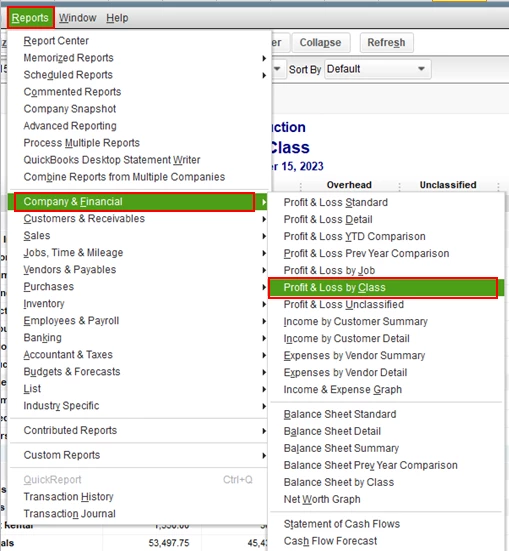
- In your QuickBooks Desktop, go to the Reports menu.
- Select Company & Financial, then choose Profit and Loss by Class.
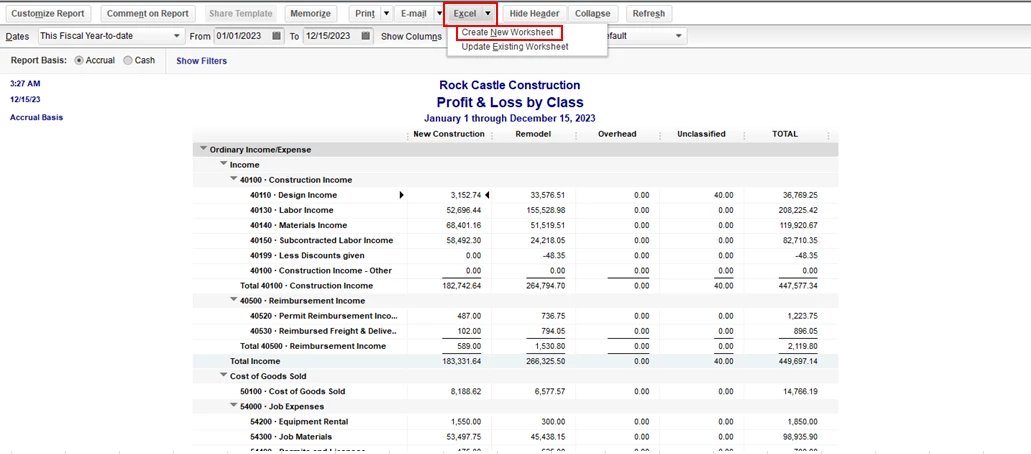
- In the report, click the Excel drop-down, then select Create New Worksheet.
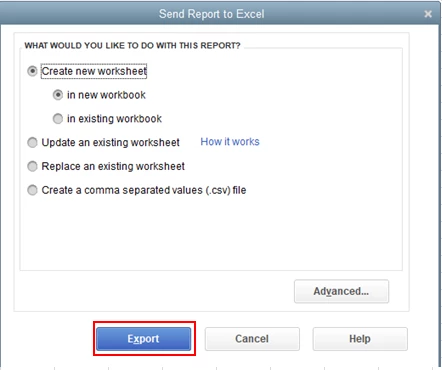
- In the Send Report to Excel window, click Export.
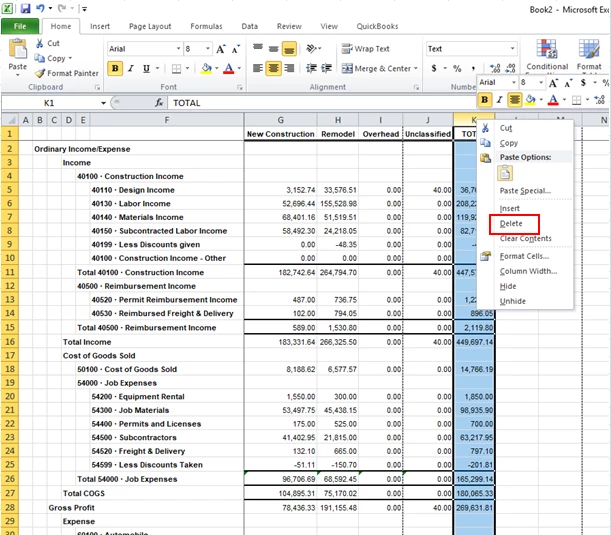
- In your MS Excel, highlight the Total column.
- Right-click and select Delete.
Here's an article you can read for more details: Export reports as Excel workbooks in QuickBooks Desktop.
You might also want to check out this article to learn more about how to customize reports in QuickBooks Desktop.
Please keep in touch if there's anything else I can do to help you succeed with QuickBooks. I've got your back. Have a great day!
