
Turn on suggestions
Auto-suggest helps you quickly narrow down your search results by suggesting possible matches as you type.
Showing results for
Hi,
Not sure why but when I adjust my inventory quantites in Quickbooks online, the adjustment is not refleceted in the report. For example, I am adjusting the quantity of a product as of October 31s (8,304.6 should be my Quantity). So when I go to adjust the quantity, it shows that it is accurate.
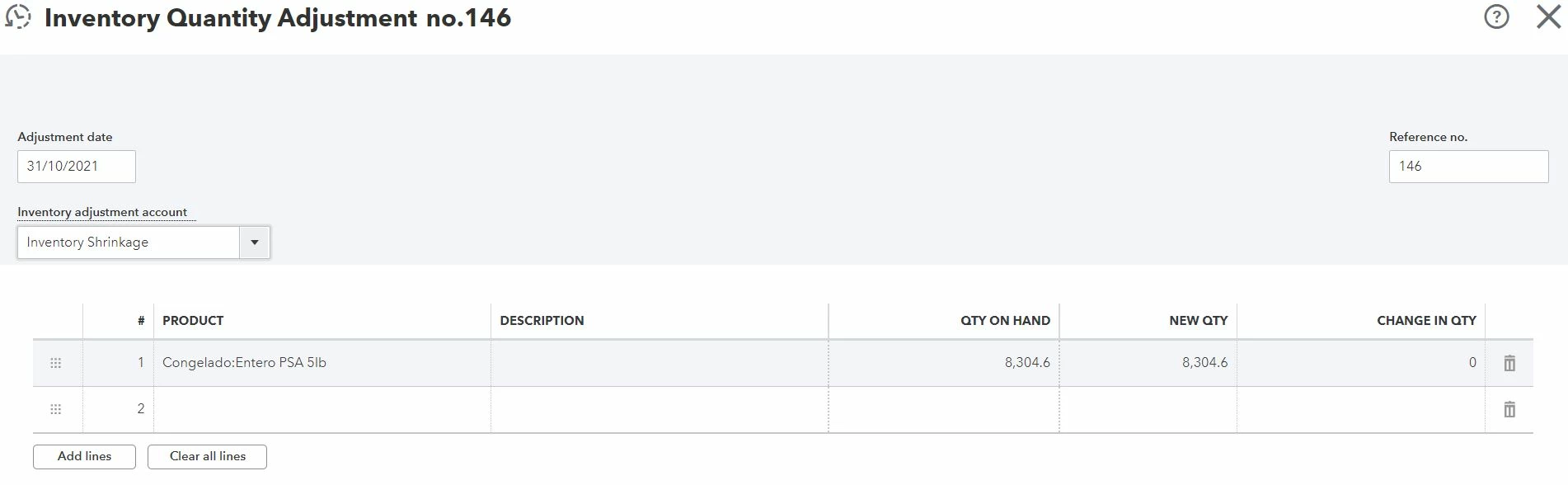
But than, when I go check my report (inventory valuation summary), I see a totally different quantity :
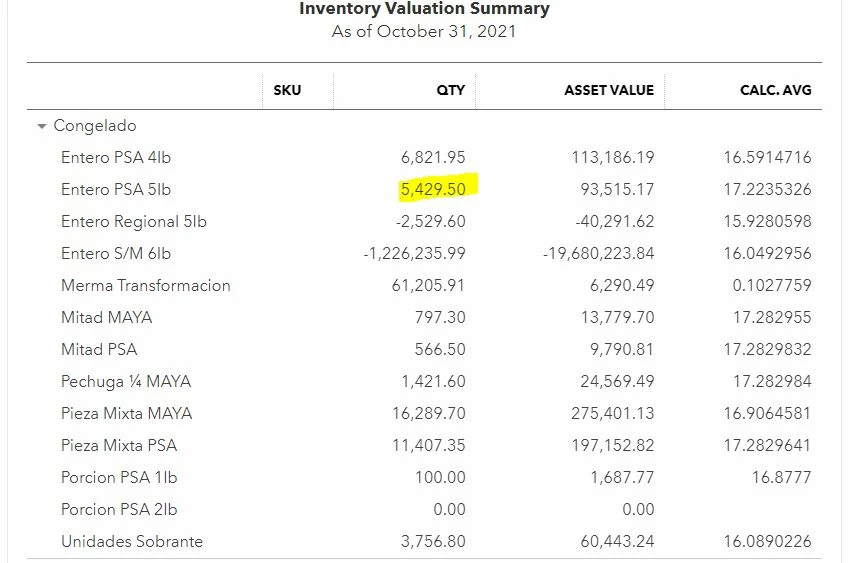
I have no clue why it is doing this !! Am I doing something wrong ? Is the software doing something wrong ? I hope someone can help me with that
Thanks
Hi there,
It's important that all your inventory is correctly entered so that all your books are well balanced. QuickBooks Online is a great tool able to help you keep track of your inventory's value so you can know the assets you have in your company. I can point you in the right direction for assistance with reports and your inventory.
In order to troubleshoot the difference shown in your report and your product list, I recommend reaching out to the QuickBooks Online support team outside of the Community. They'll be able to view your account in a secure setting to make sure your product is set up correctly as well as how your report is set up. You can reach out to them using one of these options:
Schedule a Callback or start a Chat: click (?)Help in the upper right > type and enter "Contact support" into the QB Assistant > click Contact Us > explain your situation > click Let's Talk > choose Get a callback or Start a Chat.
Social Media: Facebook, Twitter, and Instagram.
If you have any other questions, feel free to reach out here.
I have the exact problem. Did you get a resolution to this? I have had no luck connecting with support
You have clicked a link to a site outside of the QuickBooks or ProFile Communities. By clicking "Continue", you will leave the community and be taken to that site instead.
For more information visit our Security Center or to report suspicious websites you can contact us here