
SUMMER SAVINGS 90% OFF QuickBooks for 3 months* Ends 8/27

Buy now
Switch to QuickBooks and 70% off for 3 Months
Feb 9, 2022 4:32 PM UTC
Question

Customer Ship-To address changes automatically

I am very confused with why this is happening to customer accounts I set up in QB. 


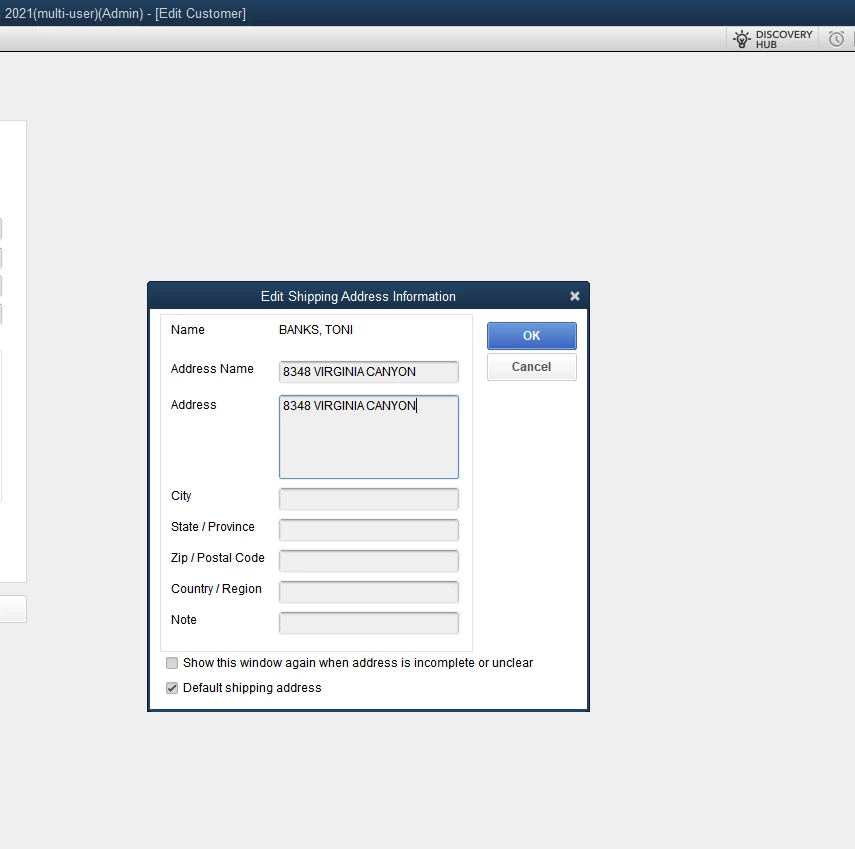
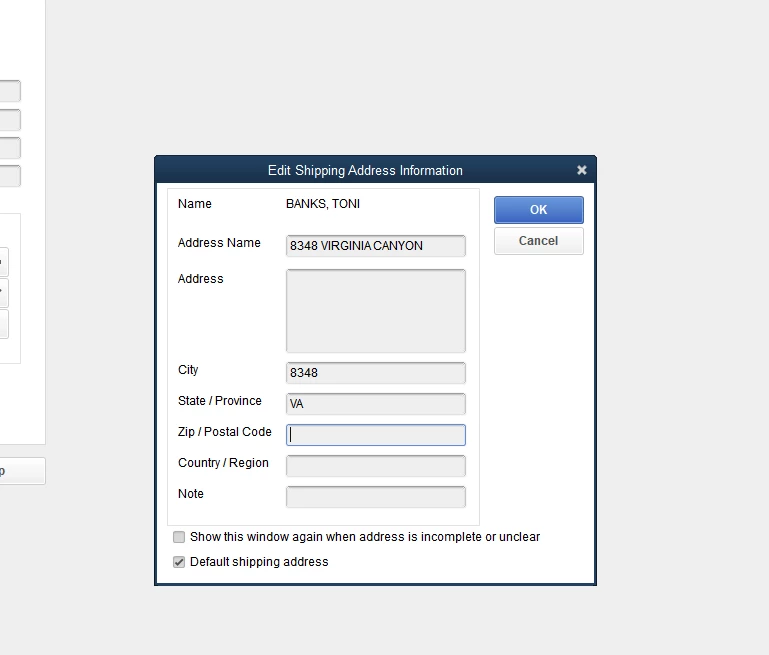
I enter in the customer account ship-to address by clicking the down arrow > then add new > manually enter the information as I want it to read (shown in the first photo) > click "OK" 


When I go back in to the ship-to address QB has moved/rearranged/auto populated the fields to look like the second photo


I try to adjust them again and get the same result. This seems to happen to random accounts, it does not happen to every customer account I set up. 


Any help would be appreciated. 


Thank you
5 replies

Level 8
Feb 9, 2022 6:03 PM UTC

Greetings, @HygPro. 


Welcome to the Community newcomer! Let's work together to get this problem fixed. 


Taking advantage of our Verify and Rebuild tool will help resolve this customer ship-to address issue. It also, assists with fixing common errors. Here's a guide that has detailed instructions to assist you with using this tool: 


Verify and Rebuild Data in QuickBooks Desktop


I hope this helps. Come back and let us know how these steps went. I'm only a post away if you need me. I'll be just around the corner! 

HygProAuthor
Feb 9, 2022 9:10 PM UTC

Thank you for your response ... I should have mentioned in my original post that I have already completed "Verify Data" and it came back with "QuickBooks detected no problems with your data"