
How do I edit this email template?
QB Pro Plus 2024. I made some edits last month to my invoice and estimate templates, and out of the blue QB changed the Outlook email template it opens to send those. This is what my normal invoice email template used to look like.
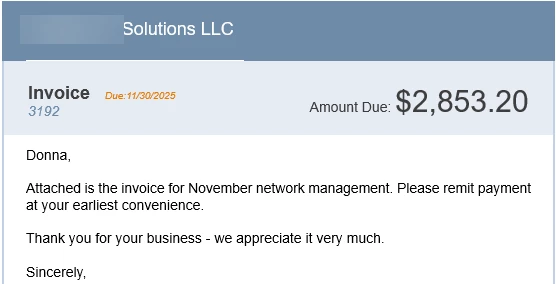
It now looks like this:
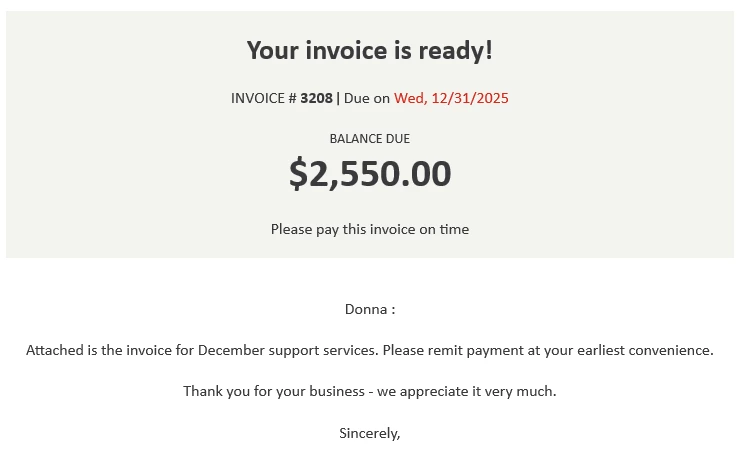
This new email template isn't terrible, but that one line below the balance is. "Please pay this invoice on time" sounds pretty rude - like an implication that my customer hasn't paid past invoices on time. But I can't figure out how to revert to the old style email template, or modify this one. If I'm sending an individual invoice, I can take extra time to remove that line, but not when I'm sending a batch of invoices. Can someone tell me how to revert to the old template or modify this new one?