
Get 50% OFF QuickBooks for 3 months*

Buy now
Switch to QuickBooks and 70% off for 3 Months
January 19, 2022
Solved

Print 1096 Form?

  • January 19, 2022
  • 1 reply
  • 8 views

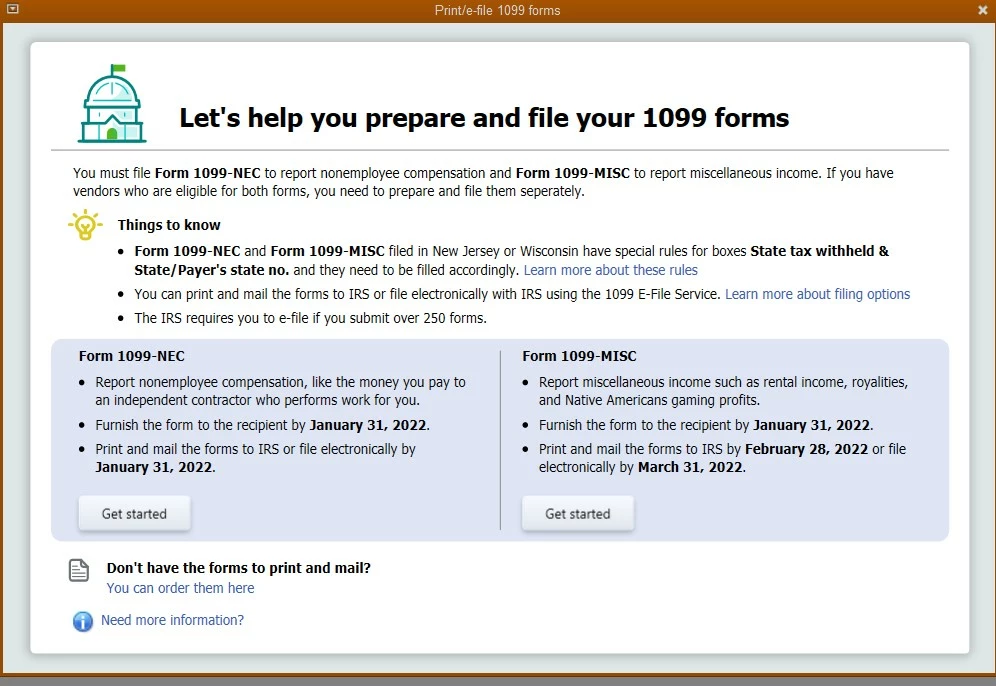
I printed both the 1099-MISC and 1099-NEC forms in QB Desktop, but when I click on File > Print Forms > 1099s/1096, it takes me back to the Wizard again. See screenshot. I do not see where to print the 1096 forms to send to the IRS. I've never had an issue printing these before. I have done multiple searches and nothing is working. Please help! Thanks! Katrina


Best answer by AlcaeusF

Hello @mtnwestpropa,


Thank you for posting here in the Community. I'm here to help you print a 1096 form in QuickBooks Desktop.


You'll have to go through the Wizard again to print your 1096 form in the system. The option should be available below the Print 1099 option.


Here's how:


  1. Verify your 1099 details through QB Desktop 1099 wizard.
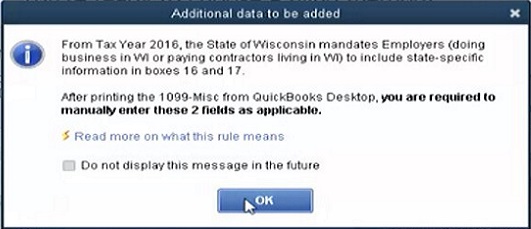
  2. In the wizard, at step 6, choose a filing method and click on Print 1099s. Read the message and click OK to get the print. Some tips to use while printing 1099
  3. Select the range (of date) the 1099s were paid from and click OK.
  4. Select the form 1099(s) you wish to print and click the Print 1096 button. 


I've also attached an article you can use to resolve printing issues in QuickBooks Desktop, as well as how to fix the problem using the QuickBooks Tool Hub: Troubleshoot PDF and Print problems with QuickBooks Desktop.


Fill me in if you need further assistance printing the form in QuickBooks. I'm always around to help. Take care!   

1 reply

AlcaeusF
AlcaeusFAnswer
Level 14
January 20, 2022

Hello @mtnwestpropa,


Thank you for posting here in the Community. I'm here to help you print a 1096 form in QuickBooks Desktop.


You'll have to go through the Wizard again to print your 1096 form in the system. The option should be available below the Print 1099 option.


Here's how:


  1. Verify your 1099 details through QB Desktop 1099 wizard.
  2. In the wizard, at step 6, choose a filing method and click on Print 1099s. Read the message and click OK to get the print. Some tips to use while printing 1099
  3. Select the range (of date) the 1099s were paid from and click OK.
  4. Select the form 1099(s) you wish to print and click the Print 1096 button. 


I've also attached an article you can use to resolve printing issues in QuickBooks Desktop, as well as how to fix the problem using the QuickBooks Tool Hub: Troubleshoot PDF and Print problems with QuickBooks Desktop.


Fill me in if you need further assistance printing the form in QuickBooks. I'm always around to help. Take care!   
January 20, 2022

AlcaeusF,

**Smacking head**!! I knew this!  THANK YOU for helping me out with my brain cramp. It was one of those days. All is well and 1096s now printed. Thanks!

--Katrina
