
SUMMER SAVINGS 90% OFF QuickBooks for 3 months* Ends 8/27

Buy now
Switch to QuickBooks and 70% off for 3 Months
Feb 10, 2021 6:38 PM UTC
Question

Reports printing small

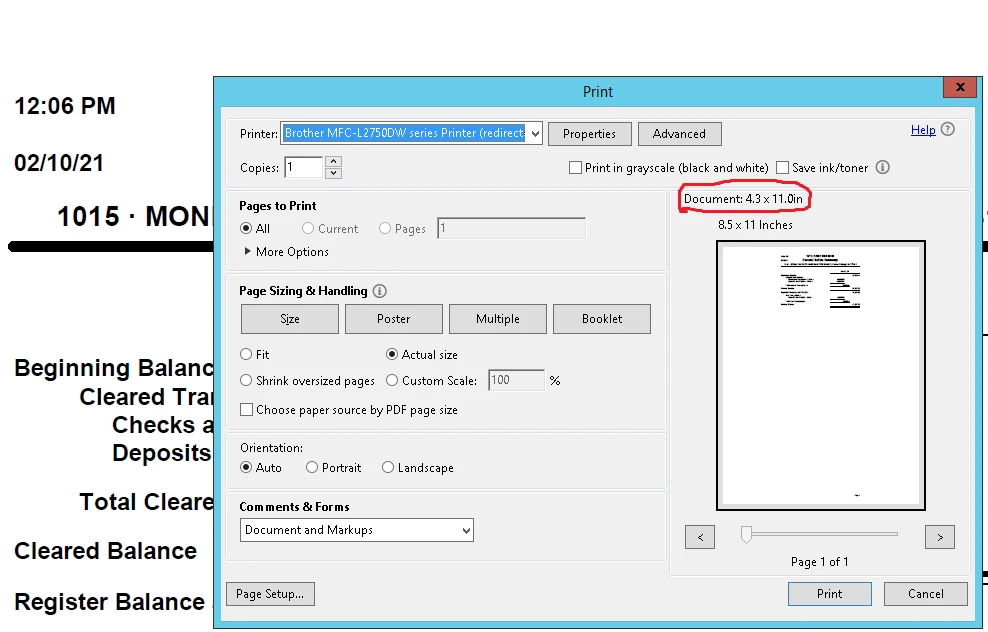
All my reports are printing very small.  I have tried different options but I can't find the solution. It seems the document is set up as default to 4.3 x11.0 inches. Any ideas?
8 replies

Rose-A
Level 10
Feb 10, 2021 8:22 PM UTC

I'm glad to hear from you today, Thybo86.


I appreciate the screenshot you've provided. Let's get your printing issue back to normal.


You may want to check the printer setup in QuickBooks Desktop and make sure the fit report option is selected. Here's how:


  1. Go to the File menu and then select Printer Setup.
  2. For the Form Name, choose Report.
  3. Under Page Breaks, make sure the Fit report to is selected.
  4. Hit OK.


If you're still getting the same issue, you can set the Margins of your report to increase its sizes.


Additionally, I've included an article that'll help you with customizing reports in QuickBooks. This way, the reports will fit your style and business needs: Set Report Preferences.


You can also memorize the report to save its current customization settings. It serves as your record and helps you quickly access it for future use. 


You'll be back to business in no time. Please know I'm only a post away if you still need help with printing your reports or have follow-up questions with QuickBooks Desktop. I'll be around to keep helping.

Thybo86Author
Feb 10, 2021 8:59 PM UTC

Thanks for the prompt answer.

I had tried that before and it didn't work.

I am trying to print a P&L and I get these messages now

JoesemM
Moderator
Feb 10, 2021 10:30 PM UTC

Thanks for getting back to us, @Thybo86.


You can check the paper size that you set up in your printer and ensure that the reports will fit into it. Also, make sure that your QuickBooks is updated to the latest release.


We can also perform the necessary troubleshooting steps to fix potential data problems. First off, let's run the Rebuild utility. Then, Verify to find any issues within your data file. Here's how: 


Rebuild data

  1. Go to the File menu, then select Utilities.
  2. Click Rebuild Data.
  3. Select OK when you see Rebuild has completed.


Verify data:

  1. Go back to the File menu, then select Utilities.
  2. Click on Verify Data.
  3. If you see QuickBooks detected no problem with your data, select OK. You may continue using your company file.


For more detailed steps about this, check out this link: Resolve data damage on your company file. 


Additionally, I'm adding these articles that also provide troubleshooting steps to fix issues while printing in QuickBooks:


Keep me posted if there's anything else you need. I'm always here to help. Take good care!