
Get 50% OFF QuickBooks for 3 months*

Buy now
Switch to QuickBooks and 70% off for 3 Months
February 11, 2023
Question

Quickbooks checking account
  • February 11, 2023
  • 5 replies
  • 43 views

  Hi Community members, 

I am having a client and this is my first time working with a client that has Quickbooks Checking Account. 

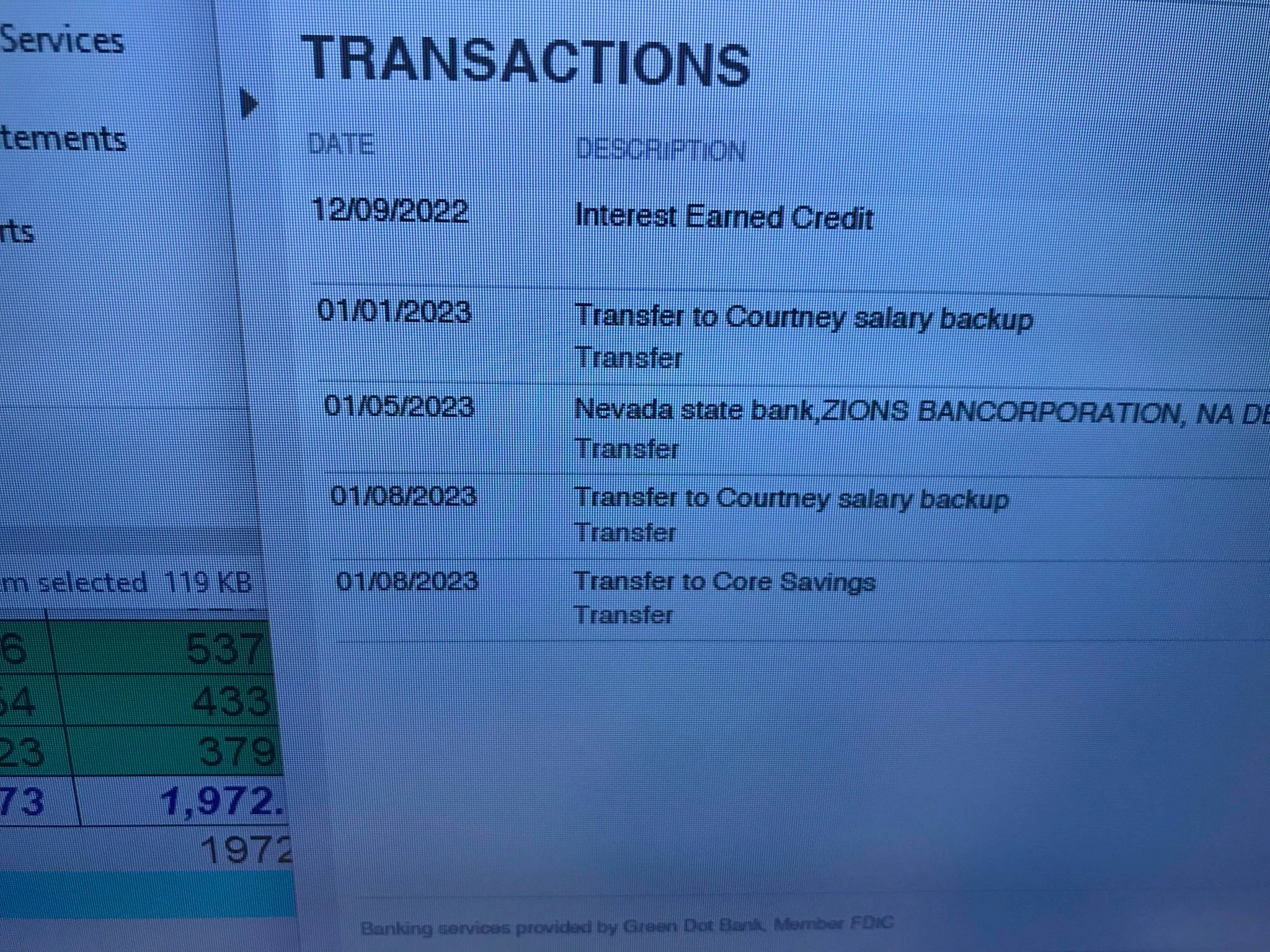
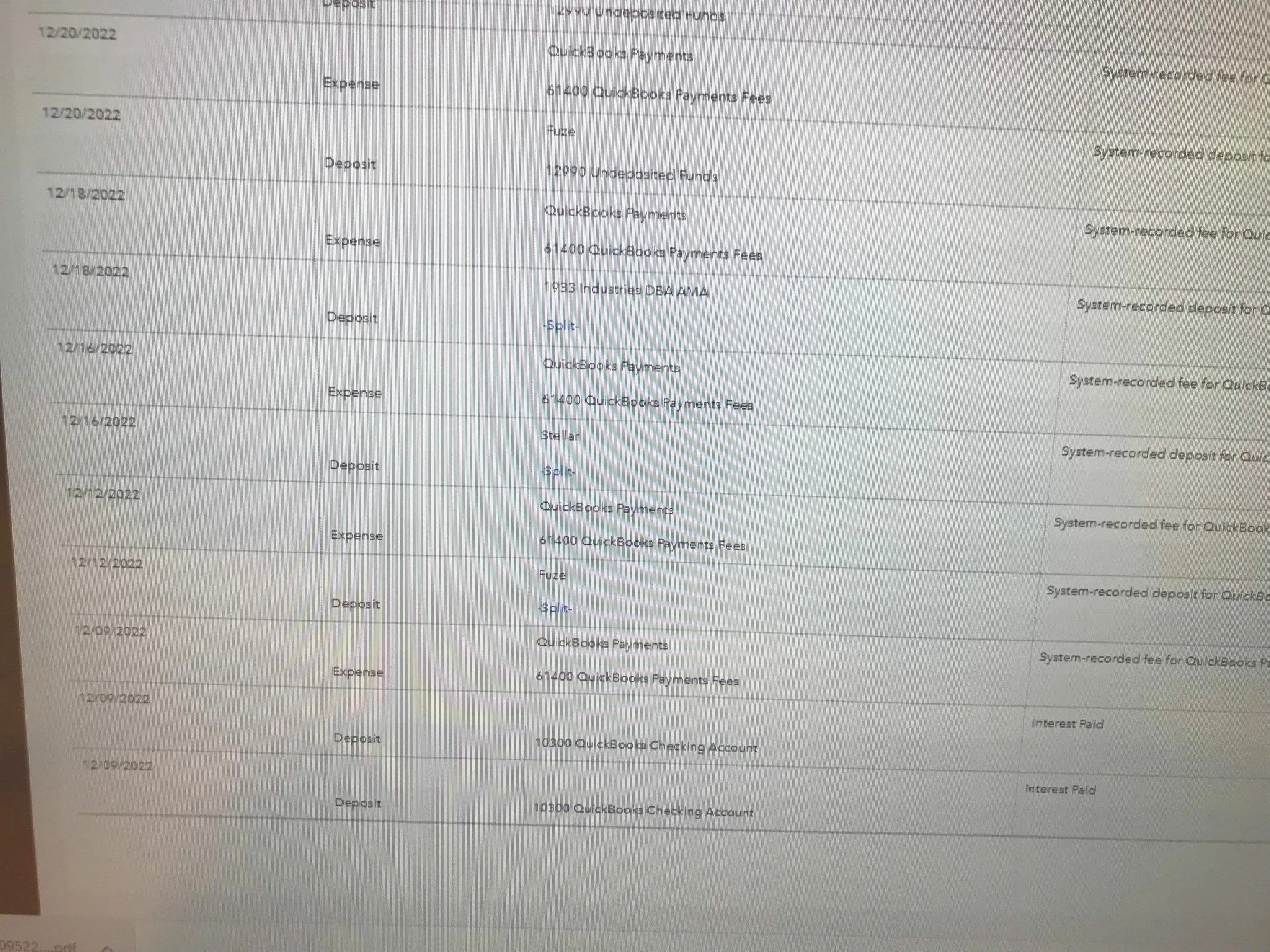
For some strange reason when I saw the statements that QBO provides for its Quickbooks Checking Account , the statement has just a few transactions , meanwhile the account that the client has in Quickbooks , his Quickbooks checking account is full of transactions that i dont see in the statement . 


First can someone tell me how does quickbooks checking account flow to the account that the client has in their Quickboos ? Not sure if the client enters things manually or if those transactions flow but why is the statement not showing them all ? NEE SOME HELP PLEASE . 


Thank you  , 

p.s attached is a photo of the statement with just a few transactions and another of the transactions that I see in quickbooks for the same account and same dates ....

5 replies

katherinejoyceO
Level 9
February 11, 2023

I appreciate you for sharing your concern in the Community, @

Laura1980. I've got you some information about QuickBooks Online (QBO) Checking account.


When your clients signed up for QuickBooks Payments, they can get a QuickBooks Checking account and a debit card where all of their customer payments get deposited. 


Hence, the account won't automatically show up on the Banking page, until they link the account manually from there.


Here's how:


  1. Sign in to QuickBooks, then go to the Banking menu at the left pane.
  2. Go to the Banking page., then select Connect account if this is the first time setting up, or select Link account if you already created one.
  3. In the search field, enter the name of your bank, credit card, or credit union. 
  4. Select Continue. Then sign in to your bank with your user ID and password. 
  5. Follow the on-screen pop-ups to complete the process.


You can also check out this article for an additional guide: Connect bank and credit card accounts to QuickBooks Online.


You also want to visit this link to learn more about the QuickBooks Cash accounts and its cash flows: QuickBooks Checking


Feel free to message again if you have other questions in mind. Take care!


Laura1980Author
February 11, 2023

Yes true , the account is connected but I wonder why do I see tons of transactions in there while the statement itself has just a few transactions ? Any explanation to that please ? 

LieraMarie_A
Level 8
February 11, 2023

Hey there, @Laura1980


Thanks for getting back to us. Allow me to step in and share some information about QuickBooks Payments.


Each time you process a transaction, QuickBooks Payments charges a fee. This is why you see a lot of transactions (both the deposits and fees) in the QuickBooks Checking account. It displays the breakdown, while your statement shows the summary. You'll want to reach out to Payments support to verify these transactions.


Here's how:


  1. Click the (?) Help icon in the upper right-hand corner of the Dashboard.
  2. Select Talk to a Human.
  3. Enter a short description of your concern and press Enter.
  4. Click I still need a human.
  5. Select Contact Us to connect with our live support.
  6. Choose Get a callback.


Additionally, you'll want to check these articles for additional details:


Feel free to ask if you have any other questions or concerns about taking payments. I'm only a post away. Have a great day!