
SUMMER SAVINGS 90% OFF QuickBooks for 3 months* Ends 8/27

Buy now
Switch to QuickBooks and 70% off for 3 Months
March 3, 2021
Question

Intuits My Time App

I am using QB for Mac 2016 and have been for several years without any issues.  I recently went into the Employees tab and went to the "Download My Time" button to see what that integration was all about.  I was able to download and install the program on my Mac running 10.14.6 (Mojave) and when it went to the setup screen it says It can not find the company file.
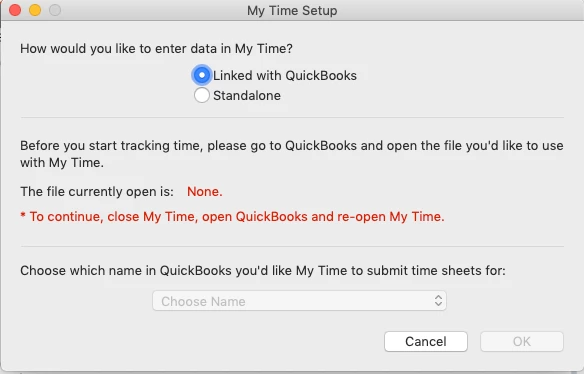
 

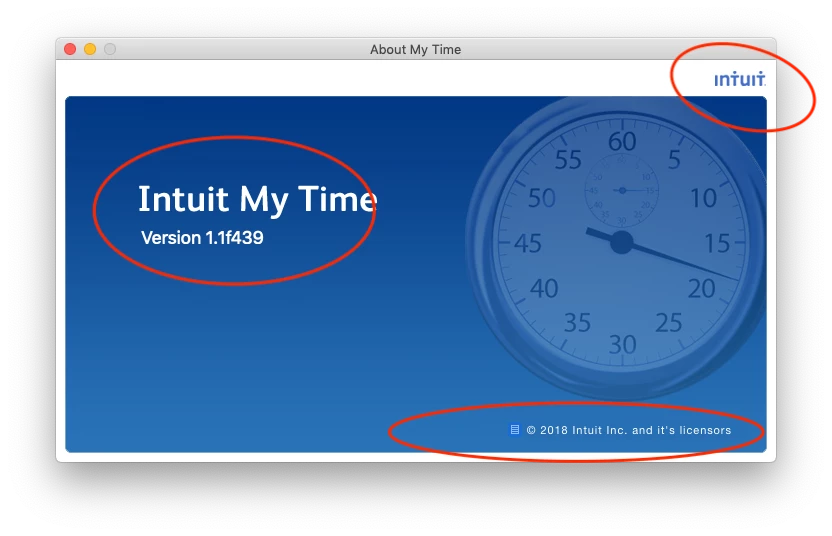
I reached out to support and they keep pointing me to mytime.com saying they need to help me and when I did mytime.com says they are a scheduling company not a time tracking company.  After reviwing the My Time App I see it is an Intuit product and apparently no one in support knows how to support it.
 

I am hoping someone here can shed some light on the situation.  I would like to get this working as I have been manually entering this in and would like to see how this program works.


FYI I have tried

  • rebooting the computer.
  • closing and opening my company file
  • closing my company file and opening a sample file (my Time doesn't see that file either)
  • verifying the company data file


Thanks for any help.

36 replies

Tori B
QuickBooks Team
March 3, 2021

Hey there, @Bgerber4. 


Thanks for reaching out to the Community for support. I'm happy to provide some insight into the My Time app.


Some users have found it helpful to uninstall the My time app version 1.1.f439. Once the My Time app has been uninstalled, you can download the new version of My Time which is 1.2.0.44. Grab the download of the new version here: Get your free My Time v1.2.x download. From there, you'll need to close QuickBooks and save a Backup. Once you've closed and saved a backup, Reopen QuickBooks and open My Time.


That should do it! Please let me know if you have further questions. I'm always around to lend a hand. You can reach out to the Community at any time. Take care! 


Bgerber4Author
March 3, 2021

thank you for the response.  I did try that before posting this and Unfortunately the V1.2 app is not supported on my version of mac os 10.14.6 (Mojave).

Moderator
July 7, 2022

Thanks for your reply! The link you mention is for My Time 1.3x. I'd like to know if I can roll back to a previous version as the newest one (1.3x) isn't compatible with my version of QuickBooks desktop.


Please let me know, thanks again.


Hello, web360.


Yes, you can go back to a previous version of the My Time app. You can reinstall it if you still have a backup copy of the installer file, as we have received reports from some users that the previous version worked fine on their end.


Update your QuickBooks desktop version if you no longer have the previous installer. Alternatively, you can set up time tracking and use the timesheet feature to record time manually. Please follow the instructions below:


  1. Go to QuickBooks, then select Preferences.
  2. Click Time Tracking and select the “Keep Track of Time” option.
  3. Choose the first day of your workweek from the First Day of Work Week list.


To learn more about using time tracking, read this article: Enter timesheet in QuickBooks Desktop for Mac. It includes instructions for creating a single activity and a weekly timesheet.


In addition, you can generate time tracking reports to see all the time entries you've recorded. To do this, please go to the Reports menu and select Jobs, Time, and Mileage. After that, choose either Time by Hob Summary, Time by Job Details, Time by Name, and Time by item.


Don't hesitate to post again if you have further concerns or questions. I'll get back to you as soon as possible to assist you.