Get 50% OFF QuickBooks for 3 months*

Buy now
Switch to QuickBooks and 70% off for 3 Months
Best answer by CharleneMaeF

Let's edit the invoice template in the Custom form styles menu, derekbier.


QuickBooks Online gives you the ability to create attractive, professional-looking invoices. I'll show you how.


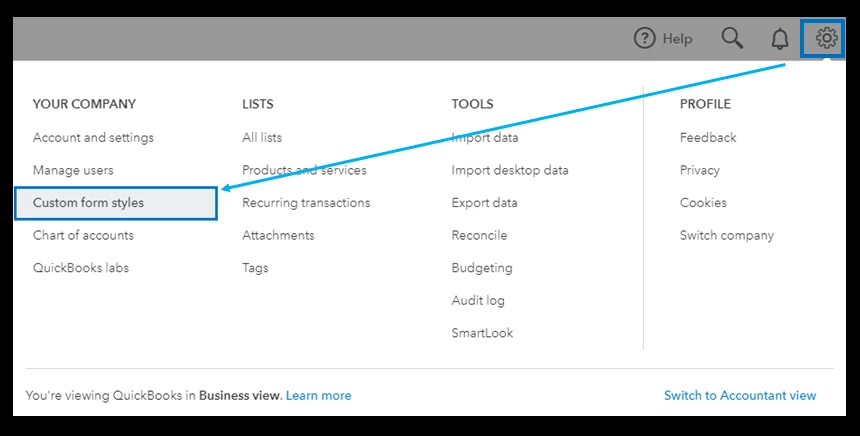
  1. Go to the Gear icon and then select Custom form styles.
  2. Choose the template you'd like to customise, then click Edit.
  3. You can also click on New Style, then choose Invoice.
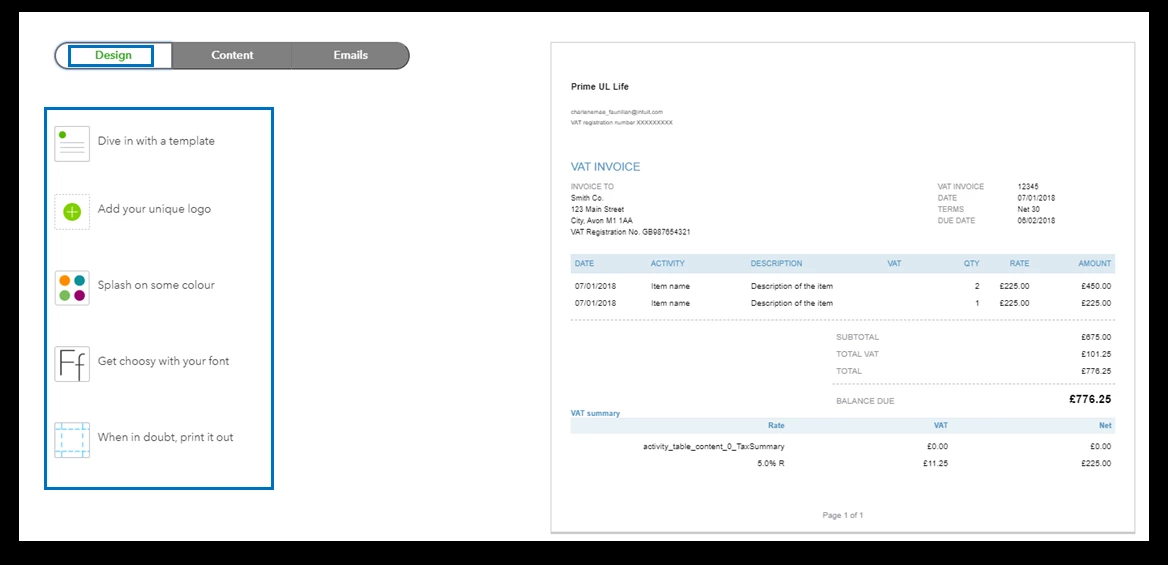
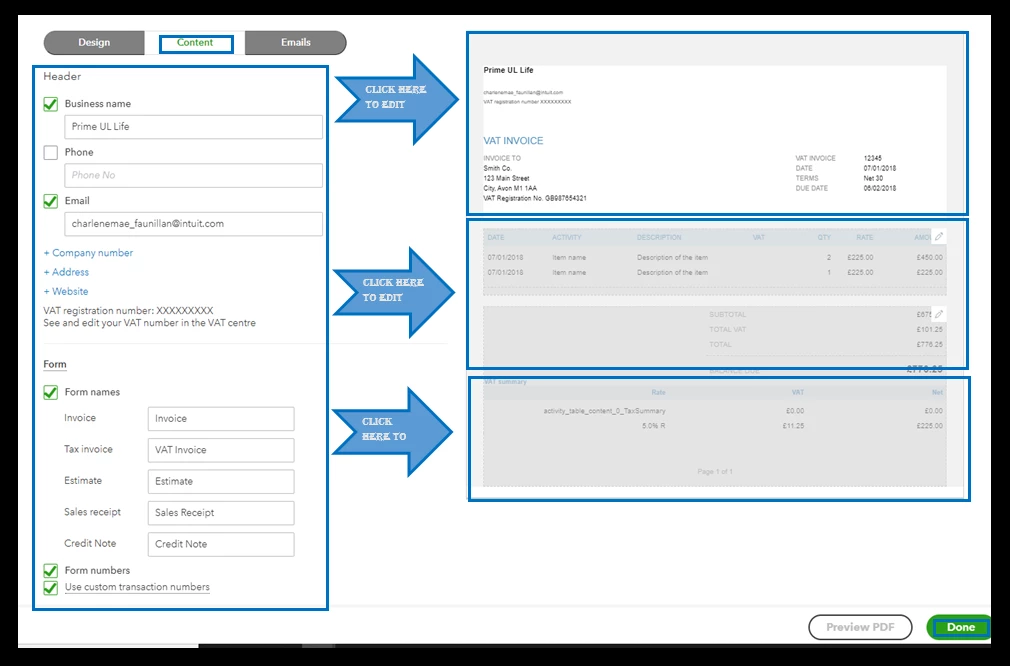
  4. On the Edit invoices that turn heads and open wallets, click either the Design or Content tabs.
  5. From there, you can start customising.
  6. After that, click on Done.


For your visual reference, I've attached some screenshots below.
To learn more about the process, please see this article: Customise Invoice in QuickBooks Online.


You can also import your own customised invoice templates in QuickBooks. Follow this step-by-step guide to learn how to enter your template into the program. This also contains answers to FAQs in regards to importing.


I'm only a post away if you need more help in editing your invoice template in QuickBooks. It's always my pleasure to help you out again. Keep safe!

1 reply

QuickBooks Team
June 27, 2021

Let's edit the invoice template in the Custom form styles menu, derekbier.


QuickBooks Online gives you the ability to create attractive, professional-looking invoices. I'll show you how.


  1. Go to the Gear icon and then select Custom form styles.
  2. Choose the template you'd like to customise, then click Edit.
  3. You can also click on New Style, then choose Invoice.
  4. On the Edit invoices that turn heads and open wallets, click either the Design or Content tabs.
  5. From there, you can start customising.
  6. After that, click on Done.


For your visual reference, I've attached some screenshots below.

To learn more about the process, please see this article: Customise Invoice in QuickBooks Online.


You can also import your own customised invoice templates in QuickBooks. Follow this step-by-step guide to learn how to enter your template into the program. This also contains answers to FAQs in regards to importing.


I'm only a post away if you need more help in editing your invoice template in QuickBooks. It's always my pleasure to help you out again. Keep safe!