
Get 50% OFF QuickBooks for 3 months*

Buy now
Switch to QuickBooks and 70% off for 3 Months
May 13, 2021
Question

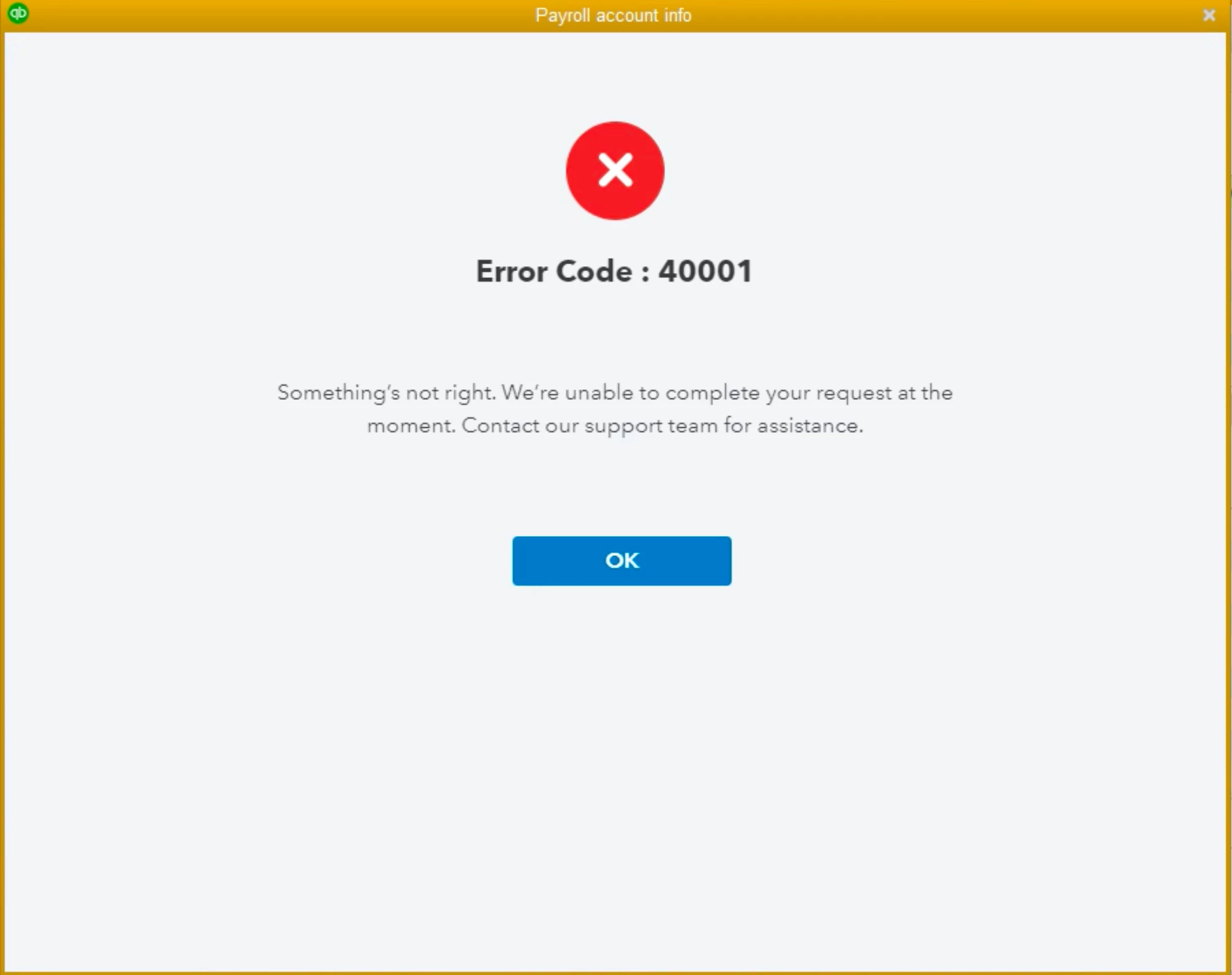
Error Code 40001

  • May 13, 2021
  • 21 replies
  • 3 views

There's a warning in Payroll Center saying: Update your payroll account info by July 31, 2020. So, I clicked "Update account" > "Update now", and I get  Error Code : 40001. Does anyone have a fix that does not require waiting forever for an online chat, or talking to someone in support that has roosters in the background? Thanks in advance.
21 replies

QuickBooks Team
May 13, 2021

I'm here to find out why you're getting such an error, @jeffsinthehouse.


When activating direct deposit, you'll have to make sure that you're running as an Administrator to ensure that the activation process will go through. To do this, you can right-click the QuickBooks Desktop icon and select Run as Administrator.


However, if you're still getting the error, let's perform some troubleshooting steps to sort this out. You can run the Verify/Rebuild Utility tool to diagnose and fix unexpected behavior in a company file.


Here’s how:


  1. Go to the File menu then Utilities.
  2. Select Verify Data then wait until the diagnosis is done.
  3. If there are issues, proceed to rebuild the company file.
  4. Tap File menu and Utilities again.
  5. Use Rebuild Data this time then click OK.
  6. Follow the onscreen steps to finish the process.


Please check this article for more details: Verify and Rebuild Data in QuickBooks Desktop.


I'm sure this would do the trick and fix the issue. You'll also want to check this article for the next step after you're done with the process: Set Up Your Company Payroll For Direct Deposit.


Please post a reply below if you have any other concerns with direct deposit. I'm all ears in case you need any help with QuickBooks.

May 14, 2021

This answer is unacceptable. Both addresses were added to trusted sites - no change. Just a thought: check for bugs before posting warnings.

May 20, 2021

I keep getting this message can you help me fix this my July.

May 24, 2021

Did anyone get any answers for this?

It still says to update by July 31st but you still get the 40001 error.  Support is a blank screen when you go there for help.

All the other information displayed in this thread doesn't fix any issues.

I hope by July 31st if this isn't resolved that it doesn't restrict direct deposits, that would be really bad for my employees.


May 24, 2021

I'm furious about this. I don't want to trouble shoot/solve their error code problems. I'm tempted to wait a month to see if they fix the issue. I'm hoping if enough users complain they'll take care of it.

May 26, 2021

I've been dealing with Quickbooks/Intuit for over 25 years - unfortunately, this is how they roll.

May 24, 2021

I've continued to get this error message for over a week now.

It never fails.  Any time Intuit has an update, it never goes without glitches.

We pay GOOD Money to get help and assistance in getting solutions, but it seems that the people at Inuit make us work way harder than we should, considering we ARE PAYING for assistance.


Error 40001 sounds like it is across your entire platform and needs to be addressed by your software developers/engineers.


We are Not paying money to get the runaround, nor should We be determining what the solutions are.


Please get this error code resolved and your customer up and running without issues!!!!!

May 24, 2021

I did all of the "fixes" recommended also.  Same error every time.  I thought maybe it was just me.  This is ridiculous.  Why send out a deadline when the proper process hasn't been completed correctly in QuickBooks.

May 25, 2021

Ugh! 

wasted hours and hours. HELP. I dont have time for this BS.


Level 9
May 25, 2021

Hi there, Kelly Landry1.


Thank you for visiting the QuickBooks Community. This isn't the kind of impression that I'd like you to have, and we know how much time it can take when something isn’t working the way you need it. This is why we make great efforts to deliver customer satisfaction at all times and to fix an issue as soon as possible.


The details shared above by my peer are the troubleshooting steps on how to fix the Error Code 40001. However, I suggest contacting our QuickBooks Support Team if the issue persists. They have the tools to pull up your account and profoundly investigate the cause of the problem so you can go back to running your business with QuickBooks. You can follow the instructions provided by MarylandT on how to reach them.


Please refer to this article to see steps on how you can use direct deposit to pay vendors and 1099 independent contractors: Set up and manage direct deposit for your contractors.


Keep me posted on how it goes by leaving your comments below. I'm always here to help if you have other questions and concerns about resolving unexpected QuickBooks behaviors.

May 25, 2021

I am getting the same error code and I agree with everything everyone is saying about QB support. It is horrrible.  It used to be the Cadillac, now it's a broken down old Dodge. It's always at least an hour's phone call, if you can even find someone to talk to, or waiting on hold for an hour. If another software product appears good enough to replace it, I'm on board.

May 25, 2021

OK! Success!

Thanks for the advise about calling!


I just got a call back from Intuit Support. - and fixed the issues in  few minutes!

YOU HAVE TO CALL THEM - AND DO A SCREEN SHARE!


Apparently there is a "realm" number thus QB uses and it seems that QB Payroll has the incorrect Realm Number.

You need to resets the Payroll login and input the correct realm number and then login to payroll again and it works..


Have a nice day!

May 25, 2021

Can someone please post the Support phone number?  I can't find it anywhere and when I got thru on the sales line over to Support, I was unable to talk with someone.  Thanks.

QuickBooks Team
May 25, 2021

I appreciate you for sharing the error message you’ve received on your end, RoadWirer. 


Just to verify, have you already tried the steps provides by my colleagues above? If so and you're still getting the same error, getting in touch with our Customer Support team. They have tools such as screen sharing that can check your QuickBooks. And perform other troubleshooting steps to help this fix.


Here's how: 


  1. Open QuickBooks.
  2. Go to Help, then select QuickBooks Desktop Help.
  3. Select Contact Us.
  4. Give a brief description of your issue, then select Let's talk, and then choose a way to connect. Phone support may be limited due to volume.

For future reference, feel free to review this helpful material to know more about dealing with some direct deposit problems: Fix direct deposit issue.


I've got your back if you have more questions about managing your direct deposits in QBDT. Just comment back so I can assist you further. Have a good one.


May 25, 2021

I am also experiencing Error Code : 40001

Updating a few missing items prior to July 31st sounds simple enough.

Please fix this problem QB

Moderator
May 25, 2021

Hi there, kah2.


Let me route you to the best support so this will be taken care of as soon as possible.


This issue occurs when the Realm ID within your QuickBooks is no longer matches the number we have in our payroll system. Please ensure that your QuickBooks Desktop and payroll tax table is updated to the latest release.


If the issue persists, I'd suggest reaching out to our Payroll Support. They have the tools to check the Realm ID and proceed with the troubleshooting steps.


Here's how:


  1. Open QuickBooks.
  2. Go to Help, then select QuickBooks Desktop Help.
  3. Click Contact Us.
  4. Enter a short description of your concern.
  5. Hit Let's talk and then choose a way to connect.


In addition, you can check this guide to get additional information about entering payroll info: Add historical payroll information to your QuickBooks Desktop Payroll


Add a comment if you have further questions about direct deposit. The Community and I will always here to back you up. Have a great day!

May 25, 2021

I am having the same problem.  I have two companies with payroll accounts that have different EINs.  I was getting the same error code on both when trying to update payroll info.  I have both companies set up for automatic updates.  I did a manual update even though there were no new updates available.  I was then able to update the info for one of the companies but still gettiong the 400001 error code when I try to update the other.  The quality of customer service provided by Intuit Quickbooks has declined dreadfully.  I hope this issue is resolved soon.